1
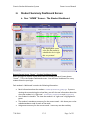
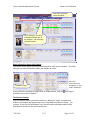
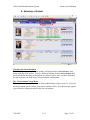
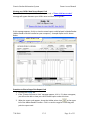
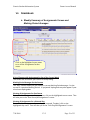
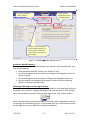
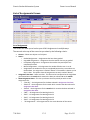
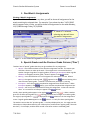
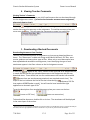
Genesis Student Information System III. Parent Access Manual Student Summary Dashboard Screen A. Your “HOME” Screen - The Student Dashboard The highlighted course is the one the student is scheduled to be in ‘right this very minute’. Genesis Parent Access “Home” – Student Dashboard Screen When you login to Genesis Parent Access the first screen you see is Parent Access “Home”. This is the Student Dashboard screen. You will see a ‘dashboard’ for every student linked to your login. Each student’s ‘dashboard’ contains the following information: Basic information about the student: student id, homeroom, grade, age. If you are viewing the screen during the school day, you will also see information about the class your student is in ‘right now’: current class, current teacher and current room. Your student’s schedule. The class the student is in ‘right now’ is highlighted in green. The student’s attendance summary for the current week – this shows you a color coded attendance code for each of the week. Assignment summary for the current week – how many are due each day 7/30/2009 V3.5 Page 5 of 23