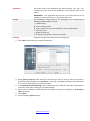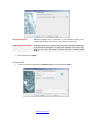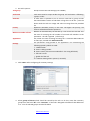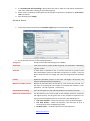
1
ABOUT THIS DOCUMENT
This document describes how to install and work with the “Smile IP Contact Center”
software product. This document is intended for administrators of the contact center (CC) and requires
skills in work and administrating in operating system Windows
TERMINOLOGY
The list of terms, which is used in the Smile IPCC user’s manual:
Call center – an enterprise or a subdivision of the enterprise, which goal is to effectively service
customers by telephone and other electronic communications.
Contact center – hardware and software system designed to manage the flow of phone calls and other
electronic communications (fax, email, web, SMS).
Client – a person or an organization, which contacts the Call Center by phone calls, e-mail or other
means.
Agent – an employee call center, which deals with customer service.
Supervisor – an agent with extended authority, which monitors and controls the work of agents.
Call - any client request in a call center or address call center to customer (phone call, fax, e-mail, etc.).
Task – set of parameters that describe the service of call and the rules that control this process.
Call Routing - a set of rules which controls the process of selecting tasks for servicing the call.
Distribution of call - a set of rules which controls the process of selecting an agent for servicing the call.
COS - a set of features that allows to distribute the calls based on the features of the customers.
www.smile-soft.com
PREFACE
Smile IP Contact Center (IPCC) brings the work with clients of your company to a new level. This
software allows you to work with almost any scenarios of serving clients, conduct telemarketing events,
run company’s business processes, and also keep all information about the clients and their requests to
your company.
INSTALLATION
To make a proper installation of Smile IPCC on your PC, please follow the steps below:
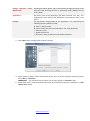
1. Launch smileipcc.exe application
Follow the instructions that appear
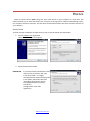
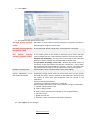
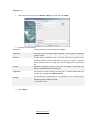
2. Select the destination folder
IMPORTANT
If you have already installed this software
and you want to install a new copy
in the same folder – it’s highly
recommended to delete all existing files
in this folder, which were left after
uninstalling the previous version,
saving beforehand all necessary
service files
(configuration server files,
algorithms).
www.smile-soft.com
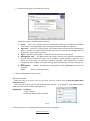
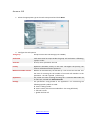
3. Select features which you would like to install
Smile IPCC consists of following basic features:
1. Server
Server part, includes software switchboard, automatic call distribution module,
conversation recording module and autodialing module (all modules are optional).
2. Supervisor Supervisor’s working place. This module allows monitoring and controlling the
work of operators in online mode. Also you can listen to conversation recordings and look
through CC’s work statistic (optional).
3. Agent Operator’s working place – allows to receive and serve incoming calls
4. Management Tools The CC controls and settings. Consists of a graphical management
console software switch that allows you to configure routing, gateways, protocols, voice
H.323, SIP and boards of computer telephony (Dialogic); and administrator console,
manages the work of CC in total (tasks settings, operators settings, customers settings, etc.
etc.).
5. Development
Includes CTI application development tools (Visual CTI) and tools for
creating
Tools
forms to work with clients.
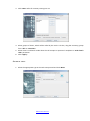
4. After installation reboot your system.
GETTING STARTED
Smile IPCC runs as a service. You can also start server by using a shortcut Start>Programs>Smile
IPCC>Start Server1.
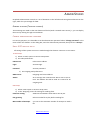
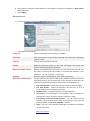
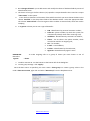
Use a shortcut in Start menu to lunch administrator console 2 or at desktop3. Enter administrator’s
login, password, and IP-address of desired server.
IMPORTANT
By default
Login -«admin»,
Password and Server left untouched
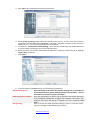
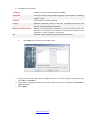
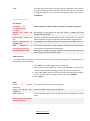
Pic.1
If the data are correct – Smile IPCC administrator console will appear.
www.smile-soft.com
ADMIN STUDIO
Graphical Administration Console is a set of elements on the left side and tuning these elements on the
right, which lets you manage all of CC.
GENERAL SETTINGS (THE ROOT ELEMENT )
These settings are made via the root element of the list (with a network name server), 1, you can display
the menu by clicking the right mouse button.
C HANGE ADMINISTRATOR PASSWORD
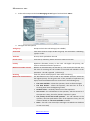
For security purposes, it is desirable to set the administrator password. Select "Change password" in the
menu of the root element. In the dialog box, enter the old and new password, then press the «Accept».
S MILE IPCC SERVICES SETUP
All settings of the system services are made through the element «Services» in root menu.
E-mail setup
1) Select «E-mail» option in services setup menu.
2) Set inbox preferences:
POP3 server
Inbox server address.
Login
Account login.
Password
Account password.
1) Set outgoing mail preferences:
SMTP server
Outgoing mail server address.
Admin
All crush logs and unsorted mail will be sent to this Email. This address also will be used as a reverse for all
outgoing mail.
FAX setup
1) Select «FAX» option in services setup menu.
2) In the "Outgoing" enter the settings for sending faxes
Prefix for routing
Added to the numbers which will be sent by fax.
Play greeting
Select an audio file to play before sending fax.
Max number of attempts
you can set the maximum number of attempts to send a
fax
www.smile-soft.com
Play a CNG signal
Signal, which plays before sending fax.
1) The section "Incoming" has only one option - "Play a CED sound ». Activate this option to play
the signal before receiving a fax.
Dialer setup
Dialer service – outgoing autodial module. Set the following preferences before running this module:
Access to autodial server Login and password of Dialer administrator.
console
Number of calls per second
Maximum permitted number of simultaneous calls for this module.
Queue setup
Calls queue settings:
Raise process priority every
Time, after which process priority raises in queue.
Notify the waiting time not Minimum playback waiting time in the queue, even if the system's
less
calculated waiting time is less than specified in this parameter.
Task queue settings (offline):
Time, after which process priority (not associated with calls) raises in
Rise process priority every
queue.
Callback queue settings:
Rise process priority every
Time, after which process priority (type «Callback») raises in queue.
Recording service setup
You can set the destination folder for conversation recordings in «Catalog» category, and their format in
«Format» category. By default they will be saved in the Smile IPCC root catalog.
NOTE To keep larger amount of recordings longer it’s recommended to use compressed DSP Group
TrueSpeech format.
Updates setup
Updates service allows to automatically update all computers, which have Smile IPCC components
installed. To update your system:
1) Select folder, which will be used for updating your system, in «Update catalog».
2) Copy in selected folder updated files.
Callback setup
Outbound calls queue settings
Repeat, if number is busy in
Repeat, if number doesn’t respond in
Max time in queue
www.smile-soft.com
S EARCH
You can use «Search» service to find desired system feature (operator, task, etc.), which is located in
root menu. Choose the type of the file by typing its name in the parameter "Search object" and press
the "Find".
You can save information in HTML format and print it by pressing the «Print» button.
A DDITIONAL SETTINGS
You can set additional status codes operators for temporary absence and logging off the system. To
add the code, do the following:
1) Press the «Add» button in the upper half of the dialog box to add the reasons for temporary
absence or a lower one - for reasons of logging out of the system.
2) In appeared left string enter a reason code and its description in the appropriate columns. After
inputting press «Enter».
3) Press the «Accept» button to save changes.
C ONNECTING TO DATABASE
For a proper work of Smile IPCC you need to connect to database, in which further will be recorded all
the information related to the work of the contact center, as well as its statistic.
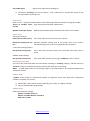
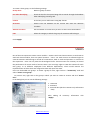
Right-click on the root element and in the drop-down menu, select Database.
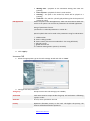
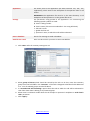
Smile IPCC uses two standard types connection to database:
Connection to ODBC source To connect this way – create ODBC source by the means of operation
system. In «connection to database» dialogue screen enter data source
name, login and password.
Connection via JDBC driver
Enter driver name to connect, specific driver URL, name of owner
scheme, username and password. Username must be either scheme
owner, selected in dbOwner, or must have authorization to objects of
this scheme.
IMPORTANT
We recommend using connection via JDBC driver, because this way is more reliable.
NOTE
Example:
Connection to MySQL database via JDBC source
JDBC Driver
com.mysql.jdbc.Driver
Driver Specific URL
jdbc:mysql://localhost[:port number]/test
DbOwner
Root
Username
Root
Password
******
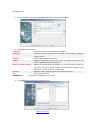
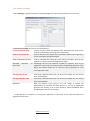
Pic 2.
www.smile-soft.com
TASK CREATING
All calls in Smile IPCC are served due to selected rules, which are called tasks. Task selecting is made
at the time of receiving the call and may depend on such parameters as the source of the call, route of
the call, time of the day, the availability of free agents, etc. By the way of servicing the call, tasks can be
divided into two main types: а call, which is serviced by an agent (task agent), and a call, which is
serviced by an automatic script (task IVR). During the servicing, the call can be passed from one task to
another. For example, at first, a phone call can be serviced by IVR script, and then it can be redirected
to agent's task. Agent, accepted the call and performed a certain work, can redirect the call to another
task (to another group of agents or IVR script).
Task types in Smile IPCC are:
Incoming
Incoming call
Agent
Call that is distributed to operators
IVR
Callback
Call that is serviced by an automatic script. Scripts are created by using
the package Smile Visual CTI or using a special programming interface
(API)
Outgoing call, generated by the server in response to customer request
Agent
Call that is distributed to operators
IVR
Call that is serviced by an automatic script
Autodial
Agent
Outgoing call, generated by the server on the list of numbers in the
automatic mode
Call that is distributed to operators
IVR
Call that is serviced by an automatic script
Voice
Call with playing an audio message
Fax
Call with fax transfer
www.smile-soft.com
Messaging
Incoming call, served in answering machine mode (offline task)
Voice
Fax
Incoming call that is serviced in autoresponder mode. Received message
can be passed to the operator, saved in the database or sent via e-mail
Incoming call, receiving a fax automatically
E-mail
Processing of incoming e-mail
SMS
Processing of cellular network’s SMS messages
Generic
The task invoked from the agent's workplace
Agent
Task that is called from the operator's workplace. The Tasks of this type
are used to run applications on an operator's computer
IVR
Automatic script that runs on the server on command from the
operator's workplace.
To add a group of tasks, right-click on a node "Tasks" and select "Add Group". In the dialog box, set
the name of the group. The remaining data - contact person, telephone, fax, E-mail, description - are
informative. To create a task, right-click on node and select "Add Task".
Follow the instructions in this manual to create various types of tasks.
INCOMING.AGENT
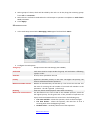
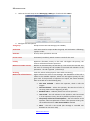
1. Select the appropriate type in the setup wizard box and press «Next»
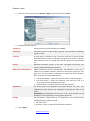
2. In the next task settings window you can set the following parameters:
Task group
Group to which this task belongs (not editable)
Task name
Task name must be unique inside the group. Full task name is following:
<group>.<task>
In Smile IPCC it’s possible to set an icon for each task or group of tasks
that would make it easier to find them in large lists. To do this - press the
button with the task icon image and select an image from the provided
list
Operators allocation priority on this task. The higher the priority, the
Task icon
Priority
www.smile-soft.com
Maximum number of lines
Conversation recording
faster it will be distributed to operators
Number of simultaneously served calls by a set of rules for this task. If at
the time of receiving the call number of serviced calls matches to the
parameter - the call is ignored («fast busy»)
Turn on the option to record all calls which are serviced by this task
The distribution of the call is made to the available operator, which has
the highest priority for the given task. If the priorities of operators are
equal, the choice between them is carried out in the following way:
The most available – selects the operator, which is idle the longest
The least busiest – selects the operator, who was less of all in a
servicing state since the beginning of shift
Random select – randomly selects one of free operators
Last served – the call redirects to the operator, who last served it. If
the operator is busy, the call is placed in operator’s queue
The priority of the last served operator – the call redirects to the
operator, who last spoke with a client. If the operator is busy, the call
redirects based on «the most available» method
Simultaneously to everybody – the call redirects simultaneously to
all available operators. The operator, who answers the first, receives
the call
The best answer speed – selects the operator, which answers the
incoming call faster than everyone
Run an application after a When turned on – an application will lunch on operator’s workplace after
answering the call and before it – when turned off
call
Method of call distribution
Change operator’s status Enabling this option allows you to automatically change the status of the
operators after servicing call from a "processing wrap» (WRAP) state to
WRAP->IDLE
“free” (IDLE)
The direct path to the application (file with extension .exe, .bat, .frm,
Application
.application), which starts at the workplace of the operator when a call
comes
IMPORTANT The application file must be in the same directory at all
workplaces of the operators or in the general file server
Settings
The parameters string passed to the application. For transferring the
following special symbols are used:
* - number, which received a call;
$ - calling number
# - client’s name (if client was unidentified – the string left blank)
^ - full task name
~ - process id
| - operator’s name, to which the call is redirected
Greeting
Audio file that plays into the line of an incoming call
www.smile-soft.com
3. Click "Next" after setting up all necessary parameters
4. Select groups of clients which should be served by this task. To do this, move the necessary
groups from the field "All" to the "Favorites." If the task is designed to handle all calls, which are
addressed to it - a list of selected groups must be left blank
5. In parameter "unauthorized call forwarding", select the task to which the call will be redirected
if the client does not belong to any of the selected groups
6. Select the client’s card startup mode when the operator’s workplace receives the call in «Pick up
client’s card» parameter
7. Click «Next»
8. In the parameters of queue settings, set the following parameters:
Before directing to the queue the estimate waiting time is calculated. If
Allowed waiting time
the calculated value is greater than specified in this parameter - the call
won't direct to the queue ("queue overflow")
From the drop-down list, select a task to which the call will be redirected
Redirecting when overflow
if the estimated waiting time is higher than allowed. If the task is not
selected, then when the queue is overflow, the call is rejected («fast
busy»)
Turn on to play the audio file before placing in queue. To set this option,
Play greeting
you must configure some additional parameters:
www.smile-soft.com
IVR application
Waiting time – playback of the estimated waiting time after the
greeting
Place in queue – playback of client’s serial number
Greeting – the path to the audio file, which will be played as a
greeting
Audio file - file, which is cyclically played during the whole period of
waiting in queue
Select the path to the IVR-application, which will be launched when the
task is set in queue. You can also set parameters in selected application
String of parameters format:
<parameter>=<value>&<parameter>=<value >&…
Special symbols that can be used in the parameter string for substitution:
* - called number
$ - client’s calling number
# - client’s name (if client was unidentified – the string left blank)
^ - full task’s name
~ - global id of the call
% - estimate waiting time in queue (in seconds)
9. Click «Apply»
INCOMING.IVR
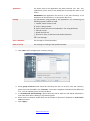
1. Select the appropriate type in the tasks settings wizard and click on "Next"
2. Configure the task parameters
Group to which this task belongs (not editable)
Task group
Task name
Task icon
Priority
Task name must be unique inside the group. Full task name is following:
<group>.<task>
Picture, which symbolizes the task
Operators allocation priority on this task. The higher the priority, the
faster it will be distributed to operators
www.smile-soft.com
Maximum number of lines
Application
Settings
Greeting
Number of simultaneously served calls by a set of rules for this task. If at
the time of receiving the call number of serviced calls matches to the
parameter - the call is ignored («fast busy»)
File, which runs after receiving incoming call. It could be WAV audio file
or IVR-script, created with Smile Visual CTI
The parameters string passed to the application. For transferring the
following special symbols are used:
* - called number
$ - client’s calling number
# - client’s name (if client was unidentified – the string left blank)
^ - full task’s name
~ - global id of the cal
% - estimate waiting time in queue (in seconds).
Audio file that plays into the line of an incoming call
3. After setting of parameters, click "Next"
4. Select groups of clients which should be served by this task. To do this, move the necessary
groups from the field "All" in the "Favorites." If the task is designed to handle all calls addressed
to it - a list of selected groups must be left blank.
5. In "Unauthorized call forwarding" option, select the task to which the call will be redirected if
the client does not belong to any of the selected groups.
6. elect client’s card launch mode when the call receipts on operator’s workplace in «Pick client’s
card» parameter.
7. Click «Apply»
www.smile-soft.com
CALLBACK.AGENT
1. In the tasks setup wizard select the callback->Agent type of task and click «Next»
2. In next window you can set the following parameters:
Task group
Group to which this task belongs (not editable)
Task name
Task name must be unique inside the group. Full task name is following:
<group>.<task>
In Smile IPCC it’s possible to set an icon for each task or group of tasks
that would make it easier to find them in large lists. To do this - press the
button with the task icon image and select an image from the provided
list
Operators allocation priority on this task. The higher the priority, the
faster it will be distributed to operators
Number of simultaneously served calls by a set of rules for this task. If at
the time of receiving the call number of serviced calls matches to the
parameter - the call is ignored («fast busy»)
Turn on the option to record all calls which are serviced by this task
Task icon
Priority
Maximum number of lines
Conversation recording
The distribution of the call is made to the available operator, which has
the highest priority for the given task. If the priorities of operators are
equal, the choice between them is carried out in the following way:
The most available – selects the operator, which is idle the longest
The least busiest – selects the operator, who was less of all in a
servicing state since the beginning of shift
Random select – randomly selects one of free operators
Last served – the call redirects to the operator, who last served it. If
the operator is busy, the call is placed in operator’s queue
The priority of the last served operator – the call redirects to the
operator, who last spoke with a client. If the operator is busy, the call
redirects based on «the most available» method
Change operator’s status Enabling this option allows you to automatically change the status of the
operators after servicing call from a "processing wrap» (WRAP) state to
WRAP->IDLE
“free” (IDLE)
Method of call distribution
www.smile-soft.com
Application
Settings
Greeting
The direct path to the application (file with extension .exe, .bat, .frm,
.application), which starts at the workplace of the operator when a call
comes
IMPORTANT The application file must be in the same directory at all
workplaces of the operators or in the general file server
The parameters string passed to the application. For transferring the
following special symbols are used:
* - called number
$ - client’s calling number
# - client’s name (if client was unidentified – the string left blank)
^ - full task’s name
~ - global id of the call
% - estimate waiting time in queue (in seconds)
Audio file that plays into the line of an incoming call
3. Click «Next» after setting all necessary parameters
4. Select groups of clients which should be served by this task. To do this, move the necessary
groups from the field "All" to the "Favorites." If the task is designed to handle all calls addressed
to it - a list of selected groups must be left blank
5. In «Unauthorized call forwarding» option select the task to which the call will be redirected in
case if the client doesn't belong to any featured group
6. Select client’s card launch mode when the call receipts on operator’s workplace in «Pick client’s
card» parameter
7. Click «Next»
8. Set the following queue settings:
www.smile-soft.com
Allowed waiting time
Maximum waiting time for operator. If the calculated waiting time
exceeds those which in this option – the call won’t set in queue
Redirecting when overflow
From the drop-down list, select a task to which the call will be redirected
if the estimated waiting time is higher than allowed. If the task is not
selected, then when the queue is overflow, the call is rejected («fast
busy»)
9. After finishing click «Apply»
CALLBACK.IVR
1. In the tasks setup wizard select the callback->IVR type of task and click «Next»
www.smile-soft.com
2. Set task’s options:
Task group
Task name
Task icon
Priority
Maximum number of lines
Application
Settings
Group to which this task belongs (not editable)
Task name must be unique inside the group. Full task name is following:
<group>.<task>
In Smile IPCC it’s possible to set an icon for each task or group of tasks
that would make it easier to find them in large lists. To do this - press the
button with the task icon image and select an image from the provided
list
Operators allocation priority on this task. The higher the priority, the
faster it will be distributed to operators
Number of simultaneously served calls by a set of rules for this task. If at
the time of receiving the call number of serviced calls matches to the
parameter - the call is ignored («fast busy»)
File, which runs after receiving incoming call. It could be WAV audio file
or IVR-script, created with Smile Visual CTI
The parameters string passed to the application. For transferring the
following special symbols are used:
* - called number
$ - client’s calling number
# - client’s name (if client was unidentified – the string left blank)
^ - full task’s name
~ - global id of the call
% - estimate waiting time in queue (in seconds)
3. Click «Next» after configuring all necessary settings
4. Select groups of clients which should be served by this task. To do this, move the necessary
groups from the field "All" in the "Favorites". If the task is designed to handle all calls addressed
to it - a list of selected groups must be left blank
www.smile-soft.com
5. In «Unauthorized call forwarding» option select the task to which the call will be redirected in
case if the client doesn't belong to any featured group
6. Select client’s card launch mode when the call receipts on operator’s workplace in «Pick client’s
card» parameter
7. After finishing click «Apply»
AUTODIAL.AGENT
1. In the tasks setup wizard select the Autodial->Agent type of task and click «Next»
2. In next window you can set the following options:
Group to which this task belongs (not editable)
Task group
Task name
Task icon
Priority
Maximum number of lines
Conversation recording
Method of call distribution
Task name must be unique inside the group. Full task name is following:
<group>.<task>
In Smile IPCC it’s possible to set an icon for each task or group of tasks
that would make it easier to find them in large lists. To do this - press the
button with the task icon image and select an image from the provided
list
Operators allocation priority on this task. The higher the priority, the
faster it will be distributed to operators
Number of simultaneously served calls by a set of rules for this task. If at
the time of receiving the call number of serviced calls matches to the
parameter - the call is ignored («fast busy»)
Turn on the option to record all calls which are serviced by this task
The distribution of the call is made to the available operator, which has
the highest priority for the given task. If the priorities of operators are
equal, the choice between them is carried out in the following way:
The most available – selects the operator, which is idle the longest
The least busiest – selects the operator, who was less of all in a
servicing state since the beginning of shift
Random select – randomly selects one of free operators
www.smile-soft.com
Change operator’s status Enabling this option allows you to automatically change the status of the
operators after servicing call from a "processing wrap» (WRAP) state to
WRAP->IDLE
“free” (IDLE)
The direct path to the application (file with extension .exe, .bat, .frm,
Application
.application), which starts at the workplace of the operator when a call
comes
The parameters string passed to the application. For transferring the
Settings
following special symbols are used:
$ - client’s calling number
# - client’s name (if client was unidentified – the string left blank)
^ - full task’s name
~ - global id of the call
| - operator’s name, to which the call will be redirected
3. Click «Next» after configuring all necessary settings
4. Select groups of clients, which will be called by this task. To do this, drag the necessary groups
from «All» to «Favorites»
IMPORTANT This task won’t work, if there are no client groups in «Favorites» field
5. Select show client’s card mode when the call will be receipted on operator’s workplace in «Pick
client’s card» option
www.smile-soft.com
6. Click «Next»
7. Set outbound dial options for this task:
Dial with preview (Preview Dial mode, in which system requests permission of operator and then, if
operator agrees, begins to call to client
mode)
Dial with reserving operator In this dial mode, before calling client, a free operator is reserved.
(Progressive mode)
Dial without reserving In this mode system at first makes a successful call to client and then
operator (Predictive mode) select available operator. Select additional options to work in this mode:
Dropped calls forwarding - if at the time of connection to the client free
operator is absent - the call may be forwarded to another task.
The permitted percentage of lost calls - because this mode requires a
connection to the client before the operator is found free - calls in which
the connection was not held with the operator - are lost. This option sets
the permitted percentage of calls for which there was no free operator
called number, which is substituted by server when calling
Number of calling client
Launch application to fix Enabling this option allows after the end of each call to run the system
for fixing the results. Specify the path to the application that will store
the results of autodial
the results of task’s work and parameters that are passed to the
application.
Format of string of parameters:
<parameter>=<value>&<parameter>=<value >&…
Special symbols that can be used in the parameter string for substitution:
* - number, which received a call
$ - client’s calling number
# - client’s name (if client was unidentified – the string left blank)
^ - full task’s name
~ - global id of the call
| - operator’s name, to which the call will be redirected
8. Click «Apply» to save changes
www.smile-soft.com
AUTODIAL.IVR
1. Select the appropriate type in the tasks setup wizard and click «Next»
2. Configure the task options
Group to which this task belongs (not editable)
Task group
Task name
Task icon
Priority
Maximum number of lines
Application
Settings
Task name must be unique inside the group. Full task name is following:
<group>.<task>
Picture, which symbolizes the task
Operators allocation priority on this task. The higher the priority, the
faster it will be distributed to operators
Number of simultaneously served calls by a set of rules for this task. If at
the time of receiving the call number of serviced calls matches to the
parameter - the call is ignored («fast busy»)
File, which runs after receiving incoming call. It could be WAV audio file
or IVR-script, created with Smile Visual CTI
The parameters string passed to the application. For transferring the
following special symbols are used:
$ - client’s calling number
# - client’s name (if client was unidentified – the string left blank)
^ - full task’s name
~ - global id of the call
www.smile-soft.com
3. Click «Next» after all necessary settings are set
4. Select groups of clients, which will be called by this task. To do this, drag the necessary groups
from «All» to «Favorites».
5. Select client’s card launch mode when the call receipts on operator’s workplace in «Pick client’s
card» parameter
6. Click «Apply»
AUTODIAL.VOICE
1. Select the appropriate type in the tasks setup wizard and click «Next»
www.smile-soft.com
2. Configure the task options
Task group
Group to which this task belongs (not editable)
Task name
Task name must be unique inside the group. Full task name is following:
<group>.<task>
Picture, which symbolizes the task
Task icon
Priority
Maximum number of lines
File
3.
Operators allocation priority on this task. The higher the priority, the
faster it will be distributed to operators
Number of simultaneously served calls by a set of rules for this task. If at
the time of receiving the call number of serviced calls matches to the
parameter - the call is ignored («fast busy»)
Audio file, which will be played to client while connecting
Click «Next» after all necessary settings are set
3. Select group of clients, which will be called by this task. To do this, drag the necessary groups
from «All» to «Favorites»
4. Select client’s card launch mode when the call receipts on operator’s workplace in «Pick client’s
card» parameter
5. Click «Apply»
www.smile-soft.com
AUTODIAL.FAX
1. In the tasks setup wizard select Autodial->Fax type of task and click «Next»
2. Configure the task options
Task group
Group to which this task belongs (not editable)
Task name
Task name must be unique inside the group. Full task name is following:
<group>.<task>
Task icon
Picture, which symbolizes the task
Priority
Operators allocation priority on this task. The higher the priority, the
faster it will be distributed to operators
Maximum number of lines
Number of simultaneously served calls by a set of rules for this task. If at
the time of receiving the call number of serviced calls matches to the
parameter - the call is ignored («fast busy»)
Greeting
Audio file, which will be played to client while connecting
File
file with fax document
IMPORTANT
File must be in TIFF format to send fax
3. Click «Next» after all necessary settings are set
www.smile-soft.com
4. Select groups of clients, which will be called by this task. To do this, drag the necessary groups
from «All» to «Favorites».
5. Select client’s card launch mode when the call receipts on operator’s workplace in «Pick client’s
card» parameter
6. Click «Apply»
MESSAGING.VOICE
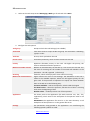
1. In the tasks setup wizard select Messaging->Voice type of task and click «Next»
2. Configure the task options
Group to which this task belongs (not editable)
Task group
Task name
Task icon
Priority
Maximum number of lines
Greeting
Method of call distribution
Task name must be unique inside the group. Full task name is following:
<group>.<task>
Picture, which symbolizes the task
Operators allocation priority on this task. The higher the priority, the
faster it will be distributed to operators
Number of simultaneously served calls by a set of rules for this task. If at
the time of receiving the call number of serviced calls matches to the
parameter - the call is ignored («fast busy»)
audio file, which will be played to client while connecting
The distribution of the call is made to the available operator, which has
the highest priority for the given task. If the priorities of operators are
equal, the choice between them is carried out in the following way:
The most available – selects the operator, which is idle the longest
The least busiest – selects the operator, who was less of all in a
servicing state since the beginning of shift
Random select – randomly selects one of free operators
www.smile-soft.com
Application
Settings
Last served – the call redirects to the operator, who last served it. If
the operator is busy, the call is placed in operator’s queue
The priority of the last served operator – the call redirects to the
operator, who last spoke with a client. If the operator is busy, the call
redirects based on «the most available» method
None – the call is not served (the message is recorded into database
or sent via e-mail)
The direct path to the application (file with extension .exe, .bat, .frm,
.application), which starts at the workplace of the operator when a call
comes.
IMPORTANT The application file must be in the same directory at all
workplaces of the operators or in the general file server
The parameters string passed to the application. For transferring the
following special symbols are used:
$ - client’s calling number
# - client’s name (if client was unidentified – the string left blank)
^ - full task’s name
~ - global id of the call
| - operator’s name, to which the call will be redirected
Save in database
Client’s recorded message is saved in database
Send file via e-mail
Enter e-mail to which you want to send recorded files
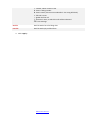
3. Click «Next» after all necessary settings are set
4. Select groups of clients which should be served by this task. To do this, move the necessary
groups from the field "All" in the "Favorites". If the task is designed to handle all calls addressed
to it - a list of selected groups must be left blank
5. In «Unauthorized call forwarding» option select the task to which the call will be redirected in
case if the client doesn't belong to any featured group
www.smile-soft.com
6. Select client’s card launch mode when the call receipts on operator’s workplace in «Pick client’s
card» parameter
7. Click «Apply»
MESSAGING.FAX
1. In the tasks setup wizard select Messaging->Fax type of task and click «Next»
2. Configure the task options
Group to which this task belongs (not editable)
Task group
Task name
Task icon
Priority
Maximum number of lines
Greeting
Method of call distribution
Task name must be unique inside the group. Full task name is following:
<group>.<task>
Picture, which symbolizes the task
Operators allocation priority on this task. The higher the priority, the
faster it will be distributed to operators
Number of simultaneously served calls by a set of rules for this task. If at
the time of receiving the call number of serviced calls matches to the
parameter - the call is ignored («fast busy»)
audio file, which will be played to client while connecting
The distribution of the call is made to the available operator, which has
the highest priority for the given task. If the priorities of operators are
equal, the choice between them is carried out in the following way:
The most available – selects the operator, which is idle the longest
The least busiest – selects the operator, who was less of all in a
servicing state since the beginning of shift
Random select – randomly selects one of free operators
Last served – the call redirects to the operator, who last served it. If
the operator is busy, the call is placed in operator’s queue
The priority of the last served operator – the call redirects to the
operator, who last spoke with a client. If the operator is busy, the call
redirects based on «the most available» method
None – the call is not served (the message is recorded into database
or sent via e-mail)
www.smile-soft.com
Application
Settings
The direct path to the application (file with extension .exe, .bat, .frm,
.application), which starts at the workplace of the operator when a call
comes.
IMPORTANT The application file must be in the same directory at all
workplaces of the operators or in the general file server
The parameters string passed to the application. For transferring the
following special symbols are used:
$ - client’s calling number
# - client’s name (if client was unidentified – the string left blank)
^ - full task’s name
~ - global id of the call
| - operator’s name, to which the call will be redirected
Save in database
Client’s fax message is saved in database
Send file via e-mail
Enter e-mail to which you want to send recorded files
3. Click «Next» after all necessary settings are set
4. Select groups of clients which should be served by this task. To do this, move the necessary
groups from the field "All" in the "Favorites". If the task is designed to handle all calls addressed
to it - a list of selected groups must be left blank
5. In «Unauthorized call forwarding» option select the task to which the call will be redirected in
case if the client doesn't belong to any featured group
6. Select client’s card launch mode when the call receipts on operator’s workplace in «Pick client’s
card» parameter
7. Click «Apply»
www.smile-soft.com
MESSAGING.E-MAIL
1. In the tasks setup wizard select Messaging->E-mail type of task and click «Next»
2. Configure the task options
Group to which this task belongs (not editable)
Task group
Task icon
Task name must be unique inside the group. Full task name is following:
<group>.<task>
Picture, which symbolizes the task
Source name
username (e-mail box), which receives e-mails for this task
Priority
Operators allocation priority on this task. The higher the priority, the
faster it will be distributed to operators
Number of simultaneously served calls by a set of rules for this task. If at
the time of receiving the call number of serviced calls matches to the
parameter - the call is ignored («fast busy»)
audio file, which will be played to client while connecting
The distribution of the call is made to the available operator, which has
the highest priority for the given task. If the priorities of operators are
equal, the choice between them is carried out in the following way:
The most available – selects the operator, which is idle the longest
The least busiest – selects the operator, who was less of all in a
servicing state since the beginning of shift
Random select – randomly selects one of free operators
Last served – the call redirects to the operator, who last served it. If
the operator is busy, the call is placed in operator’s queue
The priority of the last served operator – the call redirects to the
operator, who last spoke with a client. If the operator is busy, the call
redirects based on «the most available» method
None – the call is not served (the message is recorded into database
or sent via e-mail)
Task name
Maximum number of lines
Greeting
Method of call distribution
www.smile-soft.com
Save in database
The direct path to the application (file with extension .exe, .bat, .frm,
.application), which starts at the workplace of the operator when a call
comes.
IMPORTANT The application file must be in the same directory at all
workplaces of the operators or in the general file server
The parameters string passed to the application. For transferring the
following special symbols are used:
* - number, which received a call
$ - client’s calling number
# - client’s name (if client was unidentified – the string left blank)
^ - full task’s name
~ - global id of the call
| - operator’s name, to which the call will be redirected
Client’s message is saved in database
Send file via e-mail
Enter e-mail to which you want to send recorded files
Application
Settings
3. Click «Next» after all necessary settings are set
4. Select groups of clients which should be served by this task. To do this, move the necessary
groups from the field "All" in the "Favorites". If the task is designed to handle all calls addressed
to it - a list of selected groups must be left blank
5. In «Unauthorized call forwarding» option select the task to which the call will be redirected in
case if the client doesn't belong to any featured group
6. Select client’s card launch mode when the call receipts on operator’s workplace in «Pick client’s
card» parameter
7. Click «Apply»
www.smile-soft.com
MESSAGING.SMS
1.
Select in the tasks setup wizard Messaging->SMS type of task and click «Next»
2. Configure the task options
Group to which this task belongs (not editable)
Task group
Task icon
Task name must be unique inside the group. Full task name is following:
<group>.<task>
Picture, which symbolizes the task
Source name
Username (e-mail box), which receives e-mails for this task
Priority
Operators allocation priority on this task. The higher the priority, the
faster it will be distributed to operators
Number of simultaneously served calls by a set of rules for this task. If at
the time of receiving the call number of serviced calls matches to the
parameter - the call is ignored («fast busy»)
audio file, which will be played to client while connecting
Agent receives the call as a text message. The distribution of the call is
made to the available operator, which has the highest priority for the
given task. If the priorities of operators are equal, the choice between
them is carried out in the following way:
The most available – selects the operator, which is idle the
longest
The least busiest – selects the operator, who was less of all in a
servicing state since the beginning of shift
Random select – randomly selects one of free operators
Last served – the call redirects to the operator, who last served
it. If the operator is busy, the call is placed in operator’s queue
The priority of the last served operator – the call redirects to the
operator, who last spoke with a client. If the operator is busy, the
call redirects based on «the most available» method
None – the call is not served (the message is recorded into
database or sent via e-mail)
Task name
Maximum number of lines
Greeting
Method of call distribution
www.smile-soft.com
Application
Settings
The direct path to the application (file with extension .exe, .bat, .frm,
.application), which starts at the workplace of the operator when a call
comes
IMPORTANT The application file must be in the same directory at all
workplaces of the operators or in the general file server
The parameters string passed to the application. For transferring the
following special symbols are used:
* - number, which received a call
$ - client’s calling number
# - client’s name (if client was unidentified – the string left blank)
^ - full task’s name
~ - global id of the call
| - operator’s name, to which the call will be redirected
%% - text message
Save in database
The message is saved in database
Send via e-mail
The message is sending to the specified number
3. Click «Next» after configuring all necessary settings
4. Select groups of clients which should be served by this task. To do this, move the necessary
groups from the field "All" in the "Favorites". If the task is designed to handle all calls addressed
to it - a list of selected groups must be left blank
5. In «Unauthorized call forwarding» option select the task to which the call will be redirected in
case if the client doesn't belong to any featured group.
6. Select client’s card launch mode when the call receipts on operator’s workplace in «Pick client’s
card» parameter
7. Click «Apply»
www.smile-soft.com
MESSAGING.WEB
1.
Select in the tasks setup wizard Messaging->Web type of task and click «Next»
2. Configure the task options
Group to which this task belongs (not editable)
Task group
Task icon
Task name must be unique inside the group. Full task name is following:
<group>.<task>
Picture, which symbolizes the task
Source name
Username (email box), which receives e-mails for this task
Priority
Operators allocation priority on this task. The higher the priority, the
faster it will be distributed to operators
Number of simultaneously served calls by a set of rules for this task. If at
the time of receiving the call number of serviced calls matches to the
parameter - the call is ignored («fast busy»)
Audio file, which will be played to client while connecting
Agent receives the call as a text message. The distribution of the call is
made to the available operator, which has the highest priority for the
given task. If the priorities of operators are equal, the choice between
them is carried out in the following way:
The most available – selects the operator, which is idle the longest
The least busiest – selects the operator, who was less of all in a servicing
state since the beginning of shift
Random select – randomly selects one of free operators
The direct path to the application (file with extension .exe, .bat, .frm,
.application), which starts at the workplace of the operator when a call
comes
IMPORTANT The application file must be in the same directory at all
workplaces of the operators or in the general file server
The parameters string passed to the application. For transferring the
following special symbols are used:
Task name
Maximum number of lines
Greeting
Method of call distribution
Application
Settings
www.smile-soft.com
* - number, which received a call
$ - client’s calling number
# - client’s name (if client was unidentified – the string left blank)
^ - full task’s name
~ - global id of the call
| - operator’s name, to which the call will be redirected
%% - text message
Get file
html file with a form for filling data
Post file
html file with reply on filled form
3. Click «Apply»
www.smile-soft.com
GENERIC.AGENT
1.
Select in the tasks setup wizard Generic->Agent type of task and click «Next»
2. Configure the task options
Group to which this task belongs (not editable)
Task group
Task name
Task icon
Priority
Method of call distribution
Application
Settings
Task name must be unique inside the group. Full task name is following:
<group>.<task>
In Smile IPCC it’s possible to set an icon for each task or group of tasks
that would make it easier to find them in large lists. To do this - press the
button with the task icon image and select an image from the provided
list
Operators allocation priority on this task. The higher the priority, the
faster it will be distributed to operators.
Agent receives the call as a text message. The distribution of the call is
made to the available operator, which has the highest priority for the
given task. If the priorities of operators are equal, the choice between
them is carried out in the following way:
The most available – selects the operator, which is idle the longest
The least busiest – selects the operator, who was less of all in a
servicing state since the beginning of shift
Random select – randomly selects one of free operators
The direct path to the application (file with extension .exe, .bat, .frm,
.application), which starts at the workplace of the operator when a call
comes
IMPORTANT The application file must be in the same directory at all
workplaces of the operators or in the general file server
The parameters string passed to the application. For transferring the
following special symbols are used:
^ - full task’s name
| - operator’s name, to which the call will be redirected
3. Click «Apply»
www.smile-soft.com
GENERIC.IVR
1.
Select in the tasks setup wizard Generic->IVR type of task and click «Next»
2. Configure the task options
Group to which this task belongs (not editable)
Task group
Task name
Task icon
Priority
Application
Settings
Task name must be unique inside the group. Full task name is following:
<group>.<task>
In Smile IPCC it’s possible to set an icon for each task or group of tasks
that would make it easier to find them in large lists. To do this - press the
button with the task icon image and select an image from the provided
list
Operators allocation priority on this task. The higher the priority, the
faster it will be distributed to operators
File, which runs after receiving incoming call. It could be WAV audio file
or IVR-script, created with Smile Visual CTI
The parameters string passed to the application. For transferring the
following special symbols are used:
^ - full task’s name
3. Click «Apply»
www.smile-soft.com
CATEGORIES
COS allow distributing calls to certain agents, depending on the calling client. Each group of clients can
be assigned to a specific set of categories. Also, a set of categories are assigned to each agent. Calls from
clients of certain group are allocated only to those agents who have at least one matching category. The
priority of agent on this call is defined on matching category (with a few matching categories - a
category with the highest priority is accounted).
To create a category, click the right mouse button on a node “Categories” and select “Add”. In the
editing window the name and priority of categories must be specified.
Max amount of categories – 32. Priority – any integer
number (the higher the number–the higher the priority).
CLIENTS
Personalized client service is one of the important features of contact center. Client information can be
found in one or several different databases. Each client can have a set of features that make it
identifiable (phone number, e-mail address, password, etc.) and classify (importance, language,
preferences, etc.). Client identification may be performed automatically (when a call comes in),
manually (the customer enters a PIN code) or by an agent, who accepted the call. The classification
allows to group for servicing clients by various tasks. You can create groups of clients on different
classification criteria. For example, a group of clients on a territorial basis, a group of VIP, a group of
English-speaking customers, etc. Groups are also used to form lists of outgoing calls in the
telemarketers’ tasks.
Contact center can identify the clients by telephone number, and any other information stored in the
database. A set of data representing information about the client is given with "Identification card".
In the ID card's field list can include any information that is necessary for the operator to service the
task. The form of ID card can be run on the operator's workplace, when receiving a call. If the client is
not identified automatically (by phone number), the operator can query on any other parameter of
identification card.
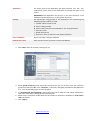
To connect the database, click the right mouse button on «Clients» and select «Add data source».
In appeared window enter the settings for connecting to database:
www.smile-soft.com
Connection
source
Connection via
IMPORTANT
reliable
to
ODBC to connect this way – create ODBC source by the means of operation
system. In «connection to database» dialogue screen enter data source
name, login and password.
Enter driver name to connect, specific driver URL, name of JDBC driver
owner scheme, username and password. Username must be either
scheme owner, selected in dbOwner, or must authorization to objects of
this scheme.
We recommend using connection via JDBC driver, because this way is more
NOTE Example
Connection to MySQL database via JDBC source:
JDBC Driver
com.mysql.jdbc.Driver
Driver Specific URL
jdbc:mysql://localhost[:port number]/test
DbOwner
Root
Username
Root
Password
******
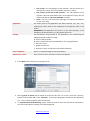
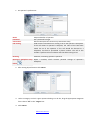
Рис 2.
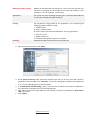
To test the connection, click «Test». If the connection was successful – click «OK».
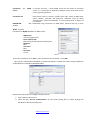
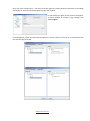
Once you are connected to a database, a window will appear, in which you need to assign compliance
of identification card fields to database tables.
Follow these instructions to configure the data source:
1. Enter name for data source.
2. Check the box "Use for authentication" for the system being able to search through the
database to identify incoming calls.
www.smile-soft.com
3. Box «Changes allowed» you to add entries and modify the values of database fields by means of
identification forms.
4. The choice of string in the first column («I») specifies a unique identifier that is used as a unique
"client name" in the system.
5.
Enter the first characters of the name of the table from which you must choose the data in the
column "DB field." In the drop-down fields of the database tables - select the appropriate field.
The column "External link" is used to organize links to tables on external links, which are used in
sampling.
6. In «Type ID» column you can set a type of identifier:
IMPORTANT
identifiers
Type ID
PIN - identification by personal customer number;
Caller ID – phone number, by which the system can
automatically identify client when receiving a call;
IP address - identification by customer's IP address;
Phone – the ID value is the phone number, which
can also be used for an outgoing call;
Fax – fax number;
E-mail – e-mail address;
Task ID – identification by the task name;
Agent ID - identification by agent's name.
To make outgoing calls on a group of clients you must choose in one of
– Phone.
7. To add or remove ID - use the buttons at the bottom left of the dialog box.
8. To save group settings– click «Apply».
Once the data source is specified, you must create a client group. To create a group, select in the
node a data source name, right click and select "New Group" from the dropdown menu.
www.smile-soft.com
To create a client group, set the following settings:
Group name
Name of group of clients
Use when identifying
Check the box for the system being able to search through the database
when identifying incoming calls
Criteria
In this box you can add criteria using SQL clauses
All entries
Selects from the database all the records that meet the selection
condition
Amount of entries
Set the number of records that you want to select from the database
COS
Select the category to which this group of customers will belong to
Click «Apply»
USERS
One of the most important contact center modules - statistics and record conversations. In Smile IPCC to
work with these modules, there are special accounts - "users". For each account are allocated rights to
view the statistics and listening to records of conversations, both on tasks and operators. In contrast to
the supervisors - users can only view the chronological charts. These accounts are necessary to control
the performance of various tasks of contact center. You can assign rights to view the statistics for each
task group, or to different employees from different departments, which would monitor the
implementation of tasks which are assigned to them and report the work.
Users can be divided into groups. To create a group of users, right click on a "Community" node and
select "Create a user group».
To create a user, right click on the group in which you want to create an account and click "Create
User".
In the dialog box you can set the following settings:
1. Username
2. Password
3. Personal data (this box contains only informative
data)
After adding all necessary information click
«Apply».
www.smile-soft.com
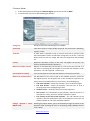
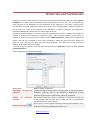
Once you have created a user - you have to set the rights for viewing statistics and listen to recordings
conversations. Click the left mouse button on the user account.
In right panel the rights of this account will appear.
To open window of account’s rigts settings click
«user’s rights»
In the dialog box, select the tasks and the operators, whose statistics and records of conversations the
user has the right to review.
www.smile-soft.com
OPERATORS AND SUPERVISORS
Operators of contact center perform customer service through a specialized application called "Agent's
workplace." This application communicates with the Smile IPCC server via the TCP / IP network. The
main functions of the workplace are the registration of the operator in the system, servicing calls,
running forms and other applications, control of work. For voice communications software IP phone can
be used, which is a part of the software of the workplace, or external telephone. The supervisor's
workplace additionally includes tools for monitoring and control.
Operators grouped together in order to create the organizational structure. A group can include any
number of operators and supervisors. Supervisor group "sees" only the operators of his group. In
addition to supervisors of group there may be so-called "Main Supervisors" whose powers extend to all
groups. The task list is assigned to each group of operators, which this group will serve. Within the
group, for each task you can assign your own list of operators. The same task can be serviced by
different groups with different priorities.
To create group of operators, click the right mouse button on «Operators» node and select «create
group of operators».
Set the following settings in group settings:
Group name
Name of group of operators
Registration of agents by this box is designed for operators working without a "Smile IPCC Agent"
supervisor
workplace (receiving calls on the telephone). Registration of such
operators in the system is made from a supervisor workplace
Waiting for operator’s the maximum time that is given to operators to accept an incoming call.
response
If the operator did not have time to take the call, it automatically
transferred into the state of pause
button opens a panel of general settings related to the workplaces of the
Group’s setup button
operators of this group (keyboard shortcuts, etc.)
www.smile-soft.com
Tasks
You must specify the tasks in settings for group operators, which will be
served by this group. Select tasks from left box and click the «>» button
to drag into right box. To set task service settings, mark it and click on
«Properties»
OPERATOR GROUPS SETUP
Call settings
Remember___last
Amount of phone numbers which are shown in operator’s organizer.
incoming/outgoing
numbers
Request for ending call By clicking on the button to end call service, a dialog box with
service
confirmation will appear
Automatically respond the Operator workplace will automatically pick up the phone and connect
call
with an operator during an incoming call and automatic outgoing dials.
Record automatically all All outgoing calls of this group will be automatically recorded by system.
outgoing calls
Hide
indication
of If this option is turned on, at the workplace of operator the indication of
conversation recording
conversation recording won’t be displayed.
Allow discussion in chat
Enabling this option will allow operators to communicate with each
other in the inner chat of contact center.
Tasks shortcuts
This feature allows operators to call a fixed set of tasks by pressing a single key on the keyboard. To
add "hotkey" do the following:
1. Click «add» in the upper right corner of dialog box.
2. Click the left mouse button on a new node "Shortcut" and press the
button on the keyboard, pressing on which you want to call the task.
3. In the node "Task", select the task that will be launched by pressing the
button, or enter a phone number to dial in the node "Number».
4. Click «Apply»
Other
Picture
of
group’s Icon, which differs supervisors of this group.
supervisor
Picture of group’s main Icon, which differs supervisors of this group
supervisor
Colour of group
Tthe background color of icons of the operators and supervisors of this
group
Allow to make schedules for
operators of group
www.smile-soft.com
TASK SERVICE SETTINGS
Click «Settings» in group of operators settings dialog box to set service preferences for each task.
In task service settings box you can set the following:
Priority of task servicing
Priority of group, which considered when distributing the tasks (if the
task can be serviced by several groups of operators)
Time to service the call
Control time of service, which when exceeded is fixed on the supervisor’s
screen, issuing the appropriate signal
Time to complete the task
Time to complete task (wrap-up), which when exceeded is fixed on the
supervisor’s screen, issuing the appropriate signal
Occupied operators no Percentage ratio of the maximum number of operators that can be
more than
tapped for service task to the total number of registered operators of the
group. This option allows you to "reserve" part of operators to serve
more important tasks.
Average time service
Average complete time
Operators
Constantly calculated value that can
time. (Not editable)
Constantly calculated value that can
time. (Not editable)
With the buttons [>],[>>],[<],[<<]
appointment of operators on tasks
operators the priority is set to each
distributing the task for the operator
be used to adjust the set control
be used to adjust the set control
you can assign or cancel the
service. In the list of designated
operator, which considered when
To add operator or supervisor in the group, right-click on the name of the node and select the
appropriate menu item.
www.smile-soft.com
1. Set operator’s preferences:
Name
Password
Information
Call routing
Unique identifier of operator
Set a password for login
General data (this box contains only informative data)
Field contains information for routing a call to the operator's workplace.
If the call comes to operator's computer, the value of this field must
match the ID of the operator. If the call should be directed to a
telephone, this field is prescribed a phone number. The call to this
number is performed in accordance with the table routing server
Greeting
Audio file, containing operator’s personal
Operator’s workplace setup Opens a window, which contains personal settings of operator’s
workplace
button
2. After setting all preferences click «Next»
3.
Select a category to which a given operator belongs. To do this, drag the appropriate categories
from a box of "All" in the "Target» box
4. Click «Next»
www.smile-soft.com
5. Select the tasks that will be serviced by the given operator by dragging them from the box "All
tasks of the group" in the "Target» box
6. Click «Apply»
OPERATOR’S WORKPLACE SETUP
Quick task launch
This feature allows operators to launch a fixed set of tasks by pressing a single button. To add
«hotkey» do the following:
1. Click «Add» in the right upper corner in dialog box
2. Click the left mouse button on a new node "Shortcut" and press the button on the
keyboard, pressing on which you want to call the task
3. In the "Task" node, select the task that will be launched by pressing a button, or enter a
phone number to dial in the "Number" node
4. Click «Apply»
Other
Picture
Operator’s personal icon
Colour
Background colour of operator’s icon
Use a private connection
Allows the operator to use a private connection to the database
www.smile-soft.com