1
5.1.3 Contour Lines Method
A contour line is a set of parallel lines that are not straight; however the
adjacent lines are parallel to each other. The contour lines method is the
same in operation as the racetrack method for spraying a field. The
guidance LOCK button is used to lock on to an adjacent line, which is
the contour line to be followed.
The operator merely has to drive the first contour line in a field as usual.
Typically, this will be alongside a contour bank that dictates the pattern
or shape of the contour line to be followed. Similar to before,
GuideTRAX V3 computes the next guideline to be adjacent to the last
swath by the distance of one swath width minus any guide overlap
distance, see Section 5.3.1. Once again, this is not important as
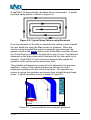
GuideTRAX V3 automatically calculates this for the operator. A typical
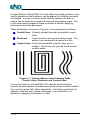
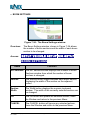
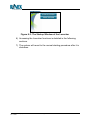
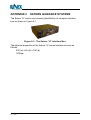
contour spray pattern is shown in Figure 5-8.
Figure 5-8: Typical Spray Pattern using Contour Lines
As the first contour swath line is completed, the vehicle turns around to
commence the next swath line using the Map screen for guidance. Once
the vehicle comes alongside the previous swath line (first contour line)
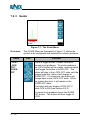
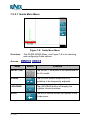
the operator engages the guidance lock by pressing the LOCK button in
the Guide Menu and then follows the indicators on the light bar to stay
on-line. A guideline is displayed on the Map screen indicating the lock
line that needs to be followed.
At the end of the contour line, guidance is switched off as the vehicle
moves away from the treatment. Then as the vehicle is turned around to
commence the next contour swath line the guidance lock is once again
engaged by pressing the LOCK button. This pattern is repeated until
the field treatment has been completed.
GuideTRAX V3.1 (HL) User Manual
P/n 1-1254
Page 56
Rev A