1
1
Quickstart Installation Guide
This chapter describes a basic and quick installation of Bright Cluster Manager on “bare metal” cluster hardware as a step-by-step process, and gives very little explanation of the steps. Following these
steps should allow a moderately experienced cluster administrator to get a cluster up and running in
a fairly standard configuration as quickly as possible. This would be without even having to read the
introductory Chapter 2 of this manual, let alone the entire manual. References to chapters and sections
are provided where appropriate.
Some asides, before getting on with the steps themselves:
• If the cluster has already been installed, tested, and configured, but only needs to be configured
now for a new network, then the administrator should only need to look at Chapter 6. Chapter 6
lays out how to carry out the most common configuration changes that usually need to be done to
make the cluster work in the new network.
• For administrators that are very unfamiliar with clusters, reading the introduction (Chapter 2)
and then the more detailed installation walkthrough for a bare metal installation (Chapter 3, sections 3.1, 3.2, and 3.3) is recommended. Having carried out the head node installation, the administrator can then return to this quickstart chapter (Chapter 1), and continue onward with the
quickstart process of regular node installation (section 1.3).
• The configuration and administration of the cluster after it has been installed is covered in the
Bright Cluster Manager Administrator Manual. The Administrator Manual should be consulted for
further background information as well as guidance on cluster administration tasks, after the introduction (Chapter 2) of the Installation Manual has been read.
• If all else fails, administrator-level support is available via https://support.
brightcomputing.com. Section 10.2 of the Administrator Manual has further details on
how to brief the support team, so that the issue can be resolved as quickly as possible.
The quickstart steps now follow:
1.1
Installing The Head Node
The head node does not need to be connected to the regular nodes at this point, though it helps to have
the wiring done beforehand so that how things are connected is known.
1. The BIOS of the head node should have the local time set.
2. The head node should be booted from the Bright Cluster Manager DVD.
3. The option: Install Bright Cluster Manager should be selected in the text boot menu.
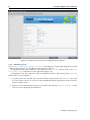
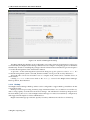
This brings up the GUI installation Welcome screen.
© Bright Computing, Inc.