1
5
Linux Distributions That Use
Registration
This chapter describes setting up registered access for the Bright Cluster Manager with the Red Hat and
SUSE distributions.
The head node and regular node images can be set up with registered access to the enterprise Linux
distributions of Red Hat and SUSE so that updates from their repositories can take place on the cluster
correctly. This allows the distributions to continue to provide support and security updates. Registered access can also set up in order to create an up-to-date custom software image (section 8.6 of the
Administrator Manual) if using Red Hat or SUSE as the base distribution.
Registered access can be avoided for the head node and regular node images by moving the registration requirement to outside the cluster. This can be done by configuring registration to run from
a local mirror to the enterprise Linux distributions. The head node and regular node images are then
configured to access the local mirror repository. This configuration has the benefit of reducing the traffic between the local network and the internet. However it should be noted that the traffic from node
updates scales according to the number of regular node images, rather than according to the number of
nodes in the cluster. In most cases, therefore, the added complication of running a separate repository
mirror, is unlikely to be worth implementing.
5.1
Registering A Red Hat Enterprise Linux Based Cluster
To register a Red Hat Enterprise Linux (RHEL) system, Red Hat subscriptions are needed as described at
https://www.redhat.com/. Registration with the Red Hat Network is needed to install new RHEL
packages or receive RHEL package updates, as well as carry out some other tasks.
5.1.1 Registering A Head Node With RHEL
The rhn_register command can be used to register an RHEL head node. If the head node has no
direct connection to the internet, an HTTP proxy can be configured as a command line option. The
rhn_register man pages give details on configuring the proxy from the command line.
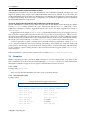
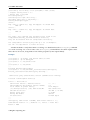
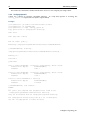
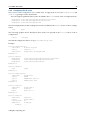
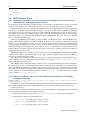
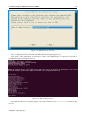
The head node can be registered in text mode by running:
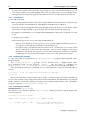
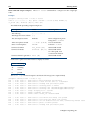
[root@bright71 ~]# rhn_register --nox
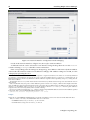
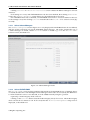
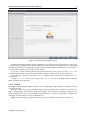
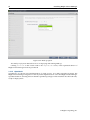
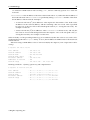
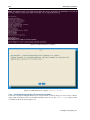
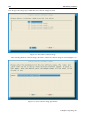
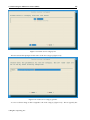
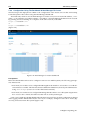
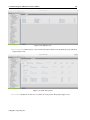
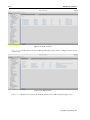
When the rhn_register command is run, the following screens are gone through in a standard
run:
• Connect to Red Hat Network
• Information
• Enter login information for Red Hat Network
© Bright Computing, Inc.