1
www.enterprise.comodo.com
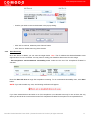
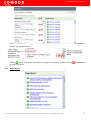
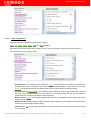
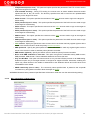
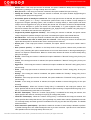
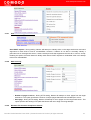
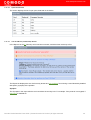
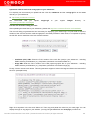
Optimized the test : This option allows the scan to be optimised by only performing tests if information
previously collected indicates a test is relevant. When disabled all tests are performed.
Nmap(NASL Wrapper) : This runs nmap(1) to find open ports. See the section (plugins options) to configure it.
Exclude toplevel Domain Wildcard host : The host you were trying to scan is blacklisted: its address is known
to be returned by a wildcard on some top level domains or its the web server. You probably mistyped its name.
Scan for LaBreatarpitted hosts : This performs a Labrea Tarpit scan, by sending a bogus ACK and ACKwindow probe to a potential host. It also sends a TCP SYN to test for non-persisting La Brea machines.
Nessus TCP Scanner : This is a classical TCP port scanner. It shall be reasonably quick even against a
firewalled target. Once a TCP connection is open, it grabs any available banner for the service identifications.
TCP scanners are more intrusive than SYN (half open) scanners.
SYN Scan : This performs a fast SYN port scan. It does so by computing the RTT of the packets coming back
and forth between host and the target, then it uses that to quickly send SYN packets to the remote host.
Ping the Remote Hosts : This will TCP ping the remote host and report to the plugins knowledge base whether
the remote host is dead or alive. This sends to the remote host a packet with the flag SYN, and the host will reply
with a RST or a SYNACK.
Netstat Scanner : This runs netstat on the remote machine to find open ports.
2.6
Set Plugins
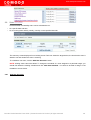
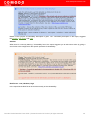
An individual vulnerability test is known as a HackerGuardian 'Plug-in'. Each individual plug-in is written to test
for a specific vulnerability. These can be written to actually exploit the vulnerability or just test for known
vulnerable software versions.
HackerGuardian is continuously updated with the latest plug-in vulnerability tests via a direct feed available to all
PCI Scanning Service subscribers - providing up to the second security against the latest vulnerabilities. At the
moment there are over 24,000 with more being developed and added weekly.
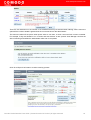
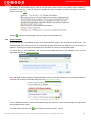
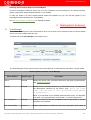
This area enables the administrator to choose which plug-ins are deployed during a scan. Plug-ins can be
enabled or disabled by family type or on an individual plug-in basis.
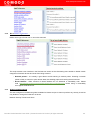
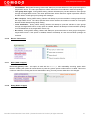
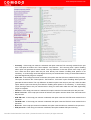
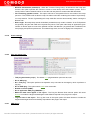
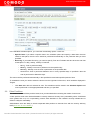
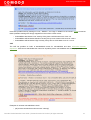
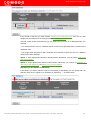
Plugin families are listed in the left hand column, individual plugins are within those families listed in the right
hand column.
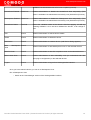
Plugin Family Column
Contains a list of the Plug-in types by broad category.
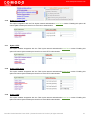
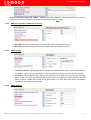
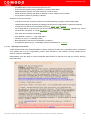
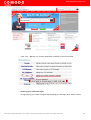
Clicking the check button
Conversely, clicking
at the top of this column means you will include all plug-ins in all families.
means to deselect every individual plug-in in every plug-in family.
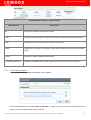
Individual plug-ins are grouped according to broad threat classification. Click the name of any plug-in family in the
right hand column to display the full list of individual plug-ins of that family in the left hand column.
Comodo HackerGuardian User Guide | © 2009 Comodo CA Limited | All rights reserved
21