1
Chapter 5 Troublesh~oting
appears then replace the W lamp. See
Section 4.4.
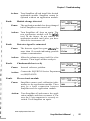
Fault:
Calibration error occurred
error occurred
Cause:
Calibration gas is not being supplied correctly.
Action:
Ensure the calibration gas cylinder valve
is open all the way.
Action:
Ensure there is calibration gas in the cylinder. Open the cylinder and check the
contents gauge.
Action:
If pressurized calibration gas is beingused,
ensure the delivery pressure is maintained
a t 5 psig (35 kPa). Ensure the delivery
pressure does not exceed 5 psig (35 kPa).
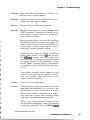
If you are using the Photovac calibration
gas regulator, i t has been preset to deliver
250 mumin. Use a flowmeter to check the
flow rate.
Action:
If a gas sampling bag is being used, ensure
the valve on the bag is open before connecting it to Snapshot.
Action:
Before beginning a calibration with the
STARTfSTOPkey, turn on the calibration
gas and allow the adapter tee and adapter
tubing to be flushed with calibration gas.
Action:
There is a n undetermined problem. Contact the EQUIPCO Service Department a t
(888)234-5678.
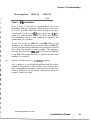
Cause:
Calibration gas does not contain all of the
compounds for the application.
Action:
In order for Snapshot to calibrate itself
correctly, all the compounds from the application module must be contained in the
calibration gas.
15
ppa
www.equipcoservices.com
Snapshot User's Manual
51