1
INTRODUCTION TO THE DASDEC II and the USER MANUAL The DASDEC II is an Emergency Alert System (EAS) Analog and Digital Encoder/Decoder platform. It is easy
to use and relatively easy to learn. Generally, DASDEC Web interface screens (web pages) are selfexplanatory. Some users may be able to experiment with features with satisfactory results. However,
DASDEC offers a large number of features and automated functions, plus a variety of shortcuts. Referring to
this manual frequently will increase understanding and decrease learning time for successful, customized
operation.
All DASDEC II features are licensed. The full range of licensing permissions enables uses all available
features. Limited licensing permission allows use of only the limited features. This manual reviews every
DASDEC II screen and explains all DASDEC II features and options, regardless of the user's licensing
permissions.
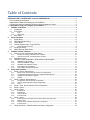
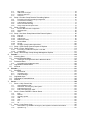
We suggest you first review the manual's Table of Contents for an overview of features and tasks you need to
complete. The Table of Contents presents the SETUP chapters in the most efficient way to configure
DASDEC II step-by-step. To further assist you in setting up the DASDEC II platform, the manual has a
checklist of tasks for DASDEC II Setup, in the order they should be completed. For best results, we strongly
suggest first time users follow the instructions in order they are presented.
Besides the Table of Contents, other Chapters of the manual will improve efficiency in set up for you like:
An explanation of how DASDEC II screens are organized and how to navigate within DASDEC II. (Refer to
Chapter 3.3 DASDEC II Page Organization, Web Interface and Navigation)
An electronic version of the DASDEC II Manual is on the DAS website www.digitalalertsystems.com in both
PDF and HTML formats.
New features continue to be added to the DASDEC II platform. This manual is updated either in entirety, or by
addendum, as new features become available.
Your comments!
Your comments on the usefulness of the manual, or suggestions for improvement, are welcome. Please let us
know how we can serve you better. Send comments to Digital Alert Systems; specifics are on the second
page of this manual
A Note to the User: There are a lot of customization settings that are available for the DASDEC. Just because
they are there does not mean they need to be turned on or enabled. KEEP YOUR DASDEC AS SIMPLE AS
YOU CAN. Do not blindly turn on settings without knowing exactly how they will influence the operation of your
DASDEC. There are many major settings that need to be turned on in order for the device to run properly, but
there are many more minor settings that are there for the very specific needs of customers. Those minor settings
should be watched with care as they will directly change the outcome of emergency alerts.
Thank you for purchasing a DASDEC
Digital Alert Systems: DASDEC User Manual
1