1
flashMASTER
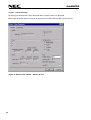
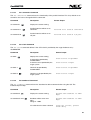
4.3.3.9.1.3 Setup of device clock frequency Fosc and prescaler
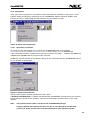
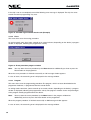
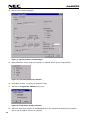
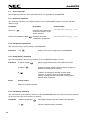
You can select, whether the programmer shall supply the clock or if it is available on your target board.
For this selection simple click the check box near to the frequency selection.
If you select that the clock shall be provided by the programmer, then the frequency is no longer free
selectable but in steps. The text box changes to a drop down box.
However, frequencies below 1 MHz can only be entered via direct keyboard input.
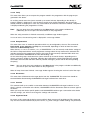
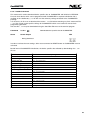
With the prescaler selection you can set-up the device internal frequency division or multiplication (by
PLL). Possible factors are ½, 1, 2, 4, 5 or 10, where 5 means device internal frequency multiplication
by 5.
Example: fQuarz = 5 MHz, prescaler selection 5 " fOPR = 25 MHz.
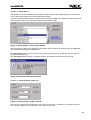
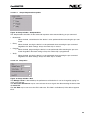
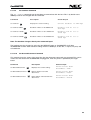
4.3.3.9.1.4 Setup of Blankcheck/Erase Mode, Programming Mode and Verifying Mode
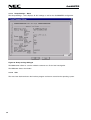
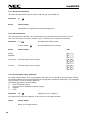
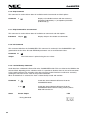
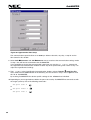
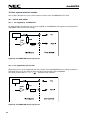
Figure 38: Setup window – BlankcheckErase Mode, Programming Mode and Verifying Mode 1
In most devices the flash memory is divided into several blocks or areas. If you select block or area
mode, you can blankcheck, erase, program and verify single/multiple blocks/areas or all blocks/areas.
Before this selection is available, connection between flashMASTER and the device must be established
to receive the block/area structure which is filled into the drop down boxes Start and End.
When changing Start or End block the corresponding entry in the Program Mode will change accordingly.
The operation mode can be selected for blankcheck/erase, programming and verify separately.
In chip mode the block/area and address selection don’t apply. If you select chip mode, the required
operation affects the complete flash memory of the device.
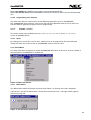
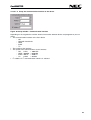
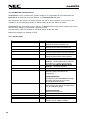
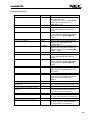
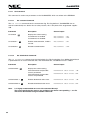
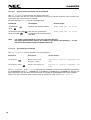
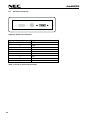
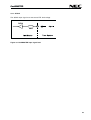
For those devices where separate selection of Programming Mode / Verifying Mode cannot be made, the
above shown part of the standard setup dialogue will look as follows:
Figure 39: Setup window – BlankcheckErase Mode, Programming Mode and Verifying Mode 2
42