1
Page 6 AN-X-PBCAPT
Basic Configuration
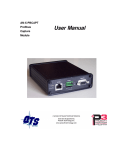
The AN-X-PBCAPT module connects a computer or other device on
Ethernet to a Profibus network.
Before you can use the AN-X-PBCAPT, you must configure its network
properties on Ethernet.
No configuration is required on the Profibus network.
Ethernet Configuration
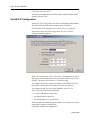
AN-X can be configured to use a static (unchanging) IP address or it can
be configured to obtain its IP address from a DHCP server.
Unless you have control of the DHCP server, in most applications you
will want to configure AN-X to use a static IP address. Otherwise the
DHCP server may assign a different IP address each time AN-X powers
up, and any software that accesses the AN-X module would have to be
reconfigured.
AN-X is shipped with DHCP enabled. If it finds a DHCP server on the
network, the DHCP server assigns it an IP address. You can use the
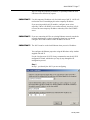
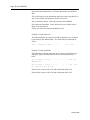
utility AnxInit to find the IP address that the DHCP server has assigned.
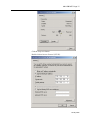
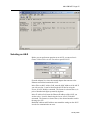
Select Utilities/Locate All AN-X Modules and AnxInit will locate the
AN-X and display its IP address.
If AN-X does not find a DHCP server within about three minutes of
starting up, it reverts to a temporary static IP address of 192.168.0.41 If
January 2008