1
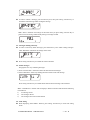
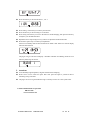
Standby mode display while the pager is on audio alert Standby mode display while the pager is on vibration alert Now your pager is in standby mode and can receive messages at any time. In standby mode with date displaying, press setting / selection key and the menu will display the week as follows: You may press setting / selection key to select date or week as the standby mode display. Standby mode display while the pager is turned off: If needing to turn off the pager, you can select the “OFF?” function. Then press the setting /selection key to turn off the pager. 4. Usage of function selection In standby mode, press function key to startup the function selection. You can press function key repeatedly till needed function emerges on the menu, then press setting /selection key to confirm and exert that function. Note: If you want to retreat from any functions without any changes, please press Read / replace key . Or within 8 seconds, the pager will automatically return to standby mode display if no keys pressed. “SET ALERT?” function. Please consult “Alert setting”. PG-2020F USER MANUL VER:NEW ISSUE 4 OF 10