1
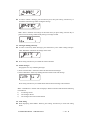
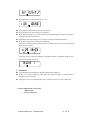
1) Press setting /selection key to move cursor from one flashing adessive to another. The order is HH—>MM—>A / P—>12Hr/24Hr. 2) Press function key to adjust digit to the required time. Repeat step 1 and 2 until every digit gets to the required time. You can select 12 or 24 hour time display mode. You may press Read / replace key to confirm your adjusted setting at any adessive. The pager will enter “SET DATE?” function option after time setting. 4.6. Date setting When displaying “SET DATE?” function, press setting /selection key to enter date setting mode. Press setting /selection key to move cursor from one adessive to another. The order is [MM—DD—YY]. Press function key to adjust every digit to the required date. Repeat above steps until digit at every adessive gets to the required date. You may press Read / replace key to confirm your setting at any adessive. 4.7. Alert setting For “SET ALERT” function, there’s 3 alert modes. 1) “AUDIO?” alert selection: press Setting / selection key to set sound alert; or press function key to enter next option. 2) “MOTOR?” alert selection: press Setting / selection key to set vibration alert; or press function key to enter next option. 3) “MUTE?” alert selection: press Setting / selection key to confirm mute alert and enter mute receiving time setting.In this mode, the received message will only display on the menu without PG-2020F USER MANUL VER:NEW ISSUE 8 OF 10