1
16
5.1
SCADAPack E Target 5 Technical Reference
Continuous Scanning
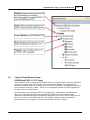
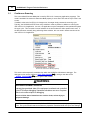
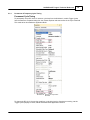
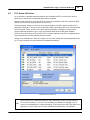
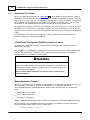
This is the default Execution Mode that is used by IEC 61131-3 resources (application programs). This
mode is enabled if the resource's Execution Mode property is set to Real Time and the Cycle Time is set
to zero.
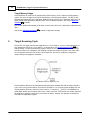
If enabled, at the end of an IEC 61131-3 target scan, the target simply restarts the scanning cycle.
Typically, the SCADAPack E RTU has many activities it needs to perform in addition to scanning the
user’s IEC 61131-3 application. As such, the application may be interrupted for short periods throughout
the scan cycle. This can result in some variations in the time it takes the VM to perform each scan. If
the RTU becomes unusually busy performing these activities, this can result in slower execution of the
user’s IEC 61131-3 application.
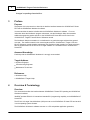
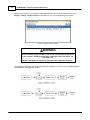
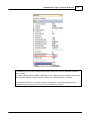
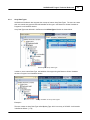
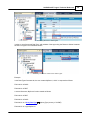
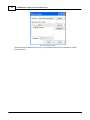
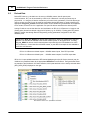
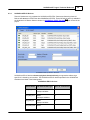
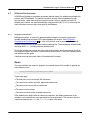
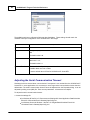
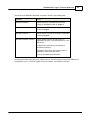
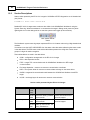
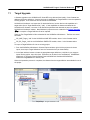
Resource Execution Mode property
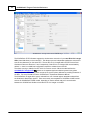
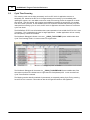
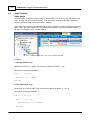
This mode can be temporarily overridden from within the SCADAPack Workbench debugger. The
debugger can be used to change to Cycle Time Scanning 18 by writing a new value to the
__SYSVA_TCYCYCTIME 18 resource global TIME variable.
WARNING
UNINTENDED EQUIPMENT OPERATION
Evaluate the operational state of the equipment monitored and controlled
by the RTU before debugging. Hazardous situations can occur if system
state is not confirmed prior to debugging.
Failure to follow these instructions can result in death, serious injury or
equipment damage.
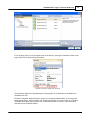
If the IEC 61131-3 application or the SCADAPack E RTU is restarted, a temporary cycle timing setting
is lost. The cycle time will revert to the Resource properties’ Execution Mode and Cycle Time settings.