1
Draw Tools
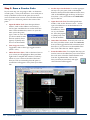
Building Outline
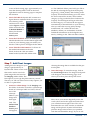
Tool—For drawing walls, windows and doors (V4.3) Line Tool—For drawing lines Fillet Tool—For round‐
ing corners. Polygon Tool—For drawing N‐sided polygons Rectangle Tool—For drawing squares and rec‐
tangles Circle Tool—For draw‐
ing circles Pattern Tool - for insert‐
ing basic patterns Hatch Tool—For insert‐
ing landscape patterns Text Tool—For inserting text into the drawing Polyline Tool—For drawing straight or curved lines. Text Leader Tool—For inserting text attached to a leader. 24
Arc Tool—For inserting arcs where a radius is spec‐
ified DynaSCAPE Software
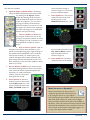
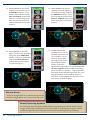
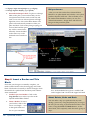
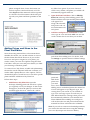
Edit Tools
Move/Copy Tool—
Depends on position of Copy toggle Mirror Tool—Depends on position of Copy toggle Offset/Move Tool—
Depends on position of Copy toggle Break Tool—Break a line at or between intersections of other lines (no scissors) Scale Tool—
Depends on position of Copy toggle Generate Points
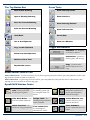
Tool—For placing points along a line
Trim Tool—Clip to the intersection of an‐
other line (scissors) Offset Figures Tool—
For offsetting figures along an existing line
Trim /Extend Tool—
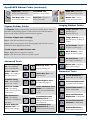
Clip or extend to the intersection of another line (scissors) Rotate around an
Origin ‐ Depends on position of Copy toggle Trim /Extend Tool—
Clip or extend a line to a location (scissors) Rotate by Angle ‐ For rotating by a set angle and any number of copies
Trim /Extend Tool—
Clip or extend 2 lines to a corner (scissors) Measure Area Tool—
Measure by creating a polygon
Join Tool— Joins contiguous lines & arcs to form a polyline
Measure Area Tool —
Measure by selecting a contained location Align Tool—Aligns objects square on your page or to other objects
Measure Length
Tool—Measure length by selecting 2 points
Explode Tool—
Breaks down polylines, hatches and figures Measure Length
Tool—Measure length or circumference