1
LPT-to-I2C SE
User Definable Device
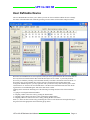
The User Definable Device allows you to define your own I²C device and then enables the user to change
the values of the individual cells within the grid using various controls such as sliders and spin controls.
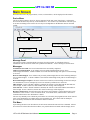
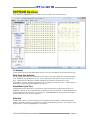
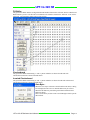
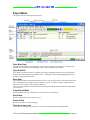
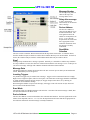
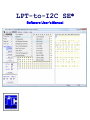
When the User Definable Device is first opened, a 256 byte device grid is shown on the screen but does not
have any names associated with the data, and all the data bytes are set to 0xFF. A previously defined
device may be loaded by selecting it from the Most Recently Used files at the bottom of the File menu. If
devices have not yet been defined, there will be no devices shown below the File/Exit menu item.
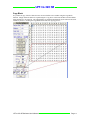
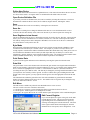
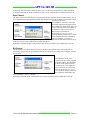
To begin the definition process, you may right click with your mouse on any data cell in the grid or select
'Current Device' or 'Current Cell' from the Edit menu. The Reset item in the Edit menu will clear all the
register names to 'Undefined Register' and set the data values to 0xFF.
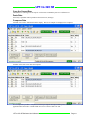
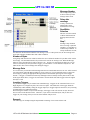
Clicking on the desired cell and doing one of the following can change the data value of the individual
cells:
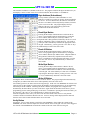
1. Typing in a two digit hexadecimal number.
2. Assigning a slider to the active cell by pressing the Slider button.
3. Assigning a spin control to the active cell by pressing the Spinner button.
4. Assigning a Bit-wise control to the active cell by pressing the Bit-wise button.
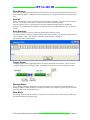
Items 2, 3, and 4 can also be achieved by positioning the cursor over the desired cell and right clicking on
the grid to select the appropriate control from the pop-up menu.
LPT-to-I2C SE Software User’s Manual
Page 18