1
Table of Contents
Introduction .................................................................................................... 4
About this Manual ......................................................................................................... 4
The THZ2 and TDZ2 ....................................................................................................................................................... 4
Model and Serial Numbers ........................................................................................... 4
Specifications ................................................................................................ 5
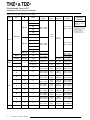
Input Type and Accuracy Table ................................................................................... 6
Stability, Ambient Temperature Effects and
Normal Mode Rejection Ratio Tables .......................................................................... 7
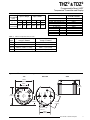
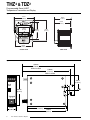
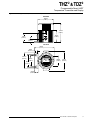
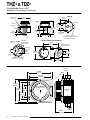
Dimensions ................................................................................................................... 7
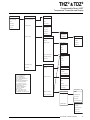
Configuring the THZ2 and TDZ2 ................................................................................................................ 11
Installing the Configuration Software ........................................................................ 11
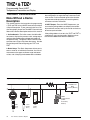
Connecting the THZ2 or TDZ2 to the PC .................................................................... 12
Necessary Equipment Table ...................................................................................... 12
PC Configuration Software Summary ...................................................... 15
Menu and Tool Bar Legend ........................................................................................ 16
Configuration Screens ............................................................................................... 16
Searching for a Connected Unit ................................................................................ 21
Using the HART Communicator ............................................................... 21
Programming when a Device Description is Available ............................................ 21
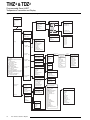
The HART Communicator Menu With a Device Description ................................... 23
The HART Communicator Menu Without a Device Description ............................. 28