1
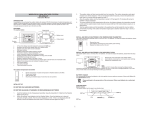
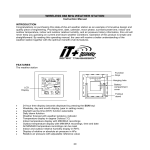
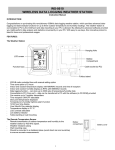
WIRELESS 915 MHz WEATHER STATION WS-9257U-IT Instruction Manual INTRODUCTION Congratulations on purchasing this weather station with wireless 915 MHz transmission of outdoor temperature/humidity, and display of indoor temperature/humidity and air pressure. It also functions as a normal clock with calendar display and alarm setting. In addition, weather forecast, sunrise/ sunset time as well as the moon phase are shown. This innovative product is ideal for use in the home or office. FEATURES The weather station Function keys Hanging hole LCD display Battery compartment 1 Foldout stand 12 hour time display (seconds displayed by pressing the SUN key) Weekday, date and month display (year only in setting mode) Daylight saving time (DST) function selectable Daily alarm function Weather forecast with weather tendency indicator Temperature display in degree Fahrenheit (°F) Indoor temperature display with MIN/MAX recordings Outdoor temperature display with MIN/MAX recordings, time and date All MIN/MAX recordings can be reset Indoor and outdoor humidity display in RH% Display of relative or absolute air pressure Relative air pressure inHg with adjustable reference value Relative air pressure history for the past 12 hours Display of sunrise time, sunset time and sun duration time in 93 USA cities and 6 Canadian cities Display 8 moon phase icons with indicator throughout the year LCD contrast setting Low battery indicators Table standing/wall mounting 2 The outdoor thermo-hygro transmitter Remote transmission of outdoor temperature and humidity to weather station by 915 MHz Alternately display the outdoor temperature and humidity on LCD Wall mounting case Mounting at a sheltered place. Avoid direct rain and sunshine INITIAL SET UP DO NOT MIX OLD AND NEW BATTERIES. DO NOT MIX ALKALINE, STANDARD, OR RECHARGEABLE BATTERIES 1. 2. 3. Insert the batteries into the Temperature transmitter. Keep the transmitter 5-10 feet from the Weather Station during set up. Within 45 seconds, insert batteries into the Weather Station. Once the batteries are in place all segments will light up briefly. The time will be displayed as 12:00. If this is not displayed within 80 seconds, remove the batteries from both units for 2 minutes and start again from step 1. The weather station will start receiving data from the transmitter. The outdoor temperature and signal reception icon will be displayed. If this is not displayed 3 4. 5. 6. within 80 seconds, remove the batteries from both units for 2 minutes and start again from step 1. Allow the weather station and the transmitter to remain 5-10 feet apart for 15 minutes after set up to establish a strong connection. To ensure sufficient 915 MHz transmission after set up, the distance between the transmitter mounted outside and the weather station inside should not exceed 330 feet (100 meters) distance (open air, no obstructions). Test the weather station and the transmitter in the positions they will be located for one hour before permanently mounting. If the outdoor temperature signal goes to dashes restart from step 1 and try a new location. HOW TO INSTALL AND REPLACE BATTERIES IN THE THERMO-HYGRO TRANSMITTER The outdoor thermo-hygro transmitter uses 2 x AAA, IEC LR3, 1.5V batteries. To install and replace the batteries, please follow the steps below: 1. 2. 3. Remove the cover. Insert batteries, observing the correct polarity (see marking). Replace the battery cover on the unit. 4 HOW TO INSTALL AND REPLACE BATTERIES IN THE WEATHER STATION The weather station uses 2 x C, IEC LR14, 1.5V batteries. To install and replace the batteries, please follow the steps below: 1. 2. 3. Remove the cover at the back of the weather station. Insert batteries, observing the correct polarity (see marking). Replace the compartment cover. Note: Always wait for 2 minutes after removing the batteries before reinserting, otherwise start up and transmission problems may occur. In the event of changing batteries in any of the units, all units need to be reset by following the setting up procedures. BATTERY CHANGE It is recommended to replace the batteries in all units regularly to ensure optimum accuracy of these units (Battery life See Specifications below). Please participate in the preservation of the environment. Return used batteries to an authorized depot. FUNCTION KEYS Weather station: The weather station has five easy to use function keys: 5 SUN key SET key + key ALARM key MIN/MAX key SET key Press and hold for 2 seconds to enter manual setting modes: LCD contrast, DST ON/OFF, manual time setting, calendar and relative air pressure value To stop the alarm sound To exit alarm setting mode and country/state/city setting mode To toggle between relative and absolute air pressure value display + key To increase/change values in setting modes To stop the alarm sound MIN/MAX key To switch among the display of MIN/MAX outdoor temperatures and MIN/MAX indoor temperatures To decrease/change values in setting modes 6 Press and hold the key for 2 seconds to reset ALL indoor/outdoor minimum/maximum temperature recordings to current readings To stop the alarm sound ALARM key To activate/deactivate the alarm and display alarm time Press and hold for 2 seconds to enter the alarm setting mode To stop the alarm sound To exit manual setting mode and country/state/city setting mode SUN key To switch among the display of date (normal mode), seconds, sun duration and city Press and hold for 2 seconds to enter country/state/city setting mode To stop the alarm sound To exit manual setting mode and alarm setting mode LCD SCREEN The LCD screen is split into 3 main sections displaying the information for indoor and outdoor data, time, moon phase, calendar, sunrise/sunset time, weather forecast and air pressure. 7 Time Weekday Alarm icon Indoor temperature in °F Indoor humidity display in RH% Moon phase indicator Sunrise time Weather forecast icon Weather tendency indicator Low battery indicator (weather station) Sunset time Air pressure history bar graph Relative and absolute air pressure display Outdoor humidity display in RH% Outdoor temperature in °F Outdoor MIN/MAX Low battery temperature display indicator (transmitter) Outdoor data signal reception indicator * *When the signal is successfully received by the weather station, the Outdoor reception icon will be switched on. (If not successful, the icon will not be shown in LCD) So the user can easily see 8 whether the last reception was successful (icon on) or not (icon off). On the other hand, the flashing of the icon shows that a reception is being done now. MANUAL SETTINGS The following settings can be changed when pressing the SET key: LCD contrast setting Daylight Saving Time (DST) ON/OFF Manual time setting Calendar setting Relative air pressure value setting Press and hold the SET key for about 2 seconds to advance to the setting mode: LCD CONTRAST SETTING Digit flashing The LCD contrast can be set within 8 levels, from LCD 0 to LCD 7 (Default is LCD 3): 1. The digit starts flashing. 2. Press the + or MIN/MAX key to select the level of contrast desired. 9 3. Press the SET key to confirm and enter the “Daylight Saving Time setting” or exit the setting mode by pressing the ALARM key or SUN key. DAYLIGHT SAVING TIME SETTING Flashing The daylight saving time (DST) function can be set ON/OFF. Default setting is “ON”: 1. “ON” will flash on the LCD with "dSt" displayed. 2. Use the + or MIN/MAX key to turn the daylight saving time function ON or OFF. 3. Confirm with the SET key and enter the “Manual Time setting” or exit the setting mode by pressing the ALARM key or SUN key. MANUAL TIME SETTING Hour (flashing) 10 Minutes (flashing) To set the clock: 1. The hour digit will start flashing. 2. Use the + key to increase or MIN/MAX key to decrease the value. Keep holding the key allows the value to advance faster. 3. Confirm with the SET key and enter minute setting. 4. The minute will be flashing. Use the + key to increase or MIN/MAX key to decrease the value. Keep holding the key allows the value to advance faster. 5. Confirm with the SET key and enter the “Calendar Setting” or exit the setting mode by pressing the ALARM key or SUN key. CALENDAR SETTING 1. 2. Year Month. Date The year digits will start flashing. Use the + key to increase or MIN/MAX key to decrease the value. The range runs from 2011 to 2025 (default is 2011). Keep holding the key allows the value to advance faster. Press the SET key to confirm and enter the month setting mode. 11 3. 4. 5. The month digit will be flashing. Use the + key to increase or MIN/MAX key to decrease the value. Press the SET key to enter date setting. Keep holding the key allows the value to advance faster. The date digit will be flashing. Use the + key to increase or MIN/MAX key to decrease the value. Keep holding the key allows the value to advance faster. Confirm with the SET key and enter the “Relative Air Pressure Value Setting”, or exit the setting mode by pressing the ALARM key or SUN key. Note: Weekday is displayed accordingly above the time in short form (from Monday to Sunday): MO / TU / WE / TH / FR / SA / SU. RELATIVE AIR PRESSURE VALUE SETTING The default relative air pressure value is 29.91 inHg. This can be manually set to another value within the range of 28.30 – 30.80 inHg for a better reference. Flashing 1. 2. 3. The current relative air pressure value will start flashing. Use the + key to increment and MIN/MAX key to decrement the value. Keep holding the key allows the value to advance faster. Confirm with the SET key and go back to normal mode. 12 LOCATION SETTNG FOR SUNRISE/SUNSET TIME The weather station will automatically update the sunrise, sunset and sun duration time at 00:00, based on the city location, the date, time and DST settings. Country code (flashing) 1. 2. Press and hold the SUN key for 2 seconds to enter the Location setting mode. The short form of country name will start flashing. Use the + key or MIN/MAX key to select the country. Note: See the Country / State / City codes list at the end of this handbook: 2 countries / 99 cities can be chosen from. Every country/city is displayed in short code (default country is USA). The states abbreviations are in brackets ( ) for USA. 13 To select a US state and city: 1. 2. 3. Country code (flashing) 4. 5. Once “USA” has been selected, press the SUN key to enter the state setting. The state code (2 letters abbr. ) will start flashing. Press the + or MIN/MAX key to select the state. After the state has been selected, press the SUN key to enter the city setting. The 3 letters city abbr. will start flashing. Use the + key or MIN/MAX key to select the city. Confirm with the SUN key. The city’s sunrise, sun duration and sunset time will be displayed in a few seconds. State code (flashing) City code (flashing) 14 Sunrise icon Sunrise time of selected city 6. 7. Sunset icon Sun duration Sunset time of (hours : minutes) selected city Press the SUN key twice to go back to normal date display. User can exit the setting mode by pressing the SET key or ALARM key without saving the changes. 15 To select a Canadian city: 1. 2. 3. Country code (flashing) Once “CAN” has been selected, press the SUN key to enter the city setting. The city code (3 letters abbr.) will start flashing. Press the + or MIN/MAX key to select the city. Confirm with the SUN key. The city’s sunrise, sun duration and sunset time will be displayed in a few seconds. City code (flashing) 16 Sunset icon Sunrise icon Sunrise time of selected city Sun duration Sunset time of (hours : minutes) selected city 4. 5. Press the SUN key twice to go back to normal date display. User can exit the setting mode by pressing the SET key or ALARM key without saving the changes. ALARM SETTING Alarm time (flashing) Alarm indicator (ON) To set the daily alarm: 1. Press and hold ALARM key for 2 seconds until the alarm time shown. 17 2. 3. 4. The hour digit will be flashing. Press the + key or MIN/MAX key to adjust the hour. Press ALARM key once and minute digit will be flashing. Press + key or MIN/MAX key to set the minute. Press ALARM key once to confirm the setting, or exit the setting mode by pressing the SET key or SUN key. Note: To activate/deactivate the alarm function, press the ALARM key once. The display of the alarm icon represents that the alarm is "ON". Note: The duration of alarm sounding is 2 minutes. Press any key will stop the alarm sound. TO EXIT SETTING MODE To exit the setting mode, wait for automatic timeout to return to normal time display. DISPLAY OF SUN DURATION TIME 1. 2. 3. In normal date mode, press the SUN key twice to display the sun duration time (total number of hours of sunlight on the day). Press the SUN key again will display the selected city. (See “LOCATION SETTNG FOR SUNRISE/SUNSET TIME”) Press the SUN key again to go back to normal date display. THE MOON PHASE The weather station displays 8 different moon phase icons. The current moon phase is indicated with a bar segment according to the set calendar. 18 Waxing Full Waning Last Waning New Waxing First Crescent Quarter Gibbous Moon Gibbous Quarter Crescent Moon A bar segment indicates the current moon phase WEATHER FORECASTING ICONS Weather icons can be displayed in any of the following combinations: Sun with cloud Sun Cloud with rain For every sudden or significant change in the air pressure, the weather icons will update accordingly to represent the change in weather. If the icons do not change, then it means either the air pressure has not changed or the change has been too slow for the Weather station to register. However, if the icon displayed is a sun or raining cloud, there will be no change of icon if the weather gets any better (with sunny icon) or worse (with rainy icon) since the icons are already at their extremes. The icons displayed forecasts the weather in terms of getting better or worse and not necessarily sunny or rainy as each icon indicates. For example, if the current weather is cloudy and the rainy icon is displayed, it does not mean that the product is faulty because it is not raining. It simply means that the air pressure has dropped and the weather is expected to get worse but not necessarily rainy. 19 Note: After setting up, readings for weather forecasts should be disregarded for the next 12-24 hours. This will allow sufficient time for the Weather station to collect air pressure data at a constant altitude and therefore result in a more accurate forecast. Common to weather forecasting, absolute accuracy cannot be guaranteed. The weather forecasting feature is estimated to have an accuracy level of about 75% due to the varying areas the Weather station has been designed for use. In areas that experience sudden changes in weather (for example from sunny to rain), the Weather station will be more accurate compared to use in areas where the weather is stagnant most of the time (for example mostly sunny). If the Weather station is moved to another location significantly higher or lower than its initial standing point (for example from the ground floor to the upper floors of a house), discard the weather forecast for the next 12-24 hours. By doing this, the Weather Station will not mistake the new location as being a possible change in air-pressure when really it is due to the slight change of altitude. WEATHER TENDENCY INDICATOR Working together with the weather icons is the weather tendency indicator (located on the left of the weather icons). When the arrow points upwards, it means that the air pressure is increasing and the weather is expected to improve, but when arrow points downwards, the air pressure is dropping and the weather is expected to become worse. Taking this into account, one can see how the weather has changed and is expected to change. For example, if the indicator is pointing downwards together with cloud and sun icons, then the last noticeable change in the weather was when it was sunny (the sun icon only). Therefore, the next change in the weather will be cloud with rain icons since the indicator is pointing downwards. 20 Note: Once the weather tendency indicator has registered a change in air pressure, it will remain permanently visualized on the LCD. AIR PRESSURE HISTORY (ELECTRONIC BAROMETER WITH BAROMETRIC PRESSURE TREND) The right side of the second section on the LCD shows the air pressure history bar graph. Air pressure unit in inHg Air pressure trend over the last 12 hours The bar graph indicates the air pressure history trend over the past 12 hours in 7 steps (+0.15, +0.09, +0.03, 0, -0.03, -0.09, and –0.15 inHg) at the points 0, -3, -6, -9 and -12 hours. The “0h” represents the current full hour air pressure recording. The left column shows the unit in “inHg” (0, ±0.03, ±0.09, ±0.15). The “0” in the middle of this scale is equal to the current pressure and each change (±0.03, ±0.09, ±0.15) represents how high or low, in “inHg” scale, the past pressure was compared to the current pressure. If the bars are rising it means that the weather is getting better due to the increase of air pressure. If the bars go down, it means the air pressure has dropped and the weather is expected to get worse from the present time “0h“. 21 Note: For accurate barometric pressure trends, the weather station should operate at the same altitude for recordings (i.e. it should not be moved from the ground to the second floor of the house). When the unit is moved to a new location, discard readings for the next 12 hours. DISPLAY OF INDOOR TEMPERATURE/HUMIDITY DATA The indoor temperature and humidity are measured automatically and displayed on the first section of the LCD. Indoor humidity in RH% Indoor temperature in °F DISPLAY OF OUTDOOR TEMPERATURE/HUMIDITY DATA The last section of the LCD display shows the outdoor temperature and humidity and a reception symbol. Outdoor humidity in RH% Outdoor temperature in °F Reception symbol 22 DISPLAY OF INDOOR/OUTDOOR MAXIMUM AND MINIMUM RECORDS Press the MIN/MAX key several times to view the MIN/MAX indoor temperature, and MIN/MAX outdoor temperature sequentially. Date and time of recordings will be shown for outdoor temperature data. Recorded MIN/MAX outdoor temperature time Recorded MIN/MAX outdoor temperature date Outdoor temperature in F RESETTING THE MAXIMUM/MINIMUM RECORDS To reset the MIN/MAX records, press and hold the MIN/MAX key for 2 seconds. This will reset ALL minimum and maximum temperature records to current readings. 23 LOW BATTERY INDICATORS Low battery indicator will show on the LCD when the batteries of weather station or transmitter require changing. THERMO-HYGRO TRANSMITTER The reception distance of the thermo-hygro transmitter may be affected by the temperature. At cold temperatures the transmitting distance may be decreased. Please bear this in mind when placing the transmitter. 915 MHz RECEPTION The weather station should receive the outdoor data within 80 seconds after set-up. If the outdoor data is not received 80 seconds after setting up (or the outdoor temperature shows “- - -” during normal operation), please check the following points: 1. The distance of the weather station or transmitter should be at least 5 to 6.5 feet (2 –3 meters) away from any interfering sources such as computer monitors or TV sets. 2. Avoid positioning the weather station onto or in the immediate proximity of metal window frames. 3. Using other electrical products such as headphones or speakers operating on the same signal frequency (915 MHz) may prevent correct signal transmission and reception. 4. Neighbors using electrical devices operating on the 915 MHz signal frequency can also cause interference. Note: When the 915 MHz signal is received correctly, do not re-open the battery cover of either the transmitter or weather station, as the batteries may spring free from the contacts and force a false 24 reset. Should this happen accidentally then reset all units (see Setting up above) otherwise transmission problems may occur. The transmission range is about 330 feet / 100 meters from the transmitter to the weather station (in open space). However, this depends on the surrounding environment and interference levels. If no reception is possible despite the observation of these factors, all system units have to be reset (see Setting up). POSITIONING THE WEATHER STATION: The weather station comes complete with a foldout stand that gives the option of table standing or wall mounting. To wall mount: 1. 2. Fix a screw into the desired wall, leaving the head extended out by about 0.2” (5mm). Using the weather station hanging hole, carefully hang it onto the screw. 25 Note: Always ensures that the unit locks onto the screw head before releasing. POSITIONING THE THERMO-HYGRO TRANSMITTER: The thermo-hygro transmitter can be placed on any flat surface or wall mount using the bracket which doubles as a stand or wall mount base. To wall mount: 1. Secure the bracket onto a desired wall using the screws and plastic anchors. 2. Clip the transmitter onto the bracket. Note: Before permanently fixing the transmitter wall base, place all units in the desired locations to check that the outdoor temperature/humidity readings are receivable. In event that the signal is not received, relocate the units or move them slightly as this may help the signal reception. 26 CARE AND MAINTENANCE: Extreme temperatures, vibration and shock should be avoided as these may cause damage to the unit and give inaccurate forecasts and readings. When cleaning the display and casings, use a soft damp cloth only. Do not use solvents or scouring agents as they may mark the LCD and casings. Do not submerge the unit in water. Immediately remove all low powered batteries to avoid leakage and damage. Replace only with new batteries of the recommended type. Do not make any repair attempts to the unit. Return them to their original point of purchase for repair by a qualified engineer. Opening and tampering with the unit may invalidate their guarantee. Do not expose the units to extreme and sudden temperature changes, this may lead to rapid changes in forecasts and readings and thereby reduce their accuracy. SPECIFICATIONS Temperature measuring range: Indoor : 14.1ºF to 139.8ºF with 0.2ºF resolution (“OF.L” displayed if outside this range) Outdoor : -39.8ºF to +139.8ºF with 0.2ºF resolution (“OF.L” displayed if outside this range) Humidity measuring range: Indoor humidity range : 20% to 95% with 1% resolution (Display “- -“ if temperature is OL.F; display “19%“ if < 20% and “96%” if > 95%) Outdoor humidity range : 1% to 99% with 1% resolution (Display “- -“ if outside temperature is OF.L; display 1% if < 1% and 99% if > 99%) 27 Data checking intervals: Indoor checking interval : every 16 seconds Outdoor reception : every 4 seconds Air pressure checking interval : every 1 minute Transmission range : up to 330 feet / 100 meters (open space) Power consumption (Alkaline batteries recommended) : Weather station : 2 x C, IEC LR14, 1.5V Battery life : Approx. 24 months Temperature transmitter : 2 x AAA, IEC, LR3, 1.5V Battery life : Approx. 12 months Dimensions (L x W x H) Weather station : 7.4” x 1.32” x 7.4” / 188 x 33.7 x 188 mm Temperature transmitter : 1.41” x 0.62” x 4.03” / 36 x 16 x 102.6 mm WARRANTY INFORMATION La Crosse Technology, Ltd provides a 1-year limited warranty on this product against manufacturing defects in materials and workmanship. This limited warranty begins on the original date of purchase, is valid only on products purchased and used in North America and only to the original purchaser of this product. To receive warranty service, the purchaser must contact La Crosse Technology, Ltd for problem determination and service procedures. Warranty service can only be performed by a La Crosse Technology, Ltd authorized service center. The original dated bill of sale must be presented upon request as proof of purchase to La Crosse Technology, Ltd or La Crosse Technology, Ltd’s authorized service center. 28 La Crosse Technology, Ltd will repair or replace this product, at our option and at no charge as stipulated herein, with new or reconditioned parts or products if found to be defective during the limited warranty period specified above. All replaced parts and products become the property of La Crosse Technology, Ltd and must be returned to La Crosse Technology, Ltd. Replacement parts and products assume the remaining original warranty, or ninety (90) days, whichever is longer. La Crosse Technology, Ltd will pay all expenses for labor and materials for all repairs covered by this warranty. If necessary repairs are not covered by this warranty, or if a product is examined which is not in need or repair, you will be charged for the repairs or examination. The owner must pay any shipping charges incurred in getting your La Crosse Technology, Ltd product to a La Crosse Technology, Ltd authorized service center. Your La Crosse Technology, Ltd warranty covers all defects in material and workmanship with the following specified exceptions: (1) damage caused by accident, unreasonable use or neglect (including the lack of reasonable and necessary maintenance); (2) damage occurring during shipment (claims must be presented to the carrier); (3) damage to, or deterioration of, any accessory or decorative surface; (4) damage resulting from failure to follow instructions contained in your owner’s manual; (5) damage resulting from the performance of repairs or alterations by someone other than an authorized La Crosse Technology, Ltd authorized service center; (6) units used for other than home use (7) applications and uses that this product was not intended or (8) the products inability to receive a signal due to any source of interference. This warranty covers only actual defects within the product itself, and does not cover the cost of installation or removal from a fixed installation, normal set-up or adjustments, claims based on 29 misrepresentation by the seller or performance variations resulting from installation-related circumstances. LA CROSSE TECHNOLOGY, LTD WILL NOT ASSUME LIABILITY FOR INCIDENTAL, CONSEQUENTIAL, PUNITIVE, OR OTHER SIMILAR DAMAGES ASSOCIATED WITH THE OPERATION OR MALFUNCTION OF THIS PRODUCT. THIS PRODUCT IS NOT TO BE USED FOR MEDICAL PURPOSES OR FOR PUBLIC INFORMATION. THIS PRODUCT IS NOT A TOY. KEEP OUT OF CHILDREN’S REACH. This warranty gives you specific legal rights. You may also have other rights specific to your State. Some States do no allow the exclusion of consequential or incidental damages therefore the above exclusion of limitation may not apply to you. For warranty work, technical support, or information contact: La Crosse Technology 2817 Losey Blvd. S. La Crosse, WI 54601 Contact Support: 1-608-782-1610 30 Product Info and Support: www.lacrossetechnology.com/9257 Product Registration: www.lacrossetechnology.com/support/register The complete instruction manual is available at: www.lacrossetechnology.com/9257 Le manuel d'instruction complet est disponible sur: www.lacrossetechnology.com/9257 El manual de instrucciones completo está disponible en: www.lacrossetechnology.com/9257 31 List of Country / State / City Codes USA = UNITED STATES OF AMERICA ALABAMA (AL) MONTGOMERY = MGM MOBILE = MOB ARKANSAS (AR) LITTLE ROCK = LIT ARIZONA (AZ) PHOENIX = PHX CALIFORNIA (CA) FRESNO = FAT LOS ANGELES = LAX REDDING = ROD SAN DIEGO = SAN SAN FRANCISCO = SFO COLORADO (CO) DENVER = DEN DURANGO = DRO GRAND JUNCTION = GJT PUEBLO = PUB DISTRIC OF COLUMBIA (DC) WASHINGTON = DCA FLORIDA (FL) JACKSONVILLE = JAX MIAMI = MIA ORLANDO = ORL TALLAHASSEE = TLH TAMPA = TPA GEORGIA (GA) ATLANTA = ATL HAWAII (HI) HONOLULU = HNL IOWA (IA) DES MOINES = DSM DAVENPORT = DVN IDAHO (ID) BOISE = BOI ILLINOIS (IL) CHICAGO = ORD SPRINGFIELD = SPI 32 INDIANA (IN) EVANSVILLE = EVV INDIANAPOLIS = IND KANSAS (KS) DODGE CITY = DDC WICHITA = K32 TOPEKA = TOP KENTUCKY (KY) LEXINGTON = LEX LOUISIANA (LA) NEW ORLEANS = NEW SHREVEPORT = SHV MASSACHUSETTS (MA) BOSTON = BOS MAINE (ME) AUGUSTA = AUG CARIBOU = CAR MICHIGAN (MI) DETROIT = DET ROGERS CITY = PZQ MINNESOTA (MN) DULUTH = DLH INTERNATIONAL FALLS = INL MISSOURI (MO) JEFFERSON CITY = JEF MISSISSIPI (MS) JACKSON = JAN MONTANA (MT) BILLINGS= BIL HELENA = HLN NORTH CAROLINA (NC) CHARLOTTE = CLT RALEIGH = RDU NORTH DAKOTA (ND) BISMARCH = BIS FARGO = FAR NEBRASKA (NE) LINCOLN = LNK SIDNEY = SNY NEW HAMPSHIRE (NH) CONCORD = CON NEW JERSEY (NJ) TRENTON = TTN NEW MEXICO (NM) 33 ALBUQUERQUE = ABQ NEVADA (NV) LAS VEGAS = LAS RENO = RNO NEW YORK (NY) BUFFALO = BUF NEW YORK CITY = JFK SYRACUSE = SYR OHIO (OH) CLEVELAND = CLE COLUMBUS = CMH OKLAHOMA (OK) OKLAHOMA CITY = OKC TULSA = TUL OREGON (OR) MEDFORD = MFR PORTLAND = PDX PENNSYLVANIA (PA) HARRISBURG = CXY PITTSBURGH = PIT SCRANTON = SCR SOUTH CAROLINA (SC) CHARLSTON = CHS COLUMBIA = CUB SOUTH DAKOTA (SD) SIOUX FALLS = FSD RAPID CITY = RAP TENNESSEE (TN) NASHVILLE = BNA KNOXVILLE = DKX MEMPHIS = MEM TEXAS (TX) AMARILLO = AMA AUSTIN = AUS BROWNSVILLE = BRO DALLAS / FT. WORTH = DFW EL PASO = ELP HOUSTON = HOU ODESSA = ODO SAN ANTONIO = SAT UTAH (UT) SALT LAKE CITY = SLC VIRGINIA (VA) LYNCHBURG = LYH 34 NORFOLK = ORF VERMONT (VT) BURLINGTON = BTV WASHINGTON (WA) SEATTLE = SEA SPOKANE = SFF WISCONSIN (WI) GREEN BAY = GRB LA CROSSE = LSE WEST VIRGINIA (WV) CHARLESTON = CRW WYOMING (WY) CASPER = CPR CA = CANADA CALGARY = ALB OTTAWA = OTT QUEBEC = QUE TORONTO = TOR VANCOUVER = VAN WINNEPEG = WIN 35 FCC ID: OMO-M-15 (transmitter) FCC DISCLAIMER RF Exposure mobile: The internal / external antennas used for this mobile transmitter must provide a separation distance of at least 20 cm (8 inches) from all persons and must not be co-located or operating in conjunction with any other antenna or transmitter." Statement according to FCC part 15.19: This device complies with Part 15 of the FCC Rules. Operation is subject to the following two conditions: (1) this device may not cause harmful interference, and (2) this device must accept any interference received, including interference that may cause undesired operation. Statement according to FCC part 15.21: Modifications not expressly approved by this company could void the user's authority to operate the equipment. Statement according to FCC part 15.105: NOTE: This equipment has been tested and found to comply with the limits for a Class B digital device, pursuant to Part 15 of the FCC Rules. These limits are designed to provide reasonable protection against harmful interference in a residential installation. This equipment generates, uses and can radiate radio frequency energy and, if not installed and used in accordance with the instructions, may cause harmful interference to radio communications. However, there is no guarantee that interference will not occur in a particular installation. If this equipment does cause harmful interference to radio or television reception, which can be determined by turning the equipment off and on, the user is encouraged to try to correct the interference by one or more of the following measures: 36 Reorient or relocate the receiving antenna. Increase the separation between the equipment and receiver. Connect the equipment into an outlet on a circuit different from that to which the receiver is connected. Consult the dealer or an experienced radio/TV technician for help. All rights reserved. This handbook must not be reproduced in any form, even in excerpts, or duplicated or processed using electronic, mechanical or chemical procedures without written permission of the publisher. This handbook may contain mistakes and printing errors. The information in this handbook is regularly checked and corrections made in the next issue. We accept no liability for technical mistakes or printing errors, or their consequences. All trademarks and patents are acknowledged. EJMA9257L210 Printed in China 37