1
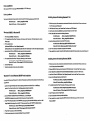
Driver Installation
Wore; Current drivers can only support Windows 98/98SE, MB, NTt 2000 andXP.
Driver Locations
The drivers for this Serial ATA host controller card are located In the following directories of the Driver CD:
With RAID function
/SiliconJmage/SIL3x12RAID/
Without RAID function
/SiliconJmage/SIL3x12/
Installing drivers with existing Windows NT 4.0:
1. While the hard drive is still connected to the mainboard's IDE controller, insert the Serial ATA host controller card
Into a PC) alot and start Windows NT.
2.
Windows 98/98SE or Windows ME
1.
3. Insert the Driver CD Into the CDROM drive and select "Drivers' tab and click 'Add*.
4. Select "Have Disk" and browse to the following directories
Start Windows 98/98SE or Windows ME.
2. The "Update Device Driver Wizard" will appear, informing you that It has found a "PCI RAID Controller", click the
5.
/SlllconJmage/SIL3x12RAID/Wlndows
/SlllconJmage/SIL3x12/Wlndows
With RAID function:$/«con Image SIL3512 SATARald Controller
For the situation below
Without RAID functiomS/tfcon Image SIL3S12 SATAUnk Controller"
(a)Windows 98/98SE user - Select "Specify a location'.
4.
With RAID function:
Without RAID function:
5. Select the following controller card and click "OK" to continue
"MexT button.
3.
After Windows NT boot up, open 'Control Paner, and then enter "SCSI Adapters'.
(b)Windows ME user - Select "Specify the location of the driver (Advanced)' and then select 'Specify a location*.
6.
Click 'Yea' to restart your computer to complete driver Installation.
Insert the Driver CD in the CDROM drive and browse to the following location
7.
Finally, switch off your system. Connect the SATA herd disk to the Serlai ATA host controller card and start Windows NT.
With RAID function
/SiliconJmage/SIL3x12RAID/Wlndows
Without RAID function
/SiliconJmage/SIL3x12/Wlndows
The "Update Device Driver Wizard" will appear, informing you that it has found:
Installing drivers with existing Windows 2000/XP:
With RAID function: "Silicon Image SIL 3912 SATARald Controller"
Without RAID function: "S///con Image SIL 3S12 SATAUnk Controller*
6.
Click the "Noxf button.
7.
Follow the instructions to finish up the drive installation.
Windows NT 4.0 and Windows 2000/XP Fresh Installation
1.
While the hard drive is still connected to the mainboard's IDE controller, insert the Serial ATA host controller card
2.
Windows 2000/XP will inform you that It has found a "PCI RAID Controller". Click the 'Next" button to continue.
3.
Select "Search for a suitable driver for your device {Recommended)" and click on the "Next" button.
4.
Insert Driver CD into the CDROM drive. Select 'Specify a location" and click the 'Next" button to continue.
into a PCI slot and start Windows 2000/XP.
5. Browse to the following directories on the Driver CD
With RAID fw\cllon;l$lllcon_lmag/SIL3x12RAID/Wndow8
If you are performing a new Windows NT 4.0,2000 or XP Installation to a SATA hard drive attached to the Serial ATA host
Without RAID iunc\\onfSlllconJmag/SIL3x12mindows
controller card.
1. Make sure to copy the Windows driver from the following directories on the Driver CD to a 1.44MB floppy
6. The "Update Device Driver Wizard" will appear, informing you that it has found
With RAID function: 'Silicon Image SIU3S12 SATARald Controller9
diskette. You will need the driver in the 1.44MB floppy diskette during the Installation.
2.
With RAID function:
/SlllconJmage/SIL3x12RAID/Wlndows
Without RAID function:
/SiliconJmage/SIL3x12/Wlndow8
Click "OK" button and then the "Nexf button.
Put your Windows NT/2000/XP CD into the CDROM drive, or use the Windows
8. Follow the instructions to finish up the drive Installation.
NT/2000/XP boot diskette if your system cannot boot from the CD to start installation.
9. Finally, switch off your system. Connect the SATA hard disk to the Serial ATA host controller card and start
3. Press "F6" for third party SCSI or driver installation at the beginning of the text mode Installation. Insert the 1.44MB
floppy diskette into the floppy drive, and press "s" when setup asks if you want to specify an additions) device.
With RAID function: Select 'Silicon Image SIL3512 SATARald Controller*.
Without RAID function: Select 'Silicon Image SIU512 SATAUnk Controller".
A. Press "Bntef to continue on with text mode setup.
5.
Without RAID function: "Silicon Image SIL3S12 SATARald Controller"
7.
Follow the setup Instructions to complete installing Windows NT/2000/XP.
Windows 2000/XP.