1
IWT Series User's manual
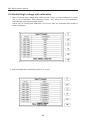
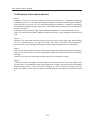
4-4-4 Memory Function Key
Memory
Storing, loading and deleting function key: Store the waveform
data on the LCD screen to the internal memory or load up to
the LCD screen, delete the data within the internal memory.
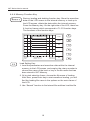
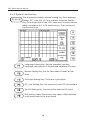
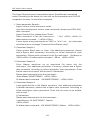
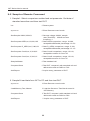
Press the Memory key. On the right side of the LCD, there are
6 function frames which correspond to F1~F6 function keys.
The functions of the function keys:
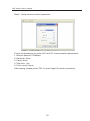
DIV:100us
Te s t V o l t a g e : 5 0 0 v
Load
Memory
0. 58
Save
1. 6P
2. VZ9YZQR6P R
Del
S
File:<Empty>
Pass:
A rea% 0.1%
Fail:
CoroN/ 1
Di f a % 9 . 7 %
Exit
C o r o S /1 0
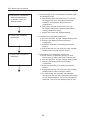
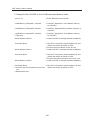
Load Setting Key:
1. Load the parameters and waveform data within the internal
memory to the LCD screen, and employ the rotary encoder to
choose the name of the level or key in the file name that has
been stored in IWT Memory.
2. Or by pink selection frame, choose the file name of loading.
After then, press Enter key to start waveform loading, you will
find the loading file name in the options on the main frame of
the LCD.
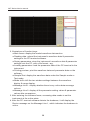
3. Use “Search” function to find stored file and then load the file
16