1
9LHZLQJ 5HVWULFWLRQV
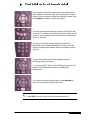
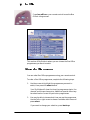
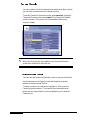
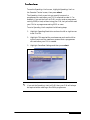
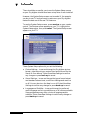
To see the Viewing Restrictions screen, highlight Viewing
Restrictions on the Parental Control screen, then press select.
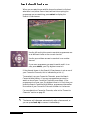
The Viewing Restrictions screen lets you specify the programme
categories that cannot be viewed unless your PIN is entered.
Viewing restrictions can only be applied to programmes where the
broadcaster provides category restriction information.
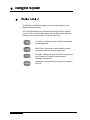
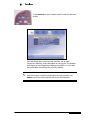
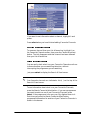
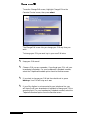
To restrict a category of programme, highlight it, then press the
Restrict (red) button. A cross marks a category you have restricted.
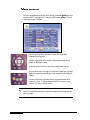
To remove a restriction, highlight the category, then press the
Unrestrict (red) button. The cross is removed, indicating that the
restriction has been removed.
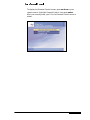
When you have finished setting or changing Viewing restrictions,
press select.
You may only watch programmes in restricted categories if you
have first entered your PIN.
✎
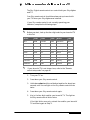
Regardless of your Parental Control settings, you’ll need your PIN
to watch or order any Box Office programme shown before its
normal watershed time. PINs will be required as follows:
xxxxxxxxxx dummy blank line xxxxxxxxxx
Programme Rating
When PIN is required
18
programme starts before 10:00pm
15
programme starts before 8:00pm
12
programme starts before 8:00pm
8VLQJ \RXU 6N\ GLJLER[