1
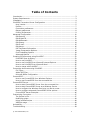
Table of Contents
Introduction .................................................................................................... 3
System Requirements ...................................................................................... 3
Installation...................................................................................................... 4
Print2PDF Conversion Server Configuration ......................................................... 5
How it works .............................................................................................. 5
Profiles ...................................................................................................... 7
Conversion preferences ............................................................................... 8
Output preferences ..................................................................................... 8
Printing Preferences .................................................................................... 9
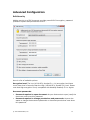
Advanced Configuration .................................................................................. 10
Edit Security ............................................................................................ 10
Edit Digital ID........................................................................................... 12
Edit Watermark ........................................................................................ 13
Edit Stamp............................................................................................... 14
Edit E-mail ............................................................................................... 15
Edit Merge ............................................................................................... 16
PDF Document Information ........................................................................ 17
Image Compression Options....................................................................... 18
Font Embedding Options............................................................................ 19
Advanced Options ..................................................................................... 20
Creating PDF documents using Print2PDF.......................................................... 22
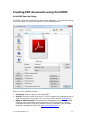
Print2PDF Save As Dialog........................................................................... 22
How to use Print2PDF ................................................................................ 24
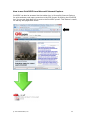
How to use Print2PDF from Microsoft Internet Explorer.................................. 25
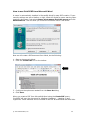
How to use Print2PDF from Microsoft Word .................................................. 26
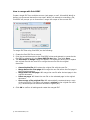
How to merge with Print2PDF ..................................................................... 27
Converting documents using Print2PDF............................................................. 28
File Types ................................................................................................ 28
Adobe PDF Files ........................................................................................ 29
Microsoft Office Configuration ..................................................................... 30
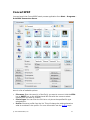
Convert2PDF ................................................................................................. 31
How to use Convert2PDF from Windows Explorer .......................................... 33
How to use Convert2PDF from the command-line.......................................... 34
Convert2PDF Server....................................................................................... 35
How to start Convert2PDF Server from the command-line.............................. 41
How to start Convert2PDF Server as a Windows Service ................................ 41
How to configure the Windows Service to Log On As a user............................ 43
How to configure advanced Convert2PDF Server options................................ 44
Convert2PDF Server Examples.................................................................... 46
Customizing Conversion.................................................................................. 47
The Scripts.ini file ..................................................................................... 47
Modifying scripts....................................................................................... 48
Using modified scripts ............................................................................... 48
VBScript usage ......................................................................................... 48
Uninstalling ................................................................................................... 49
Troubleshooting............................................................................................. 49
© 2007 Software602, Inc.
2