1
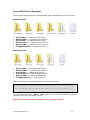
How to use Convert2PDF from Windows Explorer
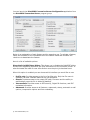
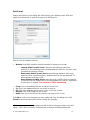
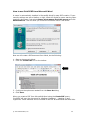
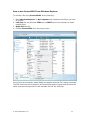
To convert a file using Convert2PDF, do the following:
1. Open Windows Explorer or My Computer and navigate to the file(s) you wish
to convert.
2. Left click the file (Hold the CTRL key or SHIFT key on the keyboard to select
multiple files).
3. Right click the file.
4. Choose Convert2PDF from the popup menu.
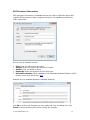
You will see the conversion status dialog box appear while the file is being converted.
The PDF document will be placed in the same folder as the original and will have the
same name as the original but it will maintain the PDF file extension.
© 2007 Software602, Inc.
33