1
Chapter 3 Managing RMS Using the GUI
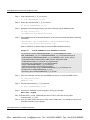
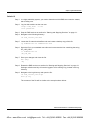
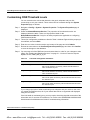
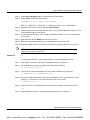
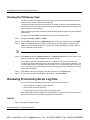
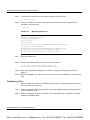
Step 3
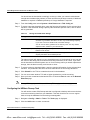
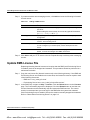
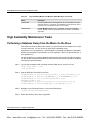
In the Create Task page enter a name and select DbCleanup as the Task Type. Enter the
required scheduling information.
Step 4
Click Next. On the Database Cleanup page enter the directory to which the backup file
should be stored
Step 5
Select HRStats to archive and remove host resources statistical data.
Step 6
Enter the Window Interval. The Window Interval is the period prior to the cleanup
operation for which database records will be kept.
For example, setting the Window Interval to 3 months will result in the removal of all
diagnostic data except for the last 3 months prior to the cleanup operation. The 3-month
period does not include the current month. If you are performing the cleanup on July 14,
and specify 3 months as the interval, then April, May, June and the first 14 days of July will
be retained.
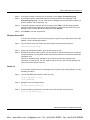
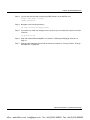
Step 7
Click Save to create the task and save it in the database.
Step 8
Your task will now appear in the Task page. You can right-click on it and select View to
verify your configuration.
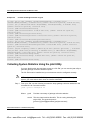
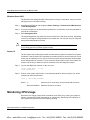
Monitoring Network Element Connectivity
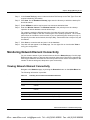
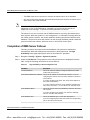
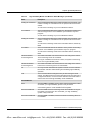
You can view the status of your network elements from the Networks page. On this page
RMS reports the number of devices that have been discovered. Devices are reported by
device type. RMS also calculates the connectivity state for each device and reports on the
number of devices with good, adequate or poor connectivity.
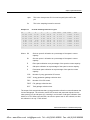
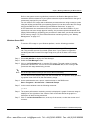
Viewing Network Element Connectivity
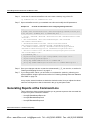
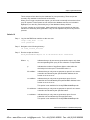
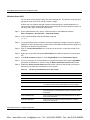
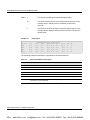
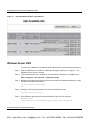
Navigate to the Networks page, by clicking the Networks button on the Quick Menu bar.
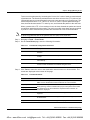
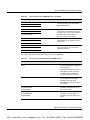
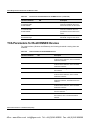
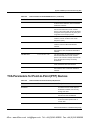
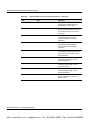
The following information is provided:
.
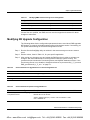
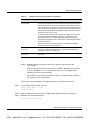
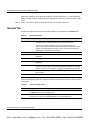
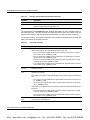
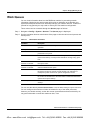
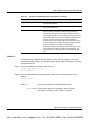
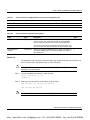
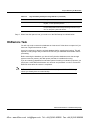
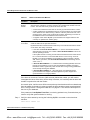
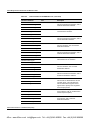
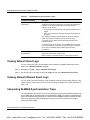
Table 3-4
Summary Count of Discovered Network Elements
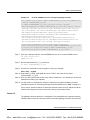
Parameter
Description.
Total Discovered Network Elements
Sector Controller
Count
This is the number of sector controllers that have been discovered in the
network.
Subscriber Unit
This is the number of subscriber units that have been discovered in the
network
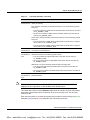
Discovered Network Elements by Connection Status
Equipment Type
The names of all discovered equipment types are listed here.
Discovered
This number of devices, of the specified type that have been discovered.
Redline Communications Inc. Confidential and Proprietary
3-7
4Gon www.4Gon.co.uk [email protected] Tel: +44 (0)1245 808295 Fax: +44 (0)1245 808299