1
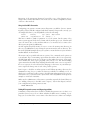
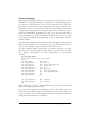
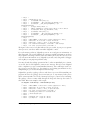
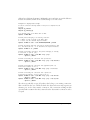
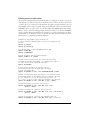
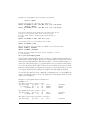
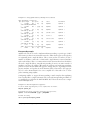
For more general-purpose systems, though, keeping everything you use regularly upto-date becomes a major part-time job. For this reason, all major distributions provide automated update services. We explore a few of them later in this chapter, but
you’ll want to understand general package management first. It shows what the
update services are doing, and is important when you want to install new software or
do something else that isn’t offered by those services.
Using RPM
RPM, which originally expanded to Red Hat Package Manager but now just stands
as a name on its own, is a tool that automates the installation of software binaries
and remembers what files are needed so that you can be assured the software will run
properly. Despite the name, RPM is not Red Hat-specific, but is used in many other
distributions nowadays, including SUSE. Using RPM makes installing and uninstalling software a lot easier.
The basic idea of RPM is that you have a database of packages and the files that
belong to a package. When you install a new package, the information about this
package is recorded in the database. Then, when you want to uninstall the package
for every file of the package, RPM checks whether other installed packages are using
this file too. If this is the case, the file in question is not deleted.
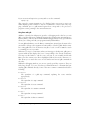
In addition, RPM tracks dependencies. Each package can be dependent on one or
more other packages. When you install a package, RPM checks whether the packages the new package is dependent on are already installed. If not, it informs you
about the dependency and refuses to install the package.
The dependencies are also used for removing packages: when you want to uninstall a
package that other packages are still dependent upon, RPM tells you about this, too,
and refuses to execute the task.
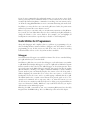
The increased convenience of using RPM packages comes at a price, however: first,
as a developer, it is significantly more difficult to make an RPM package than to simply pack everything in a tar archive. And second, it is not possible to retrieve just one
file from an RPM package; you have to install everything or nothing.
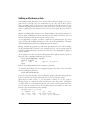
If you already have an RPM system, installing RPM packages is very easy. Let’s say
that you have an RPM package called SuperFrob-4.i386.rpm (RPM packages always
have the extension .rpm; the i386 indicates that this is a binary package compiled for
Intel x86 machines). You could then install it with:
tigger # rpm -i SuperFrob-4.i386.rpm
Instead of -i, you can also use the long-named version of this option; choose whatever you like better:
tigger # rpm --install SuperFrob-4.i386.rpm
404
|
Chapter 12: Installing, Updating, and Compiling Programs
This is the Title of the Book, eMatter Edition
Copyright © 2007 O’Reilly & Associates, Inc. All rights reserved.