1
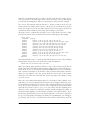
The use of Samba without NetBIOS support effectively means it must
be an AD domain member server. Do not disable NetBIOS support
unless you configure AD.
Samba Version 2 is capable only of using NetBT. Samba Version 3 is capable of
seamless integration into a Windows AD NetBIOS-less network. When configured
this way, it will use TCP port 445, using the NetBIOS-less Windows networking protocol. Microsoft Windows networking will also use TCP port 135, for DCE RPC
communications. A discussion of these protocols is beyond the scope of this book.
The focus in this book is on use of Samba with NetBT.
Samba Version 3 was released in September 2003 after more than two years’ development. It implemented more complete support for Windows 200x networking protocols, introduced support for Unicode, added support for multiple password backends (including LDAP), and can join a Windows 200x Active Directory domain
using Kerberos security protocols. It remains under active development as the current stable release, with support intentions that will keep it current well into 2007.
The Samba team hoped to issue Samba Version 4 beta release towards the end of
2005, after approximately three years’ development. Samba Version 4 is a complete
rewrite from the ground up. It has extensive support for Active Directory, with the
intent of providing Active Directory domain control. It is anticipated that by mid2006 Samba Version 4 will mature to the point that early adopters will begin to
migrate to it.
Where possible, Samba should either be its own WINS server or be used in conjunction with a Microsoft WINS server to facilitate NetBIOS name resolution. Remember that a price will be paid for not using WINS: increased UDP broadcast traffic and
nonroutability of networking services.
We start this section with a simple scenario where you want to access files from
a Windows server on your Linux system. This assumes that you have established a
TCP/IP connection between your Linux and Windows computers, and that there is
a directory on the Windows system that is being shared. Detailed instructions on
how to configure networking and file sharing on Windows 95/98/Me and Windows
NT/2000/XP can be found in Using Samba (O’Reilly).
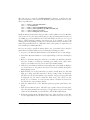
To start with, both your Windows and your Linux systems should be correctly configured for TCP/IP interoperability. This means that:
• Each system has a valid IP address.
• The systems share a correct netmask.
• The systems point to the same gateway (if one of your private networks has routers to multiple network segments).
• Each system has a valid /etc/hosts and a valid DNS configuration if DNS is in use.
526
|
Chapter 15: File Sharing
This is the Title of the Book, eMatter Edition
Copyright © 2007 O’Reilly & Associates, Inc. All rights reserved.