1
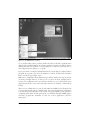
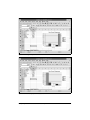
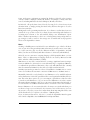
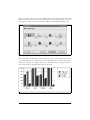
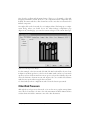
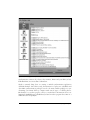
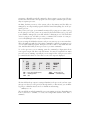
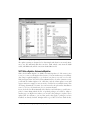
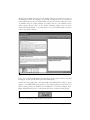
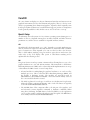
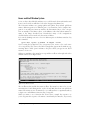
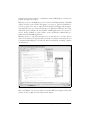
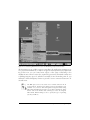
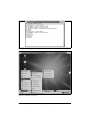
With KDE and GNOME, even casual users and beginners will feel right at home
with Linux. Most distributions automatically configure one of these desktop environments during installation, making it unnecessary to ever touch the text-only console
interface.
Both KDE and GNOME aim to make the Linux environment more user-friendly, and
each has its fans and partisans. We discuss both in Chapter 3. As with X, both KDE
and GNOME provide open source libraries that let you write programs conforming
to their behavior and their look and feel.
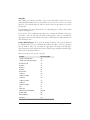
Networking
Linux boasts one of the most powerful and robust networking systems in the
world—more and more people are finding that Linux makes an excellent choice as a
network server. Linux supports the TCP/IP networking protocol suite that drives the
entire Internet, as well as many other protocols, including IPv6 (a new version of the
IP protocol for the next-generation Internet), and UUCP (used for communication
between Unix machines over serial lines). With Linux, you can communicate with
any computer on the Internet, using Ethernet (including Fast and Gigabit Ethernet),
Token Ring, dial-up connection, wireless network, packet radio, serial line, ADSL,
ISDN, ATM, IRDA, AppleTalk, IPX (Novell NetWare), and many other network
technologies. The full range of Internet-based applications is available, including
World Wide Web browsers, web servers, FTP, email, chat, news, ssh, Telnet, and
more.
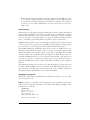
Most Linux users use either a dial-up or a DSL connection through an ISP to connect to the Internet from home. Linux supports the popular PPP and SLIP protocols,
used by most ISPs for dial-in access. If you have a broadband connection, such as a
T1 line, cable modem, DSL, or other service, Linux supports those technologies as
well. You can even configure a Linux machine to act as a router and firewall for an
entire network of computers, all connecting to the Internet through a single dial-up
or broadband connection.
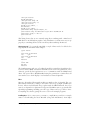
Linux supports a wide range of web browsers, including Mozilla (the open source
spin-off of the Netscape browser), Konquerer (another open source browser packaged with KDE), and the text-based Lynx browser. The Emacs text editor even
includes a small text-based web browser.
Linux also hosts a range of web servers. Linux played an important role in the emergence of the popular and free Apache web server. In fact, it’s estimated that Apache
running on Linux systems drives more web sites than any other platform in the
world. Apache is easy to set up and use; we show you how in Chapter 22.
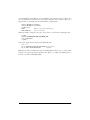
A full range of mail and news readers is available for Linux, such as MH, Elm, Pine,
and mutt, as well as the mail/news readers included with the Mozilla web browser.
Many of these are compatible with standard mail and news protocols such as IMAP
18
|
Chapter 1: Introduction to Linux
This is the Title of the Book, eMatter Edition
Copyright © 2007 O’Reilly & Associates, Inc. All rights reserved.