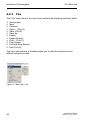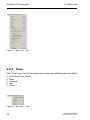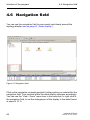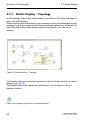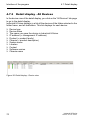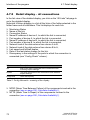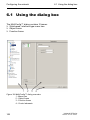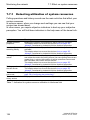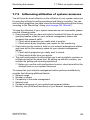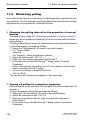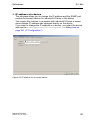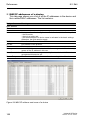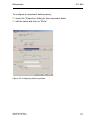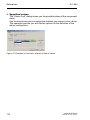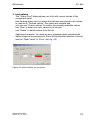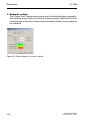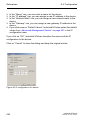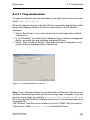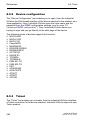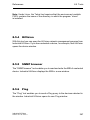
1
User Manual Network Management System Industrial HiVision 04.2.00 Industrial HiVision Release 04.2.00 05/2011 Technical Support [email protected] The naming of copyrighted trademarks in this manual, even when not specially indicated, should not be taken to mean that these names may be considered as free in the sense of the trademark and tradename protection law and hence that they may be freely used by anyone. © 2011 Hirschmann Automation and Control GmbH Manuals and software are protected by copyright. All rights reserved. The copying, reproduction, translation, conversion into any electronic medium or machine scannable form is not permitted, either in whole or in part. An exception is the preparation of a backup copy of the software for your own use. For devices with embedded software, the end-user license agreement on the enclosed CD applies. The performance features described here are binding only if they have been expressly agreed when the contract was made. This document was produced by Hirschmann Automation and Control GmbH according to the best of the company's knowledge. Hirschmann reserves the right to change the contents of this document without prior notice. Hirschmann can give no guarantee in respect of the correctness or accuracy of the information in this document. Hirschmann can accept no responsibility for damages, resulting from the use of the network components or the associated operating software. In addition, we refer to the conditions of use specified in the license contract. You can get the latest version of this manual on the Internet at the Hirschmann product site (www.beldensolutions.com). Printed in Germany Hirschmann Automation and Control GmbH Stuttgarter Str. 45-51 72654 Neckartenzlingen Deutschland Tel.: +49 1805 141538 Industrial HiVision Rel. 04.2.00 -01-05/2011 039 515-007-01-0511– 20.5.11 Contents Contents 1 The Management Tool 1.1 Integration of third-party devices 10 1.2 Enhanced auto-topology discovery 11 1.3 MultiConfig™ for network installation 12 1.4 MultiConfig™ for live operation 13 1.5 Engineered through experience 14 1.6 Thirty days free trial 15 2 Installation 17 2.1 System Requirements 18 2.2 Installation 2.2.1 Installation under Windows 2.2.2 Installation under Linux 19 21 23 2.3 Update 2.3.1 Updating under Windows 2.3.2 Updating under Linux 26 26 26 2.4 Maintenance 28 2.5 Starting 2.5.1 Starting under Windows 2.5.2 Starting under Linux 29 29 31 2.6 Deinstallation 2.6.1 Deinstallation under Windows 2.6.2 Deinstallation under Linux 32 32 32 3 Preparation 35 3.1 Outside the program 36 3.2 Program default settings 37 4 Interface of the program 41 4.1 Main window of Industrial HiVision 42 4.2 Menu bar 4.2.1 File 4.2.2 Edit 44 46 47 Industrial HiVision Release 04.2.00 05/2011 9 3 Contents 4.2.3 4.2.4 4.2.5 4.2.6 View Configuration Tools ? (Help) 48 49 51 52 4.3 Tool bar 4.3.1 Edit Mode 4.3.2 Preferences 53 55 56 4.4 Event line 4.4.1 Number of events 4.4.2 Types of events 4.4.3 Acknowledge events 4.4.4 Properties of an event 58 59 60 61 62 4.5 Folder frame 63 4.6 Navigation field 66 4.7 Detail display 4.7.1 Detail display – Topology 4.7.2 Detail display – List 4.7.3 Detail display - All Devices 4.7.4 Detail display – all ports 4.7.5 Detail display – all connections 4.7.6 Detail display – All Properties 67 68 69 70 71 72 73 4.8 Event list 75 4.9 To navigate with the Keyboard 4.9.1 Navigating in a table 4.9.2 Changing the tab page 4.9.3 Changing the frame 78 78 78 78 5 Creating a network plan 79 5.1 Device detection 80 5.2 Assigning device icons 82 5.3 Device arrangement 5.3.1 Creating a network plan 5.3.2 Moving devices into the network plan 5.3.3 Creating new devices 5.3.4 Arrange devices in the detail display 5.3.5 Naming devices and ports 5.3.6 Copying devices 5.3.7 Devices with multiple IP addresses 5.3.8 Creating a connection 83 83 84 85 87 88 88 89 89 5.4 Device connection 5.4.1 Automatically displaying the topology 91 91 4 Industrial HiVision Release 04.2.00 05/2011 Contents 5.4.2 5.4.3 5.4.4 5.4.5 5.4.6 5.4.7 Connecting devices manually Reshaping a connection line Other connections Detecting a connection to another folder Specifying connection properties Link types 92 92 94 94 95 96 5.5 The Network changing over time 5.5.1 Adding devices with HiDiscovery 5.5.2 Adding devices with Network Scan 5.5.3 Adding devices manually 5.5.4 Startup procedure for Hirschmann devices 5.5.5 Interrupting device monitoring 5.5.6 Removing devices 97 97 98 98 99 99 100 5.6 Network Documentation 5.6.1 Saving Industrial HiVision projects 5.6.2 Exporting the content of the detail display 5.6.3 Printing the content of the detail display 5.6.4 Exporting the event list 5.6.5 Printing the event list 5.6.6 Creating device documentation 5.6.7 Printing or exporting the MAC/IP address assignment 5.6.8 Printing or exporting the status configuration 101 101 101 102 102 102 103 103 104 6 Configuring the network 6.1 Using the dialog box 6.1.1 Description of the menu tree 6.1.2 Description of the object frame 6.1.3 Description of the function frame 6.1.4 Description of the control elements 106 107 107 108 109 6.2 Examples for using the multi-configuration 6.2.1 Same contact person on all devices 6.2.2 Software update on similar devices 6.2.3 Restarting multiple devices 6.2.4 Loading/saving the configuration for multiple devices 6.2.5 Configuring a trap destination on multiple devices 6.2.6 Saving support info for multiple devices 6.2.7 Configuring the Industrial HiVision property 111 111 113 114 115 117 117 119 7 Monitoring the network 7.1 Status configuration 122 7.2 Status determination 7.2.1 Trap destination address 7.2.2 Updating device status 123 124 124 Industrial HiVision Release 04.2.00 05/2011 105 121 5 Contents 7.3 Status propagation 125 7.4 Event actions 127 7.5 History 128 7.6 User-defined properties 7.6.1 Description of user-defined properties 7.6.2 Application example for user-defined properties 130 130 130 7.7 Effect on system resources 7.7.1 Detecting utilization of system resources 7.7.2 Influencing utilization of system resources 7.7.3 Minimizing polling 7.7.4 Minimizing network load 133 134 135 136 137 7.8 Process visualization systems 7.8.1 Link to process visualization system 7.8.2 Structure of the transfer data for OPC 7.8.3 Connection as ActiveX control element 138 138 140 143 7.9 Web access to Industrial HiVision 144 8 References 8.1 File 8.1.1 8.1.2 8.1.3 8.1.4 8.1.5 8.1.6 8.1.7 8.1.8 8.1.9 8.1.10 8.1.11 8.1.12 8.2 Edit 8.2.1 8.2.2 8.2.3 8.2.4 8.2.5 8.2.6 8.2.7 8.2.8 8.2.9 8.2.10 6 145 New project New Connect... Open Save Save as... Export... Export Events... Print Printing the event list Exit and Stop Service Exit 146 147 147 147 148 148 148 149 149 149 150 150 151 Undo Restore Edit mode Cut Copy Paste Paste as link Delete Select all Acknowledge Status Change 152 152 152 152 153 153 153 154 154 154 154 Industrial HiVision Release 04.2.00 05/2011 Contents 8.2.11 8.2.12 8.2.13 8.2.14 8.2.15 8.2.16 8.2.17 8.2.18 8.2.19 8.2.20 8.2.21 8.2.22 8.2.23 8.2.24 8.2.25 Manage Unmanage Set devices and port names Set default device symbol Device Documentation Drawing Background image Search Auto Topology Auto Layout Properties of a folder/device Properties of a component detail Properties of a connection Adding properties to a port Add to reporting 155 155 155 156 156 156 157 158 159 161 163 169 175 177 178 8.3 View 8.3.1 8.3.2 8.3.3 8.3.4 8.3.5 Filter Events for Device Back Forward Up Zoom 180 180 180 180 181 181 8.4 Configuration 8.4.1 Monitor 8.4.2 Reporting 8.4.3 Preferences 8.4.4 Status configuration 8.4.5 Scan Ranges 8.4.6 User-defined properties 8.4.7 Multi-configuration 8.4.8 MAC/IP Address Allocation 8.4.9 Update 8.4.10 IP Configuration 8.4.11 Trap destination 182 182 184 188 234 236 238 239 240 241 241 243 8.5 Tools 8.5.1 8.5.2 8.5.3 8.5.4 8.5.5 8.5.6 8.5.7 8.5.8 8.5.9 8.5.10 245 245 246 246 247 247 247 248 248 249 250 8.6 ? – Help 8.6.1 Online help F1 Web interface Device configuration Telnet HiVision SNMP browser Ping HiDiscovery Scan Network Scan Demo network Calculate Availability Industrial HiVision Release 04.2.00 05/2011 255 255 7 Contents 8.6.2 8.6.3 8.6.4 8.6.5 8.6.6 Readme Tutorial Online Kernel info About 255 256 256 257 257 A Appendix A.1 FAQ 260 A.2 System requirements 261 A.3 Monitored properties A.3.1 Monitored properties in the basic setting 262 262 A.4 CSV export 264 A.5 Ports used 265 A.6 Literature references 266 A.7 Copyright of Integrated Software 267 B Index 273 C Further Support 277 8 259 Industrial HiVision Release 04.2.00 05/2011 The Management Tool 1 The Management Tool Network visibility equals high availability. Hirschmann introduces Industrial HiVision 04.2.00, the new state-of-the-art software for industrial network management. Wherever individual network components are to be combined to create an overall system, Industrial HiVision 04.2.00 is the ideal solution for configuring and monitoring all the administrable Hirschmann devices, including switches, routers, EAGLE20 firewalls, wireless BAT units and products from various manufacturers. Designed for effective industrial supervision, HirschmannIndustrial HiVision 04.2.00 can be easily integrated into SCADA applications. It offers a built-in SNMP to OPC server. The graphical user interface is available as an ActiveX control. A DTM offers seamless operation inside FDT applications. Industrial HiVision Release 04.2.00 05/2011 9 The Management Tool 1.1 Integration of third-party devices 1.1 Integration of third-party devices Of course, network management software from a specific manufacturer of network components is optimized for operating these components. In comparison, a generic, manufacturer-independent network monitoring system will never provide the same depth of product integration. However, in the real world, networks are usually a heterogeneous environment with devices from multiple manufacturers. Industrial HiVision 04.2.00 makes it easier for the network administrator to also integrate non-Hirschmann products, as long as they are administrable. This applies to components of the network infrastructure as well as field devices. All managed products have a range of standard characteristics that can be monitored, such as the device status. In addition, the direct standard interface can be used to enter further device-specific information, such as the long-term history and status messages. You decide for yourself how detailed the monitoring of your application is to be. Advantages: X Monitoring and trend mapping for all administrable devices from any manufacturer X Status display for your entire system X Comprehensive network monitoring using a single network management system. 10 Industrial HiVision Release 04.2.00 05/2011 The Management Tool 1.2 Enhanced auto-topology discovery 1.2 Enhanced auto-topology discovery Precise knowledge of the network topology is absolutely essential in order to be able to monitor industrial networks reliably. The network administrator must know how and where components are connected together in order to manage complex networks and perform maintenance work as necessary. Existing customers are already familiar with the intuitive Industrial HiVision user interface. This allows rapid and effortless visualization of the network topology. The standardized LLDP protocol is used to scan all network infrastructure components and the received information allows Industrial HiVision to build a representation of the network connectivity. End devices such as PLCs, I/O, and HMIs are also detected and their location is accurately depicted on the graphical topology map. Industrial HiVision04.2.00 takes this one step further. For the first time the software is able to detect unmanaged switches and hubs and display their position within your network diagram. The software is also able to determine the network topology of devices which are located behind a router. This results in an unprecedented level of topology detail. Even industrial networks evolve over time, and documentation can easily become out of date. The enhanced auto-topology discovery function ensures that you always know what is connected where in your network. Key benefits: X Network maps are created automatically, without manual intervention X Topology maps are 100% accurate X Network documentation is always up to date Industrial HiVision Release 04.2.00 05/2011 11 The Management Tool 1.3 MultiConfig™ for network installation 1.3 MultiConfig™ for network installation Most network infrastructure devices require identical configuration parameters. But those parameters will differ from one network to the next. Which redundancy protocol is required? What is the temperature threshold of the devices? Where is the time server located? Should the web interface be disabled for live operation? To which management station should alarms be sent? Must unused ports be disabled? The list goes on and on. Whether you are configuring 10 devices, or 1000 devices, the problems are the same. Configuring devices individually is a tedious task. And even worse, a misconfiguration error on a single device can be almost impossible to find. As a result, Site Acceptance Tests will be prolonged or the network may fail during live operation. MultiConfig™ prevents these problems from ever happening. Not only will MultiConfig™ allow you to configure the same parameters across multiple devices simultaneously, but it will also show you where there is an inconsistency between parameter configurations. It even works across different types of devices, where those devices have parameters in common.Finally, MultiConfig™ will allow you to save multiple devices configurations, both locally and to a server, without touching each device individually. The perfect end to a network deployment. Key benefits: X Reduced network installation time X Network infrastructure configuration consistency 12 Industrial HiVision Release 04.2.00 05/2011 The Management Tool 1.4 MultiConfig™ for live operation 1.4 MultiConfig™ for live operation Throughout a network’s lifetime operation, it is necessary to carry out repetitive but essential maintenance tasks. The threat of cyber attacks means that responsible network administrators will change device passwords regularly. Technology innovations can have great benefits for your network and your company, but to take advantage of them you will need to update your device firmware. And in the worst case scenario, if your network suffers a failure, your support organization will need immediate access to the current configuration files and event logs of all your network devices. Of course, for a small network, this can all be done by accessing each device individually. But for both small and large industrial networks, network security and high availability are the ultimate goals. MultiConfig™ can fulfill all the above requirements with a few clicks of a mouse. As a result, network administrators can meet their daily objectives with the least effort and minimal risk Key benefits: X Highest network availability. X Least effort required for network administration and maintenance. X Minimized operational risk Industrial HiVision Release 04.2.00 05/2011 13 The Management Tool 1.5 Engineered through experience 1.5 Engineered through experience Industrial HiVision 04.2.00 is the fourth generation network management software from Hirschmann. We have built on our experience with previous releases to evolve a product which is unique in the industrial space. Industrial HiVision 04.2.00 encompasses all the features and benefits of earlier versions. These include: Key benefits: X Client/Server architecture X Web browser client X Editi and Run modes X Network hierarchy display X Global and individual status display and propagation X Flexible event handling X Customizable data acquisition X Long-term trending X Comprehensive export functions X Asset Management 14 Industrial HiVision Release 04.2.00 05/2011 The Management Tool 1.6 Thirty days free trial 1.6 Thirty days free trial As a network administrator, you need cutting edge tools to help you meet your targets. Hirschmann is famous for innovation. We are committed to evolving Industrial HiVision to match our new hardware functionality, meet the requirements of our customers, and exceed the demands of the Industrial Ethernet marketplace. Everybody knows, seeing is believing. Words cannot do justice to network management software. Download Industrial HiVision, and test it free of charge for 30 days at your convenience. Of course, longer evaluation periods are available on request. The current version 04.2.00 of Industrial HiVision is available for download at www.beldensolutions.com. Industrial HiVision Release 04.2.00 05/2011 15 The Management Tool 16 1.6 Thirty days free trial Industrial HiVision Release 04.2.00 05/2011 Installation 2 Installation This chapter describes X X X X X X The prerequisites for installing and operating the software Installing the software Updating the software Maintaining the software Starting the program Deinstalling the software You will find requirements for operating the software in the appendix (see on page 18 „System Requirements“). Note: Regarding security Industrial HiVision protects the edit mode of the user interface by requesting a password. When you login to your network management station as an administrator and start the user interface of Industrial HiVision, then Industrial HiVision allows you to switch directly to the edit mode. You can thus avoid having to enter a password. Note: Regarding security The Industrial HiVision database contains the information for your Industrial HiVision project. Secure the access to this file by means of selected access rights for the directory <installation directory>\database. Industrial HiVision Release 04.2.00 05/2011 17 Installation 2.1 System Requirements 2.1 System Requirements To install and operate Industrial HiVision you require: Hardware X Processor x86 compatible CPU, 1 GHz minimum X RAM at least 1 GB, 2 GB recommended. Industrial HiVision requires approx. 300 MB free RAM. Another 500 kB RAM is required for each detected agent. The network management unit also requires RAM for the operating system and any additional applications. X Disk space 2 GB free. X Monitor resolution at least 1024x768 pixels. Operating system X X X X X X Windows XP, 32 Bit Windows Vista, 32 Bit Windows 7, 32 Bit Windows Server 2003, 32 Bit Windows Server 2008 R2 PC Linux 32 Bit: Kernel 2.6, glibc 2.4 64 Bit: Kernel 2.6, glibc 2.4 (released for Debian 5.0) License License keys for Industrial HiVision depend on the number of devices you want to monitor. You can get license keys for 25, 50, 100, 250 and 500 devices. 18 Industrial HiVision Release 04.2.00 05/2011 Installation 2.2 Installation 2.2 Installation Industrial HiVision consists of a number of components. A background service performs most of the work. This service has a close connection to a database containing all the relevant data for the settings of Industrial HiVision and the devices to be monitored. When you reboot Industrial HiVision, Industrial HiVision gets the configuration data from the database which were current when you last quit the program. Network Management Station SNMP-Get/Set HiDiscovery EtherNet/IP Ping Trap Configuration data read/write Database Services Display data User interface Figure 1: Architecture Industrial HiVision Release 04.2.00 05/2011 19 Installation 2.2 Installation The program Industrial HiVision, which you call up directly on the screen, maintains a connection with the background service, from which it gets the required data. You can install Industrial HiVision additionally to a former release of Industrial HiVision. If you start different releases simultaneously each release maintains a connection to its own background service. Industrial HiVision enables you to install – the user interface (Industrial HiVision Client) and – the service with the database (Industrial HiVision Server) on different computers. You can thus access a central network management station from different locations with multiple user interfaces. The number of user interfaces that can access a central network management station depends on the capacity of the network management station. To avoid access conflicts, only one user interface can access a network management station in the edit mode (see on page 215 „Advanced:Program Access“) However, you can access multiple decentral Industrial HiVision servers with one user interface. Note: Installing a firewall with NAT between the service and the user interface Activate port forwarding in the firewall for the following ports: X 11136, Industrial HiVision proxy server for the communication between the service and the user interface. X 11135, Industrial HiVision Web server to also open the user interface in the browser. (see on page 225 „Advanced:Services“) Note: Installing a router between the service and the user interface When entering the gateway IP address in the computer on which the service is installed and in the computer on which you are operating the user interface, make sure that both computers are in different sub networks. 20 Industrial HiVision Release 04.2.00 05/2011 Installation 2.2.1 2.2 Installation Installation under Windows Login with administration rights. To install Industrial HiVision, you insert the installation CD. Select 'Installation' and follow the instructions of the installation assistant. Note: If you get the error message Error during installation of ikernel.exe it means, that the user does not have administration rights. Depending on your selection, the installation assistant installs X the Hirschmann Industrial HiVision 04.2.00 Service service with integrated database (= Industrial HiVision Server) and X OPC services, X the Industrial HiVision Client (= user interface) program and X the ActiveX control. If you want to connect to a SCADA system, you need the OPC services on the Industrial HiVision server and/or the ActiveX control on the SCADA system. OPC services function as the data source for SCADA systems. The ActiveX control visualizes the network in SCADA systems. During the installation, you can select whether the Hirschmann Industrial HiVision 04.2.00 Service X is started automatically when the program starts or X is started automatically each time the computer is rebooted. Note: You can get the status of the service in Windows 2000/XP under Start:Control Panel:Administration:Services. Here you can also terminate the service and restart it. If you are running other resource-intensive programs on the computer, then close the Industrial HiVision program and the “Hirschmann Industrial HiVision 04.2.00 Service.” This service requires considerable computer Industrial HiVision Release 04.2.00 05/2011 21 Installation 2.2 Installation resources. When it starts, the Industrial HiVision program asks you whether you want to start the service, and when you are leaving the program, whether you want to close the service. Note that when the service is switched off, there is no network monitoring, which means that no events are recorded. Note: In the default setting of the service properties on the “Logon” tab page, no data exchange between the service and the desktop is permitted for the local system account (Start:Control Panel:Administration:Services, right-click on the “Hirschmann Industrial HiVision 04.2.00 Service” and choose Properties). This means that you can start a program from Industrial HiVision(see on page 192 „Basics:Event Actions“) and that the process runs in the background, but that the program is not visible on the monitor. Permitting the data exchange between the service and the desktop involves a big security risk, because this program can then be started independently of the user who is logged on. So-called Trojans use this security gap. To automatically send an SMS or an e-mail when an event occurs, you do not need a data exchange between the service and the desktop. Special features of Windows Vista Business X Industrial HiVision cannot start or end the “Hirschmann Industrial HiVision 04.2.00 Service.” You can start and finish the service in the Windows Vista management. X The installation routine of Windows XP contains the installation of the Telnet client. With the installation of Windows Vista, the installation of the Telnet client is no longer necessary. You can activate the Telnet client in the Control Panel “Programs” under “Activate/deactivate Windows functions”. X Industrial HiVision checks the accessibility of devices using the Ping program. If you want to use Industrial HiVision04.2.00, you deactivate the Windows Vista Firewall. 22 Industrial HiVision Release 04.2.00 05/2011 Installation 2.2 Installation Special features on Windows Server 2003 When installing Windows Server 2003, deselect the following components: X Share Point Services X Exchange Server X Active Directory Special features on Windows 7 X The SMSCom program is used to send short messages via SMS from Industrial HiVision. If you selected the SMSCom program to be installed during the installation of Industrial HiVision, at the end of the installation you are informed about how to display the SMSCom help. To display the SMSCom help, follow the instructions. X The installation routine of Windows XP contains the installation of the Telnet client. With the installation of Windows Vista, the installation of the Telnet client is no longer necessary. You can activate the Telnet client in the Control Panel “Programs” under “Activate/deactivate Windows functions”. 2.2.2 Installation under Linux Logon with the su command so that you have root access rights. To install Industrial HiVision, you insert the installation CD. Mount the CD (some Linux systems do this automatically) in the directory assigned to it, e.g. the directory /mnt/cdrom. If you have mounted the CD in another directory, you replace this part of the path with the directory that applies for you. Quit the current kernels. Start the installation script with the command sh /mnt/cdrom/industrialhivision/linux/install.sh Industrial HiVision Release 04.2.00 05/2011 23 Installation 2.2 Installation Answer the questions of the installation script and follow the instructions of the installation script. If you do not answer a question of the installation script, then the installation script selects the default answer. Example of a run of the installation script: Welcome to Industrial HiVision This script will install Industrial HiVision on your system. You can abort the setup process anytime by pressing ctrl-c. Do you wish to continue? [y]es, [n]o (default=no) y Please specify a destination directory for the installation (default=/opt/ihivision04200) The directory /opt/ihivision04200 does not exist. Do you wish to create it? [y]es, [n]o (default=no) y Unpacking Industrial HiVision... Running setup script... *** Checking database user *** *** Initialising installation directory *** *** Initialising log directory *** *** Configuring Services *** *** Configuring Executables *** *** Preparing Init Script *** *** Industrial HiVision successfully installed *** Industrial HiVision is now installed and ready for use. 24 Industrial HiVision Release 04.2.00 05/2011 Installation 2.2 Installation The following example for starting the Industrial HiVision service requires you to have installed Industrial HiVision in the /opt/ihivision04200 directory. If you have selected a different installation path, you change the path name accordingly. Start the Industrial HiVision service with the command /etc/init.d/ihivision04.2.00 start Industrial HiVision requires that you logged on using su. You can quit the service with the command /etc/init.d/ihivision04.2.00 stop You can restart the service with the command /etc/init.d/ihivision04.2.00 restart You can check whether the service is running with the command /etc/init.d/ihivision04.2.00 status To start the service when starting the operating system, you include the service start in the init sequence of your system. The various Linux distributions provide you with a whole range of options for this. For some start sequences compatible with Sys V, the installation copies the start script ihivision04.2.00 into the init.d directory of the system. Depending on your requirements, you can – integrate this script into the various run levels or – start it manually with the above command. The Init script was developed and tested under Red Hat, Ubuntu/Kubuntu and Mandriva Linux. Other distributions (such as Gentoo) use a different script format and thus require different scripts. Industrial HiVision Release 04.2.00 05/2011 25 Installation 2.3 Update 2.3 Update 2.3.1 Updating under Windows To update a version of Industrial HiVision already installed, you install the new version as described on „Installation under Windows“(see page 21). During the installation, you can choose whether the installation routine transfers the database contents from a previous installation into the new installation. If you want to transfer the database contents from an earlier version, you only deinstall the earlier version after the update. Industrial HiVision permits the installation of different versions on a PC. Note: In order to correctly transfer the data from the previous version, the installation routine terminates the previous version of the service, with your permission, if it is still active. Therefore, there is no network monitoring during the update procedure. 2.3.2 Updating under Linux To update a version of Industrial HiVision already installed, you install the new version as described on „Installation under Linux“(see page 23). During the installation, you can choose whether the installation routine transfers the database contents from a previous installation into the new installation. 26 Industrial HiVision Release 04.2.00 05/2011 Installation 2.3 Update If you want to transfer the database contents from an earlier version, you only deinstall the earlier version after the update. Industrial HiVision permits the installation of different versions on a PC. Note: In order to correctly transfer the data from the previous version, terminate the previous version before the installation, if it is still active. Therefore, there is no network monitoring during the update procedure. If multiple previous versions are installed, Industrial HiVision takes the data from the latest previous version. Note: During an update, Industrial HiVision can transfer the data from the database of the previous version if the previous version is in the specified installation directory. Otherwise, you can use the interface functions „Save“ (see page 148) and „Open“ (see page 148) to transfer the data. Industrial HiVision Release 04.2.00 05/2011 27 Installation 2.4 Maintenance 2.4 Maintenance Hirschmann are continually working on improving and developing their software. You should regularly check whether there is a new version of the software that provides you with additional benefits. You will find information about updates and upgrades on the Internet pages of Hirschmann Automation and Control GmbH. www.hivision.de 28 Industrial HiVision Release 04.2.00 05/2011 Installation 2.5 Starting 2.5 Starting 2.5.1 Starting under Windows During the installation, the program installation routine installs a program symbol for the link to the program Industrial HiVision X on the desktop and X in Start:Programs:Hirschmann:Industrial HiVision04.2.00 Start Industrial HiVision with a double-click on the program symbol on your desktop, or by selecting the program symbol in your start directory. When starting, Industrial HiVision looks for the server. If Industrial HiVision does not find the server, Industrial HiVision opens a dialog for entering the server IP address or the server name. If the server is located on your local computer, you enter the name localhost. Note: To be able to connect to the Industrial HiVision server from another computer, you first permit remote access in the server settings (see on page 225 „Advanced:Services“). Figure 2: “Enter server address” window Industrial HiVision Release 04.2.00 05/2011 29 Installation 2.5 Starting If Industrial HiVision finds the server to which Industrial HiVision was last connected, Industrial HiVision connects to it again. If you want to connect to a different server, you click on “Cancel” in the “Connecting to server...” window. With File:Connect you open the dialog for entering the server IP address. Figure 3: “Connecting to server...” window Connecting to multiple servers To connect to multiple servers, you copy the program symbol and add it again as a connection. Open the properties of the new program symbol by right-clicking on the symbol and choosing “Properties”. In the “Destination” row, you enter a blank after “C:\Programs\Hirschmann\Industrial HiVision04.2.00\bin\HiVision.exe”, then the command line parameter -kernelHost <server name>. For <server name> you enter the IP address or the name of your server. Repeat these steps for all the servers you want to make a connection to. 30 Industrial HiVision Release 04.2.00 05/2011 Installation 2.5.2 2.5 Starting Starting under Linux Start the service before you start the graphic interface (see on page 23 „Installation under Linux“). To be able to start Industrial HiVision from the graphic interface, you put an icon on the desktop you are using (KDE, Gnome, etc.). You will find a suitable image (ihivision_op32x32.png) in /opt/ihivision04200/lib. By double-clicking on the icon, or with the command /opt/ihivision04200/bin/HiVision, any user can start Industrial HiVision. Industrial HiVision Release 04.2.00 05/2011 31 Installation 2.6 Deinstallation 2.6 Deinstallation 2.6.1 Deinstallation under Windows Quit the program Industrial HiVision before you start the deinstallation. To deinstall Industrial HiVision, select Start:Control Panel:Software. Select the program Industrial HiVision. Click on Change/Remove and follow the instructions of the deinstallation routine. 2.6.2 Deinstallation under Linux Quit the Industrial HiVision program before you start the deinstallation. Logon with the su command so that you have root access rights. Quit the Industrial HiVision service with the command /etc/init.d/ihivision04.2.00 stop Delete the /opt/ihivision04200 directory with the command rm -rf /opt/ihivision04200 Remove the ihivision start script from the run levels of your init sequence (see on page 23 „Installation under Linux“). 32 Industrial HiVision Release 04.2.00 05/2011 Installation 2.6 Deinstallation Note: The database content and the licenses are lost during the deinstallation. Industrial HiVision Release 04.2.00 05/2011 33 Installation 34 2.6 Deinstallation Industrial HiVision Release 04.2.00 05/2011 Preparation 3 Preparation Before you start entering and monitoring your network, set up the necessary or useful conditions. X The necessary conditions include the accessibility of the devices to be monitored and the related access authorization. X The useful conditions are the settings related to the presentation, such as color and font size. Create a data backup plan. Regularly export the data of your project. You can thus recreate your project at any time, should adverse circumstances damage the data stock. The “Demo Network” program supplied allows you to simulate a network on your computer in order to familiarize yourself with Industrial HiVision without being connected to a network. Industrial HiVision Release 04.2.00 05/2011 35 Preparation 3.1 Outside the program 3.1 Outside the program Industrial HiVision requires access to the devices to be monitored. Therefore you must ensure that X Your network management station has access rights to every device to be monitored. This is the case if the IP address of your network management station is entered as an IP address with access rights on the device to be monitored. In the state on delivery for the Hirschmann devices, all IP addresses have access rights to the device. X Your network management station is physically connected to every device to be monitored, directly or indirectly via hubs and switches or routers. 36 Industrial HiVision Release 04.2.00 05/2011 Preparation 3.2 Program default settings 3.2 Program default settings To take into account the individuality of every user, Industrial HiVision gives you the option of entering settings relating to the presentation, the function and the device detection. IP parameters Enter the IP parameters of your network management station under Configuration:Preferences:Management Station (see on page 221 „Advanced:Management Station“). Device Access Industrial HiVision independently detects the delivery settings of Hirschmann devices for the SNMP access. If for security reasons you have already made changes to the SNMP settings for the devices to be monitored, then enter the user names and the passwords under Configuration:Preferences:SNMP Configuration (see on page 199 „Basics:Access“). Discover Devices Industrial HiVision gives you three options for detecting devices in the connected network: X Traps: Detecting devices using the alarm messages (traps) sent by them. Make sure that your network management station is entered as the trap destination address in every device to be monitored (see on page 124 „Trap destination address“). X HiDiscovery: Detecting devices by means of a query using the HiDiscovery protocol. Select the relevant network card of the network management station (see on page 221 „Advanced:Management Station“). On delivery, the HiDiscovery protocol on a new Hirschmann device is active. Industrial HiVision Release 04.2.00 05/2011 37 Preparation 3.2 Program default settings X Network scan: Discovering devices by means of an IP query for an entered IP address range (see on page 80 „Device detection“). Select the required method for device detection under Configuration:Preferences:Detecting Devices (see on page 189 „Basics:discover devices“). License To be able to utilize the full scope of the functions of Industrial HiVision, enter your license key under Configuration:Preferences:License (see on page 200 „Basics:License“) After a new installation or an update, Industrial HiVision starts in the demo mode. The demo mode allows you to monitor and configure a device and to enter license keys. When you have entered a license key, Industrial HiVision switches to the normal mode. Font size Depending on the setting of your screen resolution, some of the text displayed is too small or not complete. Adapt the font size under Configuration:Preferences:Device,, Configuration:Preferences:Appearance (see page 206„Display:Device“ and page 209„Display:Appearance“). Colors The optimal signal effect of the display depends on your color sensitivity. Select your color display under Configuration:Preferences:Status colors (see on page 211 „Display:Status Colors“). Devices and port names Industrial HiVision enables you to choose the name of the device/port that appears in the interface. Select the name of the device/port under Configuration:Preferences:Device/Port Names (see on page 229 „Advanced:Device/Port Names“). 38 Industrial HiVision Release 04.2.00 05/2011 Preparation 3.2 Program default settings Default device icons Industrial HiVision enables you to assign defined default icons to different device types. Select device icons under Configuration:Settings:Device Icons (see on page 212 „Display: Device Icon“). Industrial HiVision Release 04.2.00 05/2011 39 Preparation 40 3.2 Program default settings Industrial HiVision Release 04.2.00 05/2011 Interface of the program 4 Interface of the program This chapter describes the structure of the program interface. It provides you with an overview to help you find your way in the graphic interface. You will find a detailed description in the chapter „References“ on page 145. Expert knowledge of networks is not required to use Industrial HiVision. The interface enables you to operate the program intuitively. It contains the tried and tested elements of the standard user interfaces, so you will be able to get started after a brief familiarization phase. Industrial HiVision Release 04.2.00 05/2011 41 Interface of the program 4.1 Main window of Industrial HiVision 4.1 Main window of Industrial HiVision When you start Industrial HiVision, the main window appears on the screen. It consists of the following parts: X X X X X X X Menu bar Tool bar Event line Folder frame Navigation field Detail display Event list By positioning the mouse on a screen position in Industrial HiVision for a short time, you open an information window with a small help text. 42 Industrial HiVision Release 04.2.00 05/2011 Interface of the program 4.1 Main window of Industrial HiVision Figure 4: Main window 1 - Menu bar 2 - Tool bar 3 - Event line 4 - Folder frame 5 - Navigation field 6 - Detail display 7 - Event list Industrial HiVision Release 04.2.00 05/2011 43 Interface of the program 4.2 Menu bar 4.2 Menu bar The menu bar is right at the top of the main window of the program. It gives you support in importing, exporting and creating new projects, in copying, adding and deleting data, and in changing the view and configuration. A help menu is also provided. The menu bar contains the following selection items: X X X X X X 44 File Edit View Configuration Tools ? (Help) Industrial HiVision Release 04.2.00 05/2011 Interface of the program 4.2 Menu bar Figure 5: Menu bar Industrial HiVision Release 04.2.00 05/2011 45 Interface of the program 4.2.1 4.2 Menu bar File The “File” menu item in the menu bar contains the following selection fields: X X X X X X X X X X X X New project New Connect... Open... (Ctrl+O) Save (Ctrl+S) Save as... Export... Export Events... Print... (Ctrl+P) Print Events... Exit and Stop Service Exit (Ctrl+Q) The key combinations in brackets allow you to start the selection items without using the mouse. Figure 6: Menu bar – file 46 Industrial HiVision Release 04.2.00 05/2011 Interface of the program 4.2.2 4.2 Menu bar Edit The “Edit” menu item in the menu bar contains the following selection fields: X X X X X X X X X X X X X X X X X X X X X Undo (Ctrl+Z) Redo (Ctrl+Y) Edit mode Cut (Ctrl+X) Copy (Ctrl+C) Paste (Ctrl+V) Paste As Link Delete (Del) Select All (Ctrl+A) Acknowledge Status Change Manage Unmanage Set Device and Port Names Set default device symbol Device Documentation Drawing Background Image Find... (Ctrl+F) Auto Topology... Auto Layout Properties... (Alt+Enter) The key combinations in brackets allow you to start the selection items without using the mouse. Industrial HiVision Release 04.2.00 05/2011 47 Interface of the program 4.2 Menu bar Figure 7: Menu bar – edit 4.2.3 View The “View” menu item in the menu bar contains the following selection fields: X X X X X Filter Events for Object Back Forward Up Zoom Figure 8: Menu bar – view 48 Industrial HiVision Release 04.2.00 05/2011 Interface of the program 4.2.4 4.2 Menu bar Configuration The “Configuration” menu item in the menu bar contains the following selection fields: X Monitor This dialog gives you an overview of the setting of all the monitored components (see on page 182 „Monitor“). X Preferences (Ctrl+E) You use this selection field to enter settings for the configuration of Industrial HiVision(see on page 188 „Preferences“). X Status Configuration With this dialog you can perform the status configuration of component details for all the devices in a device class, or for all devices. X Scan Ranges With this dialog you can enter the scan ranges for the device discovery. X User-defined properties (see on page 130 „User-defined properties“) With the “User-defined properties” function, Industrial HiVision allows you to include additional properties from the MIB of SNMP-capable devices in the management. X MultiConfig™ The multi-configuration function (MultiConfig™) allows you to perform configurations on the device and in Industrial HiVision for: – one or more devices – one or more device properties, also for all the devices – one or more device details, also for all the devices X MAC/IP address assignment MAC/IP list of all devices. X Refresh (F5) the properties or refresh device. X IP Configuration This dialog enables you to configure the IP parameters of a device detected by HiDiscovery without an IP address, or to change IP parameters already configured. X Trap Destination When the dialog is opened, Industrial HiVision queries the trap settings of the device and displays whether the device sends traps to the IP address displayed. Industrial HiVision Release 04.2.00 05/2011 49 Interface of the program 4.2 Menu bar The key combinations in brackets allow you to start the selection items without using the mouse. Figure 9: Menu bar – configuration 50 Industrial HiVision Release 04.2.00 05/2011 Interface of the program 4.2.5 4.2 Menu bar Tools The “Tools” menu item in the menu bar contains the following selection fields: X X X X X X X X X X X Web interface Device configuration Telnet HiVision Actions SNMP browser Ping HiDiscovery Scan Scan Network Demo Network Calculate Availability You can activate menu items displayed in gray by selecting a device or property that supports this function. Figure 10: Menu bar – tools Industrial HiVision Release 04.2.00 05/2011 51 Interface of the program 4.2.6 4.2 Menu bar ? (Help) The “?” (Help) menu item in the menu bar contains the following selection fields: X X X X X X Online help, (F1) Readme Tutorial Online Kernel info About The keys in brackets allow you to start the selection items without using the mouse. Online help (F1) You select his field to start the online help of the program. About You select this field to open a window with information on the program. Figure 11: Menu bar – Help 52 Industrial HiVision Release 04.2.00 05/2011 Interface of the program 4.3 Tool bar 4.3 Tool bar In the tool bar you can quickly access frequently used functions by clicking on the relevant button. The tool bar contains the following selection fields: X X X X X X X X X X X Back Forward Up Undo Search Edit mode Properties WWW Scan Network HiDiscovery Scan Preferences Grayed-out selection fields cannot be used at the present time. This is the case, for example, if you want to use “Up” to reach a higher level when you are already on the highest level. Industrial HiVision Release 04.2.00 05/2011 53 Interface of the program 4.3 Tool bar Figure 12: Tool bar 54 Industrial HiVision Release 04.2.00 05/2011 Interface of the program 4.3.1 4.3 Tool bar Edit Mode Industrial HiVision provides two operating modes. You use the “Edit mode” button to switch between these two operating modes. X Edit mode The edit mode allows you to edit settings in your network display and for the monitoring functions. You can protect the edit mode with a password (see on page 215 „Advanced:Program Access“) X Running mode The running mode is used exclusively for monitoring the network. Everyone who has access to the network management station can monitor the network with the settings entered in the edit mode. Industrial HiVision Release 04.2.00 05/2011 55 Interface of the program 4.3.2 4.3 Tool bar Preferences By selecting the “Preferences” tool in the tool bar you open a window with the following selection items: X Basics Under “Basics” – you specify how Industrial HiVision will detect devices, – you specify how Industrial HiVision reacts to events, – you enter passwords for accessing devices, – you manage your Industrial HiVision licenses. X Display The “Display” selection field enables you to specify the mode of presentation for events, devices or text. X Advanced The “Advanced” selection field enables you to enter more comprehensive configurations: – Program Access, – SNMP Configuration, – Management Station, – OCP-SNMP Services, – External Applications, – Device/Port Names. – Load/Save – 1:1 NAT devices 56 Industrial HiVision Release 04.2.00 05/2011 Interface of the program 4.3 Tool bar Figure 13: Tool bar – Preferences Industrial HiVision Release 04.2.00 05/2011 57 Interface of the program 4.4 Event line 4.4 Event line The event line gives you information on events which are saved in the event log (see on page 75 „Event list“) and which have not been acknowledged yet. The number of events that have occurred is displayed in three fields, sorted by type. You also get more detailed information on the events, which service logged them, and when the events occurred. In the case of an event of the error type, for example, the relevant fields in the event line are colored. In the detail display, the device affected flashes red, and in the event window the relevant event line is highlighted in red. The user can change the standard settings for the display with color and flashing by means of the Preferences menu item in the tool bar (see on page 53 „Tool bar“). Figure 14: Event line 58 Industrial HiVision Release 04.2.00 05/2011 Interface of the program 4.4.1 4.4 Event line Number of events In the three information fields after the item “Events:” the event line contains the number of unacknowledged events of the following type: X Error: (red symbol) X Warning: (yellow symbol) X Info: (blue symbol) The colored symbol also appears in the „Event list“ on page 75 in the “Type” column, identifying the event type. Figure 15: Event line – events The relevant counter is increased by 1 for every new event that occurs. When an event is acknowledged by the user, the relevant counter is decreased by 1. Industrial HiVision Release 04.2.00 05/2011 59 Interface of the program 4.4.2 4.4 Event line Types of events In the three information fields after the item “Last most significant:” the event line contains more detailed information on the respective event. Name Time Source Message Meaning Date and time of the event Service, e.g. Industrial HiVision service Type of event, e.g. “New device detected by ping” Table 1: Information in the event line The last, most significant event is always displayed. If there is only information, then the latest information for the relevant event is displayed. If there are warnings too, then the latest warning for the relevant event is displayed. If there are errors too, then the latest error message for the relevant event is displayed. Figure 16: Event line – events – last most significant For each new event occurring, the following is displayed X In the Time field, the related date and the time X In the Source field, the name of the service which logged the event X In the Message field, a detailed description of the event type You get the full listing of all events in the event list „Event list“ on page 75. You will find the data from the event line in the columns of the event list. 60 Industrial HiVision Release 04.2.00 05/2011 Interface of the program 4.4.3 4.4 Event line Acknowledge events Use the “Acknowledge” button in the event line to acknowledge the displayed event after you have noted it. The “Ack.” field in the event list provides you with another option for acknowledging events. Figure 17: Event line – events – acknowledge After the acknowledgement, the event line (see on page 60 „Types of events“) displays the next event from the event log. You can get the full list of all the events in the „Event list“ on page 75. Here you can also acknowledge the relevant events in the “Ack.” (acknowledge) column. When an event is acknowledged by the user, the relevant counter is decreased by 1 (see on page 59 „Number of events“). In the “Ack.” (acknowledge) column in the „Event list“ on page 75, a green checkmark is set or the event is hidden after you acknowledge it, depending on the event filter selected. Industrial HiVision Release 04.2.00 05/2011 61 Interface of the program 4.4.4 4.4 Event line Properties of an event By clicking with the right mouse button on the event line and selecting “Properties...”, you open an information window with a text on the event currently displayed. Figure 18: Event line – Events – Properties 62 Industrial HiVision Release 04.2.00 05/2011 Interface of the program 4.5 Folder frame 4.5 Folder frame In the folder frame of the Industrial HiVision program interface, you can move around like in any current standard user interface. You can create new folders and move up and down within the hierarchy using the “back”, “forwards” or “up” buttons in the tool bar (see on page 53 „Tool bar“). X Back: go back to the last position X Forwards: go forwards to the next position X Up: go up one level You can also access these functions under the “View” menu item in the menu bar (see on page 48 „View“). The folders and elements listed in the folder frame are indicated by a “+” sign if they contain further subordinate elements or folders. To display them, you click on this plus sign. The subordinate elements/folders are indicated by a minus sign “-”. To hide subordinate elements/folders again, you click on this minus sign. In its state on delivery, Industrial HiVision contains three folders: X New Devices In this folder, Industrial HiVision displays all the newly-detected devices. This is part of the software and therefore cannot be deleted. Industrial HiVision does allow you to rename the folder. X Unused Devices Industrial HiVision does not monitor the devices in this folder. This folder is part of the software and therefore cannot be deleted. Industrial HiVision does allow you to rename the folder. In order to decrease your network load, you can move devices which you do not need to monitor into this folder. Industrial HiVision assigns the device status “Unmanage” to devices in the “Unused Devices” folder. To monitor a device again, move the device to the desired folder. X My Network Industrial HiVision Release 04.2.00 05/2011 63 Interface of the program 4.5 Folder frame Industrial HiVision provides this folder for you to create your own network plan. You can rename or delete it and create new folders for your network plans. Figure 19: Folder frame Mark an element in the folder frame to get more detailed information in the detail display (see on page 67 „Detail display“). 64 Industrial HiVision Release 04.2.00 05/2011 Interface of the program 4.5 Folder frame Figure 20: Folder frame – folder structure Industrial HiVision Release 04.2.00 05/2011 65 Interface of the program 4.6 Navigation field 4.6 Navigation field You can use the navigation field to move easily and clearly around the topology display (see on page 67 „Detail display“). Figure 21: Navigation field Click on the navigation rectangle and pull it to the position you want within the navigation field. Your position within the detail display changes accordingly. You can use the “View - Zoom” menu item in the menu bar, or right-click in the navigation field, to set the enlargement of the display in the detail frame in steps of 10 %. 66 Industrial HiVision Release 04.2.00 05/2011 Interface of the program 4.7 Detail display 4.7 Detail display In the detail display area of the Industrial HiVision user interface, you get a detailed presentation of your network structure as a topology diagram, or in the form of a list. Figure 22: Detail display Industrial HiVision Release 04.2.00 05/2011 67 Interface of the program 4.7.1 4.7 Detail display Detail display – Topology In the topology view of the detail display, you click on the “Map” tab page to go to the detail display. All the devices and connections in your network structure are displayed in the topology view in accordance with the presentation options you selected. By selecting and pulling while pressing the mouse button, you can move devices. Figure 23: Detail display – Topology You double-click on a device/component to get to a lower level in the detail display (see fig. 41). The lowest level is the component detail level. You recognize it by the diagram symbol. Figure 24: Diagram symbol for a component detail 68 Industrial HiVision Release 04.2.00 05/2011 Interface of the program 4.7.2 4.7 Detail display Detail display – List In the list view of the detail display, you click on the “List” tab page to go to the detail display. All the devices and connections in your network structure on this layer are displayed in a list in accordance with the presentation options you selected. You double-click on a device/component to get to a lower level in the display. Figure 25: Detail display – list view Industrial HiVision Release 04.2.00 05/2011 69 Interface of the program 4.7.3 4.7 Detail display Detail display - All Devices In the device view of the detail display, you click on the “All Devices” tab page to go to the detail display. Industrial HiVision displays in a list all the devices of the folder selected in the folder frame, and all subfolders. This list displays for each device: X X X X X X X X X X X Device type Device status The name you gave the device in Industrial HiVision IP address (= management IP address) Product (= product family) Chassis (= product description) System name Location Contact Software version Chassis name Figure 26: Detail display - Device view 70 Industrial HiVision Release 04.2.00 05/2011 Interface of the program 4.7.4 4.7 Detail display Detail display – all ports In the port view of the detailed display, you click on the “All Ports” tab page to go to the detailed display. Industrial HiVision displays in a list all the ports of the folder/device selected in the folder frame and all subfolders in accordance with the presentation options you selected. Figure 27: Detail display – port view Industrial HiVision Release 04.2.00 05/2011 71 Interface of the program 4.7.5 4.7 Detail display Detail display – all connections In the link view of the detailed display, you click on the “All Links” tab page to go to the detailed display. Industrial HiVision displays in a list all the links of the folder selected in the folder frame and all subfolders. This list displays for each link: X X X X X X X X X X X X Monitoring Status Name of the link Connection Status Name/IP address of device A, to which the link is connected, Port number of device A, to which the link is connected, Name/IP address of device B, to which the link is connected, Port number of device B, to which the link is connected, Network load of the data volume from device A to B, Network load of the data volume from device B to A, Link speed and full/half duplex, Date of the last status change for the link. Discrepancy in the settings of the ports to which the connection is connected (see “Config Check” column). Value OK Duplex Empty field Description Both of the ports connected to the connection have matching duplex settings. The ports connected to the connection have different duplex settings. Other discrepancy Table 2: Config. Mismatch - meaning of the display X MTBF (Mean Time Between Failure) of the components involved in the connection (see on page 250 „Calculate Availability“). X MTTR (Mean Time to Repair) of the components involved in the connection (see on page 250 „Calculate Availability“). 72 Industrial HiVision Release 04.2.00 05/2011 Interface of the program 4.7 Detail display Figure 28: Detail display – link view 4.7.6 Detail display – All Properties In the properties view of the detail display, you click on the “All Properties” tab page to go to the detail display. Industrial HiVision displays in a list a selected property of device classes for the folder/device selected in the folder frame, and all subfolders. Select a device class (e.g. Windows PC). Select a property which you want to see for all devices in the device class. This list displays for each device in the device class: X X X X X Status derived from the value in the right column Name/IP address of the device Device class Name of the queried property Value of the property The properties view provides you with a quick overview - for example, if you want to see the following: Industrial HiVision Release 04.2.00 05/2011 73 Interface of the program X X X X X 4.7 Detail display The software version of the devices of a device class The location of the devices of a device class All relay statuses The port properties of the Windows PCs etc. Figure 29: Detail display – Properties view 74 Industrial HiVision Release 04.2.00 05/2011 Interface of the program 4.8 Event list 4.8 Event list Industrial HiVision logs all the events relating to the program itself and to the devices being monitored. (see on page 203 „Display:Event“). Examples of events are: Industrial HiVision started, status improvement/disimprovement, event acknowledged, trap received, settings modified, device added, and so on. Industrial HiVision allows you to write the events to an event log file, as well as displaying the events in the program interface. Depending on the selection in the drop-down menu of the event list, Industrial HiVision shows X X X X X Unacknowledged warnings and errors Unacknowledged events Warnings and errors All events When you click on “Filter Events for Selected Object”, Industrial HiVision shows the events of the selected object in the event list. X User-defined events For user-defined events, Industrial HiVision opens a window in which you can specify which events Industrial HiVision is to display in the list. Industrial HiVision Release 04.2.00 05/2011 75 Interface of the program 4.8 Event list Figure 30: Display of user-defined events Note: When entering the time, use the 24-hour clock notation. For every event, Industrial HiVision logs X X X X X X An identification number Whether the event was acknowledged by the user The event type (Info, Warning, Error) The event category The time the event occurred The user responsible for the entry, e.g. the user who acknowledged the event X The source that caused this entry, e.g. the device that changed to a better status X The component that caused this entry, e.g. the port for which the connection status changed back to “ok” again X The message stating which event caused this entry The event list enables you to acknowledge individual events, or all events at once. Right-click on a line in the event list and select - “Acknowledge” to acknowledge this event, or - “Acknowledge all” to acknowledge all the events on this tab page. 76 Industrial HiVision Release 04.2.00 05/2011 Interface of the program 4.8 Event list Double-click on a row in the event list to select the source of the event in the folder frame, if the event can be assigned to a device or a property. Figure 31: Event list Industrial HiVision Release 04.2.00 05/2011 77 Interface of the program 4.9 To navigate with the Keyboard 4.9 To navigate with the Keyboard 4.9.1 Navigating in a table You can use the arrow keys to move up, down, right and left between the table fields in a table. You use the tab key to move to the next table field. With “Ctrl+Tab” you move to the next field outside the table. 4.9.2 Changing the tab page With “Ctrl+Tab” you move to the next tab page. 4.9.3 Changing the frame With “Tab” you move to the next frame in the program interface. 78 Industrial HiVision Release 04.2.00 05/2011 Creating a network plan 5 Creating a network plan The monitoring of a network starts with the display of the network on the network management interface. Industrial HiVision allows you to view your network in different display variations at the same time, based on different criteria. Thus, for example, you can set up a network plan which – shows the actual physical environment – shows the most important connection nodes – is based on the topology of your network, and so on. You can display a device in several network plans by means of copying or connections. The network display is subdivided into: X X X X Device detection Device arrangement Device mapping Device connections Networks are generally undergoing constant modification. This involves X removing devices X adding new devices, and thus X rearranging connections. Industrial HiVision Release 04.2.00 05/2011 79 Creating a network plan 5.1 Device detection 5.1 Device detection During the first step in setting up a network plan, Industrial HiVision supports you in discovering the following devices installed on the network (see on page 189 „Basics:discover devices“): X X X X X X X X X X X X X X X X X X X X X X X X Hirschmann BAT family Hirschmann OCTOPUS family Hirschmann Rail Switches with management Hirschmann MICE family Hirschmann Power MICE family Hirschmann MACH family Hirschmann GES-24TP Plus Hirschmann EAGLE family Hirschmann/Innominate mGuard Hirschmann Rail-Router family Hirschmann LION family Hirschmann Embedded Ethernet family Schneider Electric TCSESM, TCSESM-E and TCSESB families Schneider Electric Nxx family Selectron Systems ESM family Selectron Systems ERT family ABB AFF, AFS and AFR families INSYS MoRoS Modem, ISDN, HSPA, UMTS, GPRS, LAN, MI Meinberg LANTIME GPS, M300, M600 Advantech SNMP-1000 EPSON FX-2190, ACULASER C100N printers Switches with SNMP Windows PCs Devices with ICMP (Ping) Note: Industrial HiVision detects SNMP based devices of a third party manufacturer based on the MIB II standard. As a result, Industrial HiVision represents existing interfaces of the ifTable, including VLAN or routing interfaces, as separate ports. 80 Industrial HiVision Release 04.2.00 05/2011 Creating a network plan 5.1 Device detection Under Configuration:Preferences:Basics:Discover Devices you select your preferred device discovering method. Industrial HiVision provides 4 methods for discovering devices: X Discovering devices using traps After they are switched on, the devices send a switched-on message to the network management station entered in the device. Industrial HiVision evaluates this message and displays the devices in the default map entered (see on page 189 „Basics:discover devices“). This method is suitable for use during ongoing monitoring in networks where the bandwidth is critical. X Discovering devices using the HiDiscovery protocol The HiDiscovery protocol uses the MAC address to communicate with devices in the network on which the HiDiscovery protocol is active. This method enables you to detect devices in your network to which you have not yet assigned a valid IP address. Industrial HiVision displays the devices in the default map entered (see on page 189 „Basics:discover devices“). This method is suitable for when you start up a newly installed network and want to assign the IP address to the new devices. X Discovering devices via a defined IP address range Using Net Scan, Industrial HiVision periodically sends Ping and SNMP requests to the devices with an IP address in the defined IP address ranges. Industrial HiVision positions the devices thus detected in the default map for this IP address range. When defining the IP address range, you can assign a default map to each IP address range (see on page 189 „Basics:discover devices“). This method is suitable for monitoring a running network. Adapt the frequency of the requests to the bandwidth of your network. X Discovering newly created devices Industrial HiVision allows you to create a device manually and to assign an IP address to the entry for this device. After the device is created, Industrial HiVision can send an enquiry to this IP address in order to detect it (see on page 85 „Creating new devices“). Industrial HiVision Release 04.2.00 05/2011 81 Creating a network plan 5.2 Assigning device icons 5.2 Assigning device icons To visualize the devices more clearly in the detail display, Industrial HiVision allows you to assign different icons as default icons to the device types. Figure 32: Device icons In the state on delivery, Industrial HiVision detects a number of device types (e.g. Hirschmann devices) and assigns the corresponding device icons to these devices. You can assign icons to other device types in the “Preferences” dialog. To differentiate the device types, Industrial HiVision provides you with the following assignment characteristics in the device detection (see on page 212 „Display: Device Icon“): X System Object Identifier (SysOID) The SysOID denotes an MIB variable. As the SysOID of a manufacturer MIB contains the manufacturer, you can use different icons here to differentiate the devices on the manufacturer level. In the state on delivery, Industrial HiVision contains the SysOIDs for Hirschmann, Schneider, Siemens, Rockwell and Cisco. X EtherNet/IP Similarly to the System Object Identifier, EtherNet/IP devices contain information about the manufacturer and the product. Here you can get Industrial HiVision to assign the icons down to the device level. X MAC address The MAC address also contains manufacturer information. Depending on the manufacturer's coding depth, you can perform icon assignment from the manufacturer level down to the device type level. 82 Industrial HiVision Release 04.2.00 05/2011 Creating a network plan 5.3 Device arrangement 5.3 Device arrangement 5.3.1 Creating a network plan For a new network plan, you create a new folder in the folder frame. Click with the right mouse button on the globe symbol and select New:folder in the drop-down menu. Click with the right mouse button on the new folder and select Properties in the drop-down menu. Give the new folder the name which you want to use for this network plan. You can also change the name of a folder by selecting the folder twice or marking the folder and pressing the F2 key. Complete the entry for the name by pressing the Enter key. Right-click on the new folder and select Scan Ranges. The “scan ranges” dialog enables you to define IP address ranges. Industrial HiVision represents newly detected devices with IP addresses in this IP address range in this folder. Industrial HiVision Release 04.2.00 05/2011 83 Creating a network plan 5.3 Device arrangement Figure 33: Example of a structure for a network plan 5.3.2 Moving devices into the network plan Move the newly detected devices into the network plan folder. Mark these devices. Click on a device you have marked and move it onto the network plan folder in the folder frame. 84 Industrial HiVision Release 04.2.00 05/2011 Creating a network plan 5.3.3 5.3 Device arrangement Creating new devices If you want to enter the network plan before the devices are installed in the network, you position new devices in the detail display. Click with the right mouse button in the detail display frame and select New:Device in the drop-down menu. The “Properties” dialog opens. Enter the IP address of the new device in the “IP address” tab page. If you have selected the “Scan device” field, when you close the dialog with “OK”, Industrial HiVision automatically scans the network for the device. If you selected “Create device”, Industrial HiVision adds the option to create modules and ports for the device to this dialog. If the new device is disconnected from the network management station by a NAT router, for example, then Industrial HiVision can communicate with the new device via the port forwarding of the NAT router. You then enter the IP address of the NAT router and the SNMP port number of the port by means of which Industrial HiVision shall communicate with the new device in the “IP Address” tab page. Enter the combination of the port and the IP address of the new device in the NAT table of the NAT router. Industrial HiVision Release 04.2.00 05/2011 85 Creating a network plan 5.3 Device arrangement Figure 34: Entering the IP address of a new device In the “Properties” tab page you enter X the name you want to give the device and X the status propagation / status determination, if required (see on page 163 „Properties of a folder/device“). Select the device and press the F5 key on your keyboard, or right-click on the device and select Update so that Industrial HiVision detects the device in the network and calls up its data. 86 Industrial HiVision Release 04.2.00 05/2011 Creating a network plan 5.3.4 5.3 Device arrangement Arrange devices in the detail display Industrial HiVision supports you in arranging the devices inside the detail display. Right-click in the detail frame and select Auto Layout, so that Industrial HiVision repositions the objects in the detailed display, taking your connections into account. Right-click on a device and select Drawing:To Front/To Back to move devices which are lying upon each other into a higher/lower drawing layer. Right-click in the detail display and select Drawing:Line Up all Objects to arrange all devices line-by-line. Select multiple objects in the detail frame, right-click on the detail frame, and select Drawing:Arrange Above/Below/Right/Left to line up the selected objects in rows/columns. Here Industrial HiVision selects the outermost object as the position for the row/column. Select multiple objects in the detail frame, right-click on the detail frame, and select Drawing:Center Horizontally/Vertically to line up the selected objects in rows/columns. Here Industrial HiVision selects the first object selected as the position for the row/column. Note: If you have pushed individual objects out of the visible area by moving object groups, and if they are still contained in the folder frame, you can pull the objects back into the visible area by right-clicking in the detail window and selecting Auto Layout or Drawing: Assign all objects. Industrial HiVision Release 04.2.00 05/2011 87 Creating a network plan 5.3.5 5.3 Device arrangement Naming devices and ports The device/port name that Industrial HiVision displays in the folder frame or the detail display is taken from the properties dialog of the device/port by Industrial HiVision. If no name is entered, Industrial HiVision displays the management IP address for a device and the module/port number for a port. To enter the name, right-click on a device/port and select Properties. The configuration settings (see on page 229 „Advanced:Device/Port Names“) enable you to automatically transfer X the device and port names from the device and X in the case of the device name, also from the Domain Name Server (DNS) or from a private hosts file. 5.3.6 Copying devices In order to represent different monitoring scenarios, for example, Industrial HiVision gives you the option of copying devices. For this purpose you can enter different status configurations for copied devices in the properties dialog. Industrial HiVision has one data record for each device. Every copy has its own data record. The content of the data record is taken from the original by the copy. Example with two monitoring scenarios: In one monitoring scenario, you only want very critical events to be displayed. A connection break on port 3 of device A would be very critical. In the other monitoring scenario, you want to display events relevant for maintenance. The failure of a redundant voltage supply on device A would be relevant for maintenance. To realize this, you create two new folders in the folder frame and give one folder the name “Critical” and the other “Maintenance”. Right-click on device A and select “Copy”. Add a copy of device A to each of the “Maintenance” and “Critical” folders. Double-click on the “Critical” folder to get to the component level. Double-click on port 3 to get to the detail level. 88 Industrial HiVision Release 04.2.00 05/2011 Creating a network plan 5.3 Device arrangement In the dialog (see on page 169 „Properties of a component detail“) you enter the relevant settings for the “Link” detail. Proceed in the same way in the “Maintenance” folder. 5.3.7 Devices with multiple IP addresses Industrial HiVision represents devices with multiple IP addresses, such as a router, as one device. In the Properties dialog of the device, on the MAC/IP Addresses tab page, you can see which IP addresses are assigned to the device. To ensure that the address assignment is unique, Industrial HiVision identifies a device with exactly one IP address. If you want to identify a device with a different IP address, you delete the device in the interface and create it again with the desired IP address. After the device is updated, Industrial HiVision identifies the device with this IP address. 5.3.8 Creating a connection To display a device in a number of network plans, Industrial HiVision gives you the option of creating connections from devices. Connections are particularly useful if you want to divide your network into several folders. You can then display in both network plans the device connecting the two network plans with one another. In contrast to making a copy, the link accesses the data record of the original. Every change to the original is reflected in the link. As well as connections for devices, you can also create connections for all components. Copy the object for which you want to create the link. Industrial HiVision Release 04.2.00 05/2011 89 Creating a network plan 5.3 Device arrangement Right-click on the position where you want to place the link and select “Paste as Link”. 90 Industrial HiVision Release 04.2.00 05/2011 Creating a network plan 5.4 Device connection 5.4 Device connection 5.4.1 Automatically displaying the topology The easiest way of displaying links between devices is provided by the Auto Topology function of Industrial HiVision. Select Edit:Auto Topology. In the dialog for automatic topology discovery (see on page 159 „Auto Topology“) you select how you want Industrial HiVision to execute the Auto Topology function and click on “OK”. Then Industrial HiVision queries the devices for their links. Industrial HiVision displays the detected links in the interface and starts monitoring the link state and load. In the case of Wireless Local Area Networks (WLAN), Industrial HiVision displays wireless connections with dashed lines. Because access stations can be mobile, roaming from one access point to another is a completely normal process. Therefore, Industrial HiVision does not include the connection status in the status configuration of radio connections. Industrial HiVision detects a break in the connection to the access point after the polling time for determining the status of the access point has elapsed. Industrial HiVision Release 04.2.00 05/2011 91 Creating a network plan 5.4.2 5.4 Device connection Connecting devices manually After you have arranged the devices to meet your requirements, you add the connections between the devices. Click on the center of a device symbol. Click again and, holding down the mouse button, move the cursor onto the device symbol with which you want to connect the device. 5.4.3 Reshaping a connection line Industrial HiVision allows you to reshape connection lines. Thus, for example, you can represent a HIPER-Ring just like a ring. Select the connection in order to bend the line or give it a curved shape. Depending on the shape of the connection and the selection, the following options are available to you (see bubble help): X Add an anchor point with one click on the handle. X Switch between “Add anchor point” and “Change shape of curve” by re-selecting the connection. X Delete the anchor point by double-clicking. X Change the shape of the curve using the handle. X Straighten the connection piece with one click on the handle. 92 Industrial HiVision Release 04.2.00 05/2011 Creating a network plan 5.4 Device connection Figure 35: Reshaping a connection - left: change shape of curve - right: add anchor point Industrial HiVision Release 04.2.00 05/2011 93 Creating a network plan 5.4.4 5.4 Device connection Other connections In the same way as you can connect devices, Industrial HiVision also gives you the option of connecting folders and all kinds of components other than symbols and text with one another. In the illustration below (see fig. 36), you will find an example of a connection with a folder. Figure 36: Connection with a folder 5.4.5 Detecting a connection to another folder Industrial HiVision uses a flag to indicate links to a device or folder outside the current folder. Beside the flag you will find information about where the link leads to. If the link has multiple destinations, Industrial HiVision groups the destinations together and the bubble help shows you the destinations. When you double-click on the flag, 94 Industrial HiVision Release 04.2.00 05/2011 Creating a network plan 5.4 Device connection X you go directly to the port named in the destination if a single device is connected, or X you open a drop-down menu if the flag points to multiple destinations. The drop-down menu shows the destination of the link. Select the link whose ports you want to go to. Figure 37: Flags as link indicators 5.4.6 Specifying connection properties Specify the connection properties. Right-click on a connection line and select Properties(see on page 175 „Properties of a connection“). On the “Connection” tab page you enter the ports to which the line is connected. Click your way through the tree structure until you can select the port on the device to which you are connecting the line. Also on the “Connection” tab page, select the properties you want to monitor under “Monitor.” In the default setting, Industrial HiVision automatically monitors the connection interruption, network load and port redundancy. Industrial HiVision Release 04.2.00 05/2011 95 Creating a network plan 5.4 Device connection Figure 38: Monitoring state of a connection 5.4.7 Link types For clarification purposes, Industrial HiVision represents the links in different ways, according to their character. Representation Meaning Normal link Stand-by link Interrupted link Radio link Stand-by radio link Interrupted radio link Table 3: Link types 96 Industrial HiVision Release 04.2.00 05/2011 Creating a network plan 5.5 The Network changing over time 5.5 The Network changing over time Rarely does your network remain in a static condition. Generally, from time to time new devices are added and other devices removed and then reinserted in other positions. 5.5.1 Adding devices with HiDiscovery A simple method of adding a new device is to use the HiDiscovery button in the tool bar. Click on the HiDiscovery button in the tool bar. Industrial HiVision starts a network request. Industrial HiVision displays newly detected Hirschmann devices that do not have an IP address yet in the “New Devices” folder. Industrial HiVision displays newly detected Hirschmann devices that already have an IP address in the default map for the address range (see on page 189 „Basics:discover devices“). As described on the previous pages, you can move the new devices among your network folders and create links. Assigning the IP address After you have added a new device, e.g. with HiDiscovery, Industrial HiVision gives you a simple option of assigning an IP address to the device (see on page 241 „IP Configuration“). Industrial HiVision Release 04.2.00 05/2011 97 Creating a network plan 5.5 The Network changing over time Right-click on the device and select “IP configuration”. With the IP configuration dialog you can enter – the device name – the IP address – the network mask – the gateway IP address 5.5.2 Adding devices with Network Scan A simple method of adding a new device with a previously configured IP address is provided by the Network Scan button in the tool bar. Click on the Network Scan button in the tool bar. Industrial HiVision starts a network enquiry in accordance with the settings under „Basics:discover devices“ on page 189. Industrial HiVision displays newly detected devices in the “Default Map” folder (see on page 189 „Basics:discover devices“). As described on the previous pages, you can move the new devices among your network folders and create links. 5.5.3 Adding devices manually Another option for adding a new device is to add the device manually (see on page 85 „Creating new devices“). As described on the previous pages, you can move the new devices among your network folders and create links. 98 Industrial HiVision Release 04.2.00 05/2011 Creating a network plan 5.5.4 5.5 The Network changing over time Startup procedure for Hirschmann devices Industrial HiVision simplifies the startup procedure for Hirschmann devices. Apart from the installation, you can start up Hirschmann devices from your network management station: Detect Hirschmann devices using HiDiscovery(see on page 80 „Device detection“). Configure the IP parameters (see on page 241 „IP Configuration“). Enter the trap destination address (see on page 243 „Trap destination“). For a new device, you use the Web interface to change the SNMP password. Enter the new SNMP password in Industrial HiVision(see on page 217 „Advanced:SNMP configuration“). 5.5.5 Interrupting device monitoring To reduce the load on your network, Industrial HiVision provides you with two options for interrupting the monitoring for individual devices and folders: Move the device into the “Unused Devices” folder. or Right-click on the device and select Unmanage in the drop-down menu. Industrial HiVision displays the device in gray. Industrial HiVision Release 04.2.00 05/2011 99 Creating a network plan 5.5.6 5.5 The Network changing over time Removing devices To remove a device Right-click on the device and select Unmanage in the drop-down menu.(see on page 63 „Folder frame“). Industrial HiVision allows you to delete the device or move it into the “Unused Devices” folder. 100 Industrial HiVision Release 04.2.00 05/2011 Creating a network plan 5.6 Network Documentation 5.6 Network Documentation Industrial HiVision provides a number of functions to assist you in the documentation of your network. 5.6.1 Saving Industrial HiVision projects Industrial HiVision allows you to save your current network data and the configuration of Industrial HiVision in a project file (see „Save“ and „Save as...“ on page 148) 5.6.2 Exporting the content of the detail display Industrial HiVision allows you to export the content of the detail display. (see on page 149 „Export...“). Choose File:Export... and select the file type in the “Save” window. Industrial HiVision Release 04.2.00 05/2011 101 Creating a network plan 5.6.3 5.6 Network Documentation Printing the content of the detail display Industrial HiVision allows you to print the content of the detail display. Choose File:Print... . Industrial HiVision creates a temporary PDF file of the content of the detail display and opens this PDF file in the PDF display program, e.g. Acrobat Reader, that is installed on your management station. 5.6.4 Exporting the event list Industrial HiVision allows you to export the complete event list (see on page 149 „Export Events...“). Choose File:Export event list... and select the file type in the “Save” window. 5.6.5 Printing the event list Industrial HiVision allows you to print the complete event list. Choose File:print event... . Industrial HiVision creates a temporary PDF file of the content of the detail display and opens this PDF file in the PDF display program, e.g. Acrobat Reader, that is installed on your management station. 102 Industrial HiVision Release 04.2.00 05/2011 Creating a network plan 5.6.6 5.6 Network Documentation Creating device documentation Industrial HiVision allows you to create device documentation. In the device documentation, Industrial HiVision creates a PDF file for every device selected. The PDF file contains information about the device and its settings. In the detail window, mark the devices you want to document. In the menu bar, select Edit:Document Selected Devices or rightclick on a selected device and choose Document Selected Devices. In the “Choose a directory” window, enter the folder in which you want Industrial HiVision to save the PDF files and click on “Select”. For each device selected, Industrial HiVision saves a PDF file with the name: “inventory_<IP address>.pdf” in this folder. 5.6.7 Printing or exporting the MAC/IP address assignment Industrial HiVision allows you to create a list of all the IP addresses in the project and their related MAC addresses (see on page 168 „MAC/IP addresses of a device“). Choose Configuration:MAC/IP List. Click on “Print”. Industrial HiVision creates a temporary PDF file of the content of the detail display and opens this PDF file in the PDF display program, e.g. Acrobat Reader, that is installed on your management station. Industrial HiVision Release 04.2.00 05/2011 103 Creating a network plan 5.6 Network Documentation Click on “Export”. Industrial HiVision allows you to export the list as: X PDF file X HTML file X CSV file (see on page 264 „CSV export“) 5.6.8 Printing or exporting the status configuration Industrial HiVision allows you to print or export the status configuration (see on page 234 „Status configuration“). Select Configuration:Status Configuration. Click on “Print”. Industrial HiVision creates a temporary PDF file of the status configuration and opens this PDF file in the PDF display program, e.g. Acrobat Reader, that is installed on your management station. Click on “Export”. Industrial HiVision allows you to export the list as: X PDF file X HTML file X CSV file (see on page 264 „CSV export“) 104 Industrial HiVision Release 04.2.00 05/2011 Configuring the network 6 Configuring the network When you have your network clearly displayed in front of you in Industrial HiVision, with all your devices and connections, you can use Industrial HiVision to configure the devices. The multi-configuration function (MultiConfig™) allows you to perform configurations on the device and in Industrial HiVision for: X one or more devices X one or more device properties, also for all the devices X one or more device details, also for all the devices You go to the multi-configuration dialog by selecting at least one device or property in the detail display and choosing Configuration:MultiConfig™ in the menu bar. Note: Note how this affects your system resources (see on page 133 „Effect on system resources“). Industrial HiVision Release 04.2.00 05/2011 105 Configuring the network 6.1 Using the dialog box 6.1 Using the dialog box The MultiConfig™ dialog contains 3 frames: X Web-based, interface-type menu tree X Object frame X Function frame Figure 39: MultiConfig™ dialog overview 1 - Menu tree 2 - Object frame 3 - Function frame 4 - Control elements 106 Industrial HiVision Release 04.2.00 05/2011 Configuring the network 6.1.1 6.1 Using the dialog box Description of the menu tree In the Web-based, interface-type menu tree, you choose the function that you want to configure. Here you will find functions – that you configure on the devices – and properties that you configure for the monitoring in Industrial HiVision 6.1.2 Description of the object frame The object frame contains a table of the objects that you selected for configuration in the detail display. In the first row of the table you will find the summary of the statuses of the objects in the table. The status symbols behind the objects have the following meanings: Symbol Meaning Industrial HiVision has read the values of the parameters and displays the matches in the function frame. Action initiated but has not started. Industrial HiVision is reading/transferring the values of the parameters. Move the mouse pointer over the symbol to obtain information about any peculiarities. A peculiarity could be, for example, that a table contains hidden entries. These hidden table entries are lost when data is written. Industrial HiVision can reach the device. One or more entries are missing from the transfer. Move the mouse pointer over the symbol to obtain the information. The objects have not supplied any values. The connection to the device is interrupted. Move the mouse pointer over the symbol to find out the reason why the reading/ writing of the values has failed. Table 4: Meaning of the status symbols Industrial HiVision Release 04.2.00 05/2011 107 Configuring the network 6.1.3 6.1 Using the dialog box Description of the function frame In the function frame, Industrial HiVision provides a selection of parameters and actions. Industrial HiVision chooses the configurable parameters and executable actions that represent an intersection of the selected objects and the selected function. As the number of variations for representing the parameters is too large, you will find additional application examples later on (see on page 111 „Examples for using the multi-configuration“). You use the selection field on the left side of the function frame to select the parameters you want to configure. The symbols beside the selection fields, if there are any, have the following meanings (see table 5). Symbol Meaning The objects read have different values for this parameter. The object selected does not provide any value for this parameter. Some objects have no values for this parameter. Table 5: Meaning of the symbol beside the selection fields To simplify entering settings that reoccur, Industrial HiVision allows you to create default settings (see on page 112 „Using contact person with default setting“). Figure 40: Default setting for the multi-configuration function. 108 Industrial HiVision Release 04.2.00 05/2011 Configuring the network 6.1 Using the dialog box Because the MultiConfig™ function provides a range of input options on different device types, Industrial HiVision allows any values to be entered in the input fields. If Industrial HiVision detects an inconsistency during entry, Industrial HiVision changes the font color to red. 6.1.4 Description of the control elements X Write With “Write” the Industrial HiVision transfers the data for the parameters selected to – all the objects contained in the table of the Object frame. – the objects with an error status contained in the table of the Object frame. – all the objects without an error status contained in the table of the Object frame. You select the objects you want to write to in the Object frame under “Write mode”. When you write configuration parameters on devices in this way, these parameters are located in the temporary memory of the devices. To permanently save the device configuration data, the last configuration step you perform is to save the new configuration on the devices. X Refresh With “Refresh”, Industrial HiVision transfers the data in the selected parameters from all the objects contained in the table of the object frame. To display the values of the parameters for an object, click on the object in the object frame. X Cancel With “Cancel”, Industrial HiVision closes the dialog. Changes that you entered after the last write command are lost. Actions that have already started are completed by the Industrial HiVision. Industrial HiVision Release 04.2.00 05/2011 109 Configuring the network 6.1 Using the dialog box X Help With “Help”, Industrial HiVision opens the online help on the relevant page. If an example exists for the opened dialog (see on page 111 „Examples for using the multi-configuration“), then Industrial HiVision opens the online help on the page for the example. 110 Industrial HiVision Release 04.2.00 05/2011 Configuring the network 6.2 Examples for using the multiconfiguration 6.2 Examples for using the multiconfiguration Depending on the menu item you select, you will find different representations in the function frame. The following examples show you the different representations. 6.2.1 Same contact person on all devices You want to enter the same contact person, e.g. Michael, on multiple devices. Select the topology view in the detail display. Select the devices on which you want to enter the same contact person. To open the MultiConfig™ dialog, right-click on a selected device and choose “MultiConfig™”. In the MultiConfig™ dialog, choose Device:Basic Settings:System in the menu tree. You will then find the table with the related devices in the object frame, and the configurable parameters in the function frame. Displaying current parameter values To display the values of the parameters for an device, click on a row of the table in the object frame. To display the values of the parameters that are the same on all the devices, click on the first row (“All objects”) of the table in the object frame. Industrial HiVision Release 04.2.00 05/2011 111 Configuring the network 6.2 Examples for using the multiconfiguration Writing contact persons on devices Select the selection field in the “Contact person” row. Enter the name of the contact person, e.g. Michael, in the “Contact person” field. To transfer the change to the devices and temporarily save them there, click on “Write”. To permanently save the change on the devices, now choose Device:Basic Settings:Load/Save in the menu tree, choose the action “Save to device” and click on “Write”. Using contact person with default setting Industrial HiVision allows you to create a name as the default setting so that you do not have to enter the name again when configuring additional devices later on. Select the selection field in the “Contact person” row. Enter the name of the contact person, e.g. Michael, in the “Contact person” field. Select the “Edit Presets” selection field. Industrial HiVision now opens the preset table. Click on “New” beside the preset table to enter the selected parameters under the table as presets in the table. To give the new table entry a meaningful name, double-click the name cell for this entry and enter the name, e.g. “Contact person Michael”. Click on the enter button to take over the change. From now on, you can select the “Contact person Michael” preset instead of having to select and enter the name. To change an existing table entry, select the desired row, change the parameters and click “Write”. To select an object in the Object frame, deselect “Edit Presets” in the Function frame. 112 Industrial HiVision Release 04.2.00 05/2011 Configuring the network 6.2.2 6.2 Examples for using the multiconfiguration Software update on similar devices You want to perform a software update on a number of similar devices. Select the topology view in the detail display. Select the devices on which you want to perform the software update. To open the MultiConfig™ dialog, right-click on a selected device and choose “MultiConfig™”. In the MultiConfig™ dialog, choose Device:Basic Settings:Software in the menu tree. You will then find the table with the related devices in the object frame, and the settings for the update in the function frame. To open the file selection screen, click on “..” in the function frame. Select the software update file or use drag & drop to pull it into the row and click on “Open”. Select the selection fields in the “Update” and “File” rows. Click on “Write” to transfer the update to the devices. In the object frame, the “Status” symbol informs you that the transfer was successful. To activate the new software on the devices, perform a cold start on the devices: (see on page 114 „Restarting multiple devices“) Industrial HiVision Release 04.2.00 05/2011 113 Configuring the network 6.2.3 6.2 Examples for using the multiconfiguration Restarting multiple devices With its MultiConfig™ function,Industrial HiVision offers the option of initiating a restart on multiple devices. Industrial HiVision distinguishes between a successive restart (consecutively) and a concurrent restart (simultaneous). X Restart (consecutively) Industrial HiVision sends a restart command to a device and waits until the device has executed the restart. Then Industrial HiVision sends the restart command to the next device. You select this method if the devices you want to start are connected to the network management station in a line. X Restart (simultaneously) Industrial HiVision sends the restart command to the devices to be started nearly simultaneously. You select this method if the network management station accesses the devices directly. Note that restarting a device interrupts the transfer. This means that some devices may not receive the restart command. In the MultiConfig™ dialog, select Device:Basic Settings:Restart (consecutively)or Device:Basic Settings:Restart (simultaneous) in the menu tree. In the object frame, you will now find the restart options for the devices. Select the selection field, e.g. in the “Cold reset” row after a software update. Click on “Write”. 114 Industrial HiVision Release 04.2.00 05/2011 Configuring the network 6.2.4 6.2 Examples for using the multiconfiguration Loading/saving the configuration for multiple devices Depending on the devices you have selected, Industrial HiVision gives you multiple options for transferring configurations: Action Load/Save Save on device Copy the current configuration from the non-volatile memory of the device to the permanent memory of the device. Save on tftp server (binary) Copy the current configuration in binary form from the nonvolatile memory of the device to the specified URL. Save on tftp server (script) Copy the current configuration as an editable and readable script from the non-volatile memory of the device to the specified URL. Load from device Copy the configuration from the permanent memory of the device to the non-volatile memory of the device. Load from tftp server Read the configuration from the specified URL to the nonvolatile memory of the device. Load from tftp server and save on device Read the configuration from the specified URL to the nonvolatile and permanent memories of the device. Delete: current configuration Overwrite the configuration in the non-volatile memory of the device with the configuration in the permanent memory of the device. Delete: current configuration and from device Delete the configuration in the non-volatile memory of the device and the configuration in the permanent memory of the device, and replace with the configuration from the state on delivery. After the next restart, the IP address is also in the state on delivery. Save on PC (script) Copy the configuration as an editable and readable script from the non-volatile memory of the device to a file on the PC. Save on PC (binary) Copy the configuration in binary form from the non-volatile memory of the device to a file on the PC. X Load/Save via PC X X X X X X X X X Table 6: Transfer options for configurations Industrial HiVision Release 04.2.00 05/2011 115 Configuring the network 6.2 Examples for using the multiconfiguration Action Load from PC (script) Read the configuration from a file as an editable and readable script from the PC to the non-volatile memory of the device. Load from PC (binary) Read the configuration from a file in binary form from the PC to the non-volatile memory of the device. Load/Save Load/Save via PC X X Table 6: Transfer options for configurations Select the topology view in the detail display. Select the devices on which you want to save a configuration, or from which you want to load a configuration. To open the MultiConfig™ dialog, right-click on a selected device and choose “MultiConfig™”. In the MultiConfig™ dialog, choose Device:Basic Settings:Load/Save or Device:Basic Settings:Load/Save via PC in the menu tree. You will then find the table with the related devices in the object frame, and the options for transferring the configuration in the function frame. “Load/Save” Select a selection field by clicking on the desired transfer type. “Load/Save via PC” Select the selection field in the “Action” row by choosing the desired transfer type. Select the selection field “File” / “URL” and enter the file name with the complete path, e.g. file: D:\Data\Network Management\Configurations/$CURRENTDATE/$IP_ADDRESS.$EXTENSION or the URL tftp://10.0.1.159/configs/2009_10_28/$IP_ADDRESS.cfg Industrial HiVision allows you enter a file name and a URL in the settings (see on page 231 „Advanced:Load/Save“). Industrial HiVision automatically takes over this file name/URL when it opens the MultiConfig™Save Support Info dialog. When writing the data, Industrial HiVision creates any subfolders that are missing. To transfer the data, click on “Write”. In the object frame, the “Status” symbol informs you that the transfer was successful. 116 Industrial HiVision Release 04.2.00 05/2011 Configuring the network 6.2.5 6.2 Examples for using the multiconfiguration Configuring a trap destination on multiple devices You want to configure the same trap destination on multiple devices. Select the topology view in the detail display. Select the devices on which you want to configure the same trap destination. To open the MultiConfig™ dialog, right-click on a selected device and choose “MultiConfig™”. In the MultiConfig™ dialog, choose Device:Diagnostics:Trap Destinations in the menu tree. You will then find the table with the related devices in the object frame, and the table for the trap destinations in the function frame. To create a new entry in the table, click on “New”. Enter the IP address of the trap destination, select the active status and click on “OK”. In the table you will find the rows with the new trap destination. To transfer the change to the devices and temporarily save them there, click on “Write”. To permanently save the change on the devices, now choose Device:Basic Settings:Load/Save in the menu tree, choose the action “Save to device” and click on “Write”. 6.2.6 Saving support info for multiple devices You require help from the support team. To process your request, the support team requires as much information as possible about your network and the network components installed. This dialog allows you to gather this information very effectively. Select the topology view in the detail display. Select the devices for which you want to save the support information. Industrial HiVision Release 04.2.00 05/2011 117 Configuring the network 6.2 Examples for using the multiconfiguration To open the MultiConfig™ dialog, right-click on a selected device and choose “MultiConfig™”. In the MultiConfig™ dialog, choose Device:Diagnostics:Save Support Info in the menu tree. You will then find the table with the related devices in the object frame, and the options for transferring the configuration in the function frame. Select the selection field in the “Save support info” row by clicking on the field. Select the selection field “File” and enter the file name with the complete path, e.g. file: D:\Data\Network Management\supportinfo/$CURRENT-DATE/ $IP_ADDRESS.$EXTENSION Industrial HiVision allows you enter a file name and a URL in the settings (see on page 231 „Advanced:Load/Save“). Industrial HiVision automatically takes over this file name when it opens the MultiConfig™Save Support Info dialog. When writing the data, Industrial HiVision creates any subfolders that are missing. To transfer the data, click on “Write”. In the object frame, the “Status” symbol informs you that the transfer was successful. Depending on the device type and the firmware version, Industrial HiVision saves a selection of the following files for every device selected: X *config.cli X *eventlog.html X *runningConfig.txt X *runningConfigAll.txt X *switch.cfg X *systeminfo.html X *trapLog.txt 118 Industrial HiVision Release 04.2.00 05/2011 Configuring the network 6.2.7 6.2 Examples for using the multiconfiguration Configuring the Industrial HiVision property The availability of your transmission component has the highest priority. Therefore, you want Industrial HiVision to keep you informed if the redundancy of the supply voltage fails. In the standard status configuration of the power unit status of Industrial HiVision – Industrial HiVision assigns the status “OK” to the value “Not installed”. – Industrial HiVision assigns the status “No status” to the value “Not available”. However, in both cases you want to receive the status “Warning”. Select the “All properties” view in the detail display. Under “Properties”, choose the property “Status (power unit)”. In the table you select the power units for which you want to change the configuration. To open the MultiConfig™ dialog, right-click on a selected row and choose “MultiConfig™”. In the MultiConfig™ dialog, choose HiVision:Status Config in the menu tree. You will then find the table with the related devices in the object frame, and the options for setting the status configuration in the function frame. Select the selection fields in the “Value=‘Not installed’” and “Value=‘Not available’” rows by clicking on the fields. In the selection fields for the two rows, choose the status “Warning”. To save the change in Industrial HiVision, click on “Write”. Industrial HiVision Release 04.2.00 05/2011 119 Configuring the network 120 6.2 Examples for using the multiconfiguration Industrial HiVision Release 04.2.00 05/2011 Monitoring the network 7 Monitoring the network The basic settings of Industrial HiVision enable you to begin with the monitoring immediately after you set up the network plan. Important components for modifying the settings relating to the network monitoring are: X X X X X X Status configuration Status determination Trap destination address Status propagation Event actions History You will find an overview of the monitored components under „Monitor“page 182. You will find settings for monitoring the properties of a folder/device, a component or a connection in the chapters X „Properties of a folder/device“page 163 X „Properties of a connection“page 175 X „Properties of a component detail“page 177 Industrial HiVision Release 04.2.00 05/2011 121 Monitoring the network 7.1 Status configuration 7.1 Status configuration The status configuration specifies which status is assigned to the value of the component detail. Possible statuses are: X X X X OK, Warning, Error, No status. Example: You can assign the status “OK”, “Warning” or the status “Error” to a connection break. In the case of a terminal device that you regularly turn off, a connection break (= device switched off) is certainly not an error. In the case of a server that should be available all the time, a connection break is a serious error that must be monitored. Industrial HiVision allows you to perform the status configuration of a component detail for all the devices in a device class (see on page 234 „Status configuration“). If you want to change the status configuration of individual devices, you will find access to the status configuration in the properties window of a component detail. The status configuration allows you to enter status configuration settings for each component detail (see on page 169 „Properties of a component detail“). A pre-condition for determining a status is monitoring a component detail. When it monitors a component detail, Industrial HiVision queries the value periodically. Industrial HiVision assigns a status to this value as part of the determination. In the state on delivery, the status configurations are set so that you can monitor your network properly right after the installation. 122 Industrial HiVision Release 04.2.00 05/2011 Monitoring the network 7.2 Status determination 7.2 Status determination To monitor your network, your network management station requires information from the components of the network. To acquire this information, X the network management station can query the components periodically or X the components send information (traps) on their own initiative to the network management station. Periodic querying (polling) Depending on the size of the network and the querying frequency, periodic querying can lead to significant loss of available bandwidth. In the case of, for example, short-term overloading of the network, an answer or a trap can get lost. An advantage of periodic querying is the high probability that the network management station will receive an answer when it makes the next query. Traps As soon as a device detects a status change, it sends an alarm message (trap) to the network management station. Since the device only sends a trap if there has been a status change, this method has hardly any effect on the network load. However, there is the risk that if a packet gets lost, the network management station will not be informed of the status change. Industrial HiVision Release 04.2.00 05/2011 123 Monitoring the network 7.2.1 7.2 Status determination Trap destination address To send alarm messages, a device needs the IP address (= trap destination address) of the network management station, to which it sends any alarm messages that arise. You can enter the trap destination address directly on the device via, for example, the Web-based interface, or more straightforwardly using Industrial HiVision(see on page 243 „Trap destination“). Click with the right mouse button on the device symbol and select Device:Trap Destination in the drop-down menu. The trap configuration dialog opens up. Select “Send Traps” and click “OK”. 7.2.2 Updating device status Industrial HiVision displays the status that the device had at the time of the device detection, or the status from the received traps or status queries. X “Refresh” allows you to read in the properties again. 124 Industrial HiVision Release 04.2.00 05/2011 Monitoring the network 7.3 Status propagation 7.3 Status propagation The status propagation specifies whether the status is propagated to the next highest level. Figure 41: Status propagation to a higher level 0 - Lowest level = component detail 1 - 1st higher level 2 - 2nd higher level 3 - 3rd higher level 4 - 4th higher level 5 - 5th higher level 6 - 6th higher level Industrial HiVision Release 04.2.00 05/2011 125 Monitoring the network 7.3 Status propagation A folder takes the worst status that a component is showing. The assessment is based on the following sequence: X X X X X Error (worst status) Warning OK Not available No status You can specify the meaning of the color assignment at Configuration:Preferences:Display:Status colors.. In the properties window of the relevant component, you specify the determination of the status and the propagation. The component can also be a folder in the folder frame. 126 Industrial HiVision Release 04.2.00 05/2011 Monitoring the network 7.4 Event actions 7.4 Event actions Industrial HiVision allows you to react automatically to events such as a status change. Select Configuration:Preferences:Basics:Event Actions or click on “Preferences” in the tool bar and select Basics:Event Actions. The automatic reaction options (see on page 192 „Basics:Event Actions“) provided by Industrial HiVision are: X X X X Open the message window Send an SMS Send an email Execute a program In the second frame of this dialog, Industrial HiVision enables you to assign a selected reaction to an event. Industrial HiVision Release 04.2.00 05/2011 127 Monitoring the network 7.5 History 7.5 History For the long-term monitoring of your network, Industrial HiVision gives you the option of protocoling statuses in a time context. You will find settings for protocoling and displaying the history in the properties dialogs – „Properties of a connection“ on page 175 and – „Properties of a component detail“ on page 177. Configuring the protocoling The properties dialog of a component detail and the connection dialog of a connection enable you X to switch on the protocoling of the history X to enter the recording/querying interval X to enter the maximum number of entries recorded. When the maximum number of entries is reached, Industrial HiVision throws out the oldest entry when a new one is recorded. 100 entries (= default setting) take up approx. 5 kByte of your hard disk capacity. Utilization Double-click on a connection to open the history window. There you will find for each data direction a graphic representation of the network load. 128 Industrial HiVision Release 04.2.00 05/2011 Monitoring the network 7.5 History Figure 42: Utilization If no ports are assigned to the link yet, you can double-click on the link to open the dialog for assigning the ports. Industrial HiVision Release 04.2.00 05/2011 129 Monitoring the network 7.6 User-defined properties 7.6 User-defined properties To use this function you require advanced knowledge of SNMP MIB and the device. 7.6.1 Description of user-defined properties In the state on delivery, Industrial HiVision already recognizes a large number of devices and their properties. With the “User-defined properties” function, Industrial HiVision allows you to include additional properties from the MIB of SNMP-capable devices in the management. In this way you can add and monitor the properties of any SNMP-capable devices in Industrial HiVision. You can also add additional properties from MIB to devices already recognized by Industrial HiVision and monitor them. 7.6.2 Application example for user-defined properties In a sensitive network, you want to use ICMP packets to monitor the load on the network components. If a device receives more than 10 ICMP requests within 5 minutes, you want Industrial HiVision to output a warning. To inform Industrial HiVision about this new property, you select the Configuration:User-defined Properties dialog. In the “User-defined Properties” dialog, click on “New” to create a new entry with a new property. 130 Industrial HiVision Release 04.2.00 05/2011 Monitoring the network 7.6 User-defined properties In the “Name” field, give the new property a unique name, e.g. UserDef_ICMP-Message. Here Industrial HiVision expects a name that starts with “UserDef_”. In the “Identifier” field, enter an identifier for this property that Industrial HiVision will display in the user interface, e.g. ICMP-Watch. Choose a view beside “Symbol” for Industrial HiVision to display this new property. For example, click on “Realistic”, select the “bell.png” file in the “Objects” folder and click on “Open”. Select the “Higher-level property”, e.g. “Agent”. In the “MIB variable/OID” field, enter the MIB variable of the new property. Alternatively, the MIB Manager allows you to search for the MIB variables in the MIB of the device: Click on the 3 dots to open the MIB Viewer. Click on “MIB Manager” to get an overview of the MIBs that the MIB Viewer has loaded. To load additional MIBs into the MIB Viewer, click “Load...” and select the desired MIB in your file system. Click on “OK” to close the MIB Manager. In the MIB Viewer, you can now open the path org:dod:internet:mgmt:mib-2:icmp to select the MIB variable icmpInMsgs. In the “Instance” field, enter the instance of the MIB variables, in this case 0. Select the “Type” of the property, e.g. “Delta”. Industrial HiVision Release 04.2.00 05/2011 131 Monitoring the network 7.6 User-defined properties Figure 43: Creating a new user-defined property To finish defining the property, click on “OK”. You can now see the new defined property in the “User-defined properties” window. To close the “User-defined properties” window, click on “OK”. Now go to the list view from the detail display. In the list view, select the agent of the device that you want to monitor. To open the “New Properties” window, right-click on the list view and select New:Properties. To close the window again, select the newly-defined property “ICMP Watch” in the “New Properties” window and click on “OK”. You have now assigned the new property “ICMP Watch” to the agent. To monitor the new property of the agent, configure the status (see on page 122 „Status configuration“) and the status determination (see on page 123 „Periodic querying (polling)“). 132 Industrial HiVision Release 04.2.00 05/2011 Monitoring the network 7.7 Effect on system resources 7.7 Effect on system resources Industrial HiVision provides you with a range of options for managing and monitoring your network. This range of options also makes it possible for you to exhaust your system resources and even to overload them. In this chapter you will find information about how to X detect X influence and X minimize the utilization of your system resources. Industrial HiVision Release 04.2.00 05/2011 133 Monitoring the network 7.7.1 7.7 Effect on system resources Detecting utilization of system resources Polling operations and history records are the main activities that affect your system resources. In extreme cases, when you change such settings you can see that your system has slowed down. In other cases, you require objective indicators to back up your subjective perception. You will find these indicators in the help menu of the kernel info. Indicator Number of polled properties Meaning Displays the number of properties for which polling is activated. This display takes into account the devices (see on page 155 „Manage“) monitored by Industrial HiVision and their properties. Number of properties Displays the number of properties for which the history recording is recording history activated. This display takes into account the devices (see on page 155 „Manage“) monitored by Industrial HiVision and their properties. Polling operations per Industrial HiVision sums up the properties for which polling is activated minute and relates the total to the polling interval. As some polling intervals are greater than 1 minute, the number of polling operations can exceed this calculated value within the last minute. This display takes into account the devices (see on page 155 „Manage“) monitored by Industrial HiVision and their properties. Polling operations in Displays the number of polling operations performed in the last minute. the last minute This display takes into account the devices (see on page 155 „Manage“) monitored by Industrial HiVision and their properties. Total number of history Displays the number of entries saved by Industrial HiVision(see on entries set page 128 „Configuring the protocoling“). Total number of actual Displays the number of entries actually saved by Industrial HiVision. history entries Table 7: Indicators for system resource utilization in the kernel info 134 Industrial HiVision Release 04.2.00 05/2011 Monitoring the network 7.7.2 7.7 Effect on system resources Influencing utilization of system resources You will have the most influence on the utilization of your system resources by using the settings for polling operations and history recording. You can see for which properties you have currently activated the polling or the history recording in the “Monitoring” dialog (see on page 182 „Monitor“). To keep the utilization of your system resources as low as possible, please note the following points: X Every property that you have activated in Industrial HiVision for periodic querying creates a load on your network management station and increases the network traffic. Check which properties you really want to monitor. Check which query frequency you require for this monitoring. X Every history entry creates a load on your network management station and uses up the free memory space on your network management station. Check which properties you really want to record. Check which buffer size you require. X The multi-configuration function allows you to set up statistic counters on multiple devices at the same time. By setting up statistic counters, you activate the polling and recording operations. Before you use the multi-configuration function, check what effect the settings have on your system resources. To ensure that your network management station performs satisfactorily, consider the following additional factors: X Network range X Number of nodes X Complexity of the node management X Network load X Computer resources of your network management station X Memory size (RAM and hard drive) of your network management station Industrial HiVision Release 04.2.00 05/2011 135 Monitoring the network 7.7.3 7.7 Effect on system resources Minimizing polling Industrial HiVision gives you the option of adjusting polling gradually to your requirements. You can change the polling interval and also determine which properties are to be queried by Industrial HiVision. Changing the polling interval for the properties of several devices The table (see on page 262 „Monitored properties in the basic setting“) shows you which properties Industrial HiVision monitors with the basic polling setting. To reduce the polling volume from temperature monitoring for the devices in the detail display, proceed as follows: Select the “All properties” file card in the detail display. For “Device Class”, select all For “Property”, select temperature (device) Select all devices with “Ctrl”+“a”. Right-click on a device and select MultiConfig™. In the menu tree of the MultiConfig™ dialog, select “Property Properties”. Enter 15 minutes for the polling interval, for example in the function frame of the MultiConfig™ dialog. To save the change in Industrial HiVision, click on “Write”. You can also turn off polling completely in the same way. Turning off polling for connection properties With the default value, Industrial HiVision polls the network load every 30 seconds. To turn off network load polling, proceed as follows: Select the “All connections” file card in the detail display. Select all connections with “Ctrl”+“a”. Click on a connection with the right mouse button and select MultiConfig™. In the menu tree of the MultiConfig™ dialog, select “Connection Properties”. 136 Industrial HiVision Release 04.2.00 05/2011 Monitoring the network 7.7 Effect on system resources In the function frame of the MultiConfig™ dialog, deselect the checkmark for “Load”. To save the change in Industrial HiVision, click on “Write”. 7.7.4 Minimizing network load Industrial HiVision gives you the option of reducing the network load caused by the device detection. Choose Configuration:Settings:Services. Under “Industrial HiVision Ping Server”, reduce the “Scan Rate”. Under “Global Settings”, reduce the value for “Simultaneously Discovered Devices”. Industrial HiVision Release 04.2.00 05/2011 137 Monitoring the network 7.8 Process visualization systems 7.8 Process visualization systems 7.8.1 Link to process visualization system As an interface to process visualization systems (SCADA, Supervisory Control and Data Acquisition) Industrial HiVision contains OPC services and an ActiveX control element on Windows operating systems. A process visualization system can use the ActiveX control element to graphically represent data from Industrial HiVision. If the Hirschmann Industrial HiVision 04.2.00 Service is active, the OPC service can read data from Industrial HiVision and make it available to the process visualization systems. The OPC services can also write data in Industrial HiVision. The OPC Data Access V1 to V3 services support communication. OPC is based on the Distributed Component Object Model (DCOM) protocol from Microsoft. DCOM is designed as a transport protocol on multiple layers, e.g. on the http Internet protocol. Thus DCOM supports direct communication between software components via the LAN. Windows XP, Windows 7, Windows 2003 and Windows 2008 support DCOM. For further information on DCOM, visit the Microsoft website. Activate the DCOM protocol and the remote access to the network management station, in order that an OPC client has remote access to the OPC server. Initial setting for the Industrial HiVision OPC server service: Deactivated (see on page 225 „Advanced:Services“). Note: If you activate the Industrial HiVision OPC server service, an OPC client use the OPC service and Industrial HiVision to access Industrial HiVision managed devices with write authorizations. 138 Industrial HiVision Release 04.2.00 05/2011 Monitoring the network 7.8 Process visualization systems In the Configuration:Settings:Advanced:Services dialog, under “Industrial HiVision OPC Server”, you can use “Global Write Enable” to deactivate the write permission. ActiveX Client OPC Client SCADA System ActiveX OPC-Server read/write Services Database Trap Ping EtherNet/IP HiDiscovery SNMP-Get/Set Industrial HiVision HIRSCHMANN h H h H h H h H h H Figure 44: Link to process visualization system Industrial HiVision Release 04.2.00 05/2011 139 Monitoring the network 7.8.2 7.8 Process visualization systems Structure of the transfer data for OPC The Industrial HiVision OPC server maps the data to be transferred in the same tree structure in which Industrial HiVision represents it in the folder frame. The individual elements and their values are known as tags. To indicate the hierarchy, Industrial HiVision uses prefixes which Industrial HiVision puts before the tag name. The tag names correspond to the names of Industrial HiVision in the English language version. Changing the names in Industrial HiVision has the effect that OPC clients cannot access the tags any more. The same applies to moving components into other folders. Note: If you intend to move components regularly, you can put a link to the components in your own folder (e.g. Folder/OPC) and access the link using OPC. This method can be useful if your process visualization system has a length restriction for the tag name. Prefix C_ D_ F_ L_ P_ V_ Type of component Link Device Folder Link Port Device detail Table 8: Tag name for OPC 140 Industrial HiVision Release 04.2.00 05/2011 Monitoring the network 7.8 Process visualization systems For device names, Industrial HiVision represents the IP addresses with dots instead of underscores. The Industrial HiVision OPC server replaces dots and spaces with underscores. Every node/folder in the structure consists of 5 tags, with the exception of devices, device details and links. A device also has the “Managed” tag. A device detail also has the “Value” tag. A link also has the “ConnectionState”, “Utilization_AB” and “Utilization_BA” tags. Tag name Label Status StatusString StatusReason StatusChanged Managed Value ConnectionState Utilization_AB Utilization_BA Meaning Name of the component, as displayed by the program interface. Current status as numerical value. 0=No Status, 1=Unavailable, 2=Ok, 3=Warning, 4=Error Current status as readable (English) text, e.g. “OK”, “Error” List of all the reasons that contribute to the status of the component, in readable (English) text form. Shows whether the status of the object is unconfirmed. 0=Confirmed 1=Unconfirmed You can use OPC to set the value to “0”. Shows whether Industrial HiVision is monitoring the device. Current value of the component detail. Link status, as displayed by the program interface through line representation. 0=Invalid 1=Unavailable 2=Active (unbroken line) 3=Standby (dotted line) 4=Inactive (chain line) Load on the line from the first terminal point to the second terminal point (sequence as represented in the OPC tree). Load on the line from the second terminal point to the first terminal point (sequence as represented in the OPC tree). Component all all all all all Device Device detail Link Link Link Table 9: Available tags Industrial HiVision Release 04.2.00 05/2011 141 Monitoring the network 7.8 Process visualization systems Note: The OPC server from Industrial HiVision supports the querying of up to 3000 OPC tags. Figure 45: Example of the representation as an OPC tree structure 142 Industrial HiVision Release 04.2.00 05/2011 Monitoring the network 7.8.3 7.8 Process visualization systems Connection as ActiveX control element To connect Industrial HiVision to a process visualization system, you require the ActiveX control element, which you can optionally install with Industrial HiVision. During the installation of Industrial HiVision with the ActiveX control element, the installation program registers the ActiveX control element in the Windows operating system. Incorporate the ActiveX control element “HiVisionAxControl Control” into your process visualization system. The ActiveX control element requires a link to the Industrial HiVision service. By transferring the parameters to your process visualization system, you create the link to the Industrial HiVision service. Under Object:Properties, you enter the name or the IP address of the computer on which the Industrial HiVision service is running. If the Industrial HiVision service is running on the local computer, you enter localhost. You can now operate Industrial HiVision in “running mode” on the interface of your process visualization system (see on page 55 „Edit Mode“). Industrial HiVision Release 04.2.00 05/2011 143 Monitoring the network 7.9 Web access to Industrial HiVision 7.9 Web access to Industrial HiVision Industrial HiVision allows you to access the Web server of Industrial HiVision with a browser via the http protocol. You can thus monitor your network from anywhere in the world. Example of an Internet address entry: https://[IP address of your network management station]:11135 You can protect the access with a password. To have information on accessing, Industrial HiVision can create an event for every successful access (see on page 215 „Advanced:Program Access“). Along with access to the Web server via the http protocol,Industrial HiVision also allows you to access via the https protocol (see on page 225 „Advanced:Services“). Note: The applet communicates with the service via ports 11135 and 11136. Make sure that this communication is possible. This is particularly important if the connection is made via firewalls / port forwarding. 144 Industrial HiVision Release 04.2.00 05/2011 References 8 References The descriptions in the previous chapters have been task-oriented, while the preference chapter describes the individual dialogs and menu items in a function-oriented way. Here you will find descriptions of function details for performing basic tasks that are of lesser importance. Industrial HiVision Release 04.2.00 05/2011 145 References 8.1 File 8.1 File The “File” menu contains functions relating to file operations. Industrial HiVision performs file operations on the computer with whose “Hirschmann Industrial HiVision 04.2.00 Service” service your interface communicates. If you have installed the service and the user interface on different computers, you get the file selection dialog for the file selection (see fig. 46). You double-click on a table row to go one level lower on the file tree structure. You click on “Up” to go one level higher in the file tree structure. Above the table you see the path you are currently on. Figure 46: File selection dialog for different computers 146 Industrial HiVision Release 04.2.00 05/2011 References 8.1.1 8.1 File New project You can use this selection field to create a new project in which you can save your network data. Note: By selecting a new project you delete the current project. To save the data of the current project, you export this project under another name (see on page 148 „Save“) before selecting the new project. 8.1.2 New You use this selection field X X X X to add a new folder to add a new device to the selected folder to create a new connection to add counters with properties on the port level, e.g. for “In non Unicast Packets”. X to add a text line X to add a symbol. You can change the symbol in the Properties window of the symbol. 8.1.3 Connect... With this selection you can connect the user interface with the service on your own computer (localhost) or with the service on a remote computer. Industrial HiVision Release 04.2.00 05/2011 147 References 8.1.4 8.1 File Open You use this selection field to open a previously saved project in order to view it or make changes in it. Select the relevant path and the desired file within your folder structure. 8.1.5 Save You use this selection field to save your current network data and the configuration of Industrial HiVision into a current project file. Select File:save to overwrite the open project file with the current project and the current configuration of Industrial HiVision. 8.1.6 Save as... You use this selection field to save your current network data and the configuration of Industrial HiVision into a current project file. Choose File:save as... Select the relevant path within your folder structure and enter a project name. Click on “Save” to save the current project and the current configuration of Industrial HiVision in a new file. 148 Industrial HiVision Release 04.2.00 05/2011 References 8.1.7 8.1 File Export... With this selection you export the content of the detail display. Industrial HiVision exports graphics (topology representation) as a: X PDF file, X jpg file, X png file and X bmp file. Industrial HiVision exports tables as a: X PDF file X HTML file X CSV file (see on page 264 „CSV export“) Choose File:Export... and select the file type in the “Save” window. 8.1.8 Export Events... With this selection you export the complete event list as: X PDF file X HTML file X CSV file (see on page 264 „CSV export“) Choose File:Export event list... and select the file type in the “Save” window. 8.1.9 Print With this selection you print the content of the detail display. Industrial HiVision Release 04.2.00 05/2011 149 References 8.1 File Choose File:Print... . Industrial HiVision creates a temporary PDF file of the content of the detail display and opens this PDF file in the PDF display program, e.g. Acrobat Reader, that is installed on your management station. 8.1.10 Printing the event list With this selection you print the complete event list. Choose File:print event... . Industrial HiVision creates a temporary PDF file of the content of the detail display and opens this PDF file in the PDF display program, e.g. Acrobat Reader, that is installed on your management station. 8.1.11 Exit and Stop Service Available when running on the Windows operating system. With this selection you exit both the program and, for the local service, the service. By exiting the service you also interrupt the monitoring of your network. 150 Industrial HiVision Release 04.2.00 05/2011 References 8.1 File 8.1.12 Exit You use this selection field to quit the program. The service remains active in the background and continues to monitor your network. Industrial HiVision Release 04.2.00 05/2011 151 References 8.2 Edit 8.2 Edit The “Edit” menu contains functions relating to editing operations and device properties. 8.2.1 Undo With this selection you undo the last change you made in the program. 8.2.2 Restore With this selection you restore the last change you made in the program, which you had previously undone. 8.2.3 Edit mode You use this selection field to activate/deactivate the edit mode (see on page 215 „Advanced:Program Access“). To avoid writing conflicts, Industrial HiVision prevents the edit mode from being activated on multiple user interfaces at the same time. 152 Industrial HiVision Release 04.2.00 05/2011 References 8.2.4 8.2 Edit Cut You use this selection field to put data you have selected (screen element, components, devices with all their settings) into the clipboard. The data is deleted, and you can add it in again at another position using the “Paste” menu item. You can also copy the names of objects into other applications, such as a text editor. 8.2.5 Copy You use this selection field to put data you have selected (screen element, components, devices with all their settings) into the clipboard. The data remains where it is, and you can add a copy of it at another position using the “Paste” menu item. You can also copy the names of objects into other applications, such as a text editor. 8.2.6 Paste You use this selection field to add the data (screen element, components, devices with all their settings) in your clipboard at the position where your cursor is currently located. Industrial HiVision Release 04.2.00 05/2011 153 References 8.2.7 8.2 Edit Paste as link You use this selection field to add the data (screen element, components, devices with all their settings) in your clipboard as a link at the position where your cursor is currently located. Only a reference to the data is inserted. The data themselves remain in their original position (see on page 89 „Creating a connection“). 8.2.8 Delete You use this selection field to delete data you have selected (screen element, components, devices with all their settings). When deleting devices, Industrial HiVision allows you to delete the device or move the device into the “Unused Devices” folder. 8.2.9 Select all You use this selection field to select all parts inside the active folder. 8.2.10 Acknowledge Status Change You use this selection field to acknowledge the status change of the selected components and their sub components. 154 Industrial HiVision Release 04.2.00 05/2011 References 8.2 Edit 8.2.11 Manage With this selection you activate the monitoring of the selected devices (see on page 155 „Unmanage“). 8.2.12 Unmanage With this selection you deactivate the monitoring of the selected devices. Industrial HiVision keeps the device, its configuration and its current values stored in the database. The monitoring of the device is off until you set it to “Manage” again (see on page 155 „Manage“). Industrial HiVision releases the license of this device and allows you to use this license for another device. Industrial HiVision displays a device in the “Unmanage” state in gray. 8.2.13 Set devices and port names With this selection you set the detail window to show – the device name and port name of the selected devices, instead of – the IP address and port numbers of the selected devices. Industrial HiVision Release 04.2.00 05/2011 155 References 8.2 Edit 8.2.14 Set default device symbol With this selection you take the symbol for display from the device class. If no default symbol exists for the device class, Industrial HiVision takes the device symbol entered in the preferences (see on page 212 „Display: Device Icon“). 8.2.15 Device Documentation With this selection, Industrial HiVision generates a PDF file for X every device selected, or for X all devices. The PDF file contains information about the device and its settings. Make a selection and specify the folder in which you want Industrial HiVision to save the PDF files. 8.2.16 Drawing You use this selection field to adapt the size of the drawing area for the detail display to meet your requirements. Industrial HiVision provides you with three options for doing this: X Reduce, X Enlarge, X Shrink to fit. 156 Industrial HiVision Release 04.2.00 05/2011 References 8.2 Edit 8.2.17 Background image You use this selection field to load, remove or change the background image in your detail display. The following options are available: X Paste As Background When you select “Paste As Background”, you add the image in your clipboard to your detail display as a background image. If the clipboard is empty, this menu item is marked in grey and cannot be selected. X Select Background Image... When you select “Select Background Image...”, you add the image from a file to your detail display as a background image. Select the relevant path and the desired file within your folder structure. Note: High-resolution background images sap the resources of your network management station and therefore reduce the performance of your system. X Remove Background Image When you select “Remove Background Image”, you delete the background image in your detail display. Figure 47: Edit:Background image Industrial HiVision Release 04.2.00 05/2011 157 References 8.2 Edit 8.2.18 Search The search dialog allows you to search for components, MAC addresses or IP addresses in the display. Select the “Devices by IP Address” tab page if you are searching for an IP address or “Components by Name” if you are searching for part of a device. Enter X the IP address/MAC address or a part of it, or X the component name or a part of it without using wildcards. Select a device on the left of the tree diagram or a folder in which you want Industrial HiVision to search. Click on “Find” to start the search. Industrial HiVision shows the result of the search in a list of the search dialog. When you double-click on a line in this list, Industrial HiVision selects the component you want to find in the folder frame. Figure 48: Edit:Find 158 Industrial HiVision Release 04.2.00 05/2011 References 8.2 Edit 8.2.19 Auto Topology The Auto Topology function allows you to automatically create the links between the devices. For the Topology Discovery, Industrial HiVision uses the Forwarding Data Base (FDB) and the LLDP and SNMP functions of the devices. IEEE 802.1AB describes the Link Layer Discovery Protocol (LLDP). LLDP enables the user to have automatic topology recognition for his LAN. Industrial HiVision detects redundancy mechanisms, such as RSTP, redundant network coupling or HIPER-Ring. Industrial HiVision represents every redundant connection as a separate connection. Industrial HiVision can detect the terminal device topology across the subnetworks if the router separating the subnetworks supports the SNMP ipNetToPhysicalTable. Select Edit:Auto Topology . In the dialog for automatic topology discovery, you select how you want Industrial HiVision to execute the Auto Topology function. Selection Entire Network Infrastructure Action Detects the topology of the entire network, including switches, routers, WLAN and terminal devices and reads large data quantities from the devices. In large networks, Topology Discovery can take up a significant amount of time. In this case “Entire Network” means the Layer 2 network that is connected with the network interface card of the network management station and all the reachable VLANs. Only detects the topology of the infrastructure devices based on LLDP. Is performed very quickly and sometimes with gaps. Table 10: Scope Industrial HiVision Release 04.2.00 05/2011 159 References Selection Devices without management 8.2 Edit Action Industrial HiVision derives topology information from devices without the management function and from devices without an Industrial HiVision license from the information in known neighboring devices. Industrial HiVision represents these unknown devices as a cloud. A cloud can represent one or more unknown devices. Table 11: Nodes without management Selection Action Create a completely new topology Create completely new topology Removes all existing connections and clouds. Then creates new topology. Enhance existing topology Enhance existing topology Creates new connections and clouds. All existing connections are kept. Correct a topology Adds missing connections and removes connections that differ from the current topology. Keeps existing clouds if they correspond to the current topology. Table 12: Procedure Selection Automatically Manually Action Industrial HiVision unravels the topology and reassigns the objects. Industrial HiVision leaves the objects in their current positions. Table 13: Layout Selection Current folder Recursively Action Performs the selected actions only in the selected folder. Industrial HiVision performs the automatic Auto Topology Discovery in the current folder and all the folders below it, and displays the results in both the current folder and all the folders below it. Table 14: Range 160 Industrial HiVision Release 04.2.00 05/2011 References 8.2 Edit Click on „OK“. Then Industrial HiVision queries all the links in the network in accordance with the settings and displays the detected links in the interface. Note: Topology Discovery X Network components that do not conform to the LLDP specifications or cannot be managed via SNMP can lead to errors in the Auto Topology Discovery. X An active DHCP request during the discovery procedure can corrupt the result of the discovery. X VLAN routing can corrupt the result of the discovery. MACH 3000 M-Router modules work with VLAN routing. X To detect subnetworks behind 1:1 NAT routers, select “Infrastructure” under “Scope” (see table 10). X Industrial HiVision detects the virtual interface of two VRRP routers as a separate device. As a result, Industrial HiVision creates additional connections. To avoid this, set the device with the virtual router interface to the “unmanaged” status. X Detecting devices of an LAN behind a wireless client device: The BAT-Geräte from Hirschmann have the “client bridge support” function. For Industrial HiVision to be able to detect devices of an LAN behind a wireless client device, activate the “client bridge support” function in the wireless client device and in the related WAN on the access point. X Redundantly connected terminal devices can corrupt the result of the discovery. 8.2.20 Auto Layout The Auto Layout function gives you the option of leaving the assignment of the devices to Industrial HiVision. Select Edit:Auto Layout.. Industrial HiVision Release 04.2.00 05/2011 161 References 8.2 Edit Click on “OK” to get Industrial HiVision to reposition the objects in the detailed display. 162 Industrial HiVision Release 04.2.00 05/2011 References 8.2 Edit 8.2.21 Properties of a folder/device The properties dialog contains the Properties, Subcomponents, Scan Range, Protocol and MAC/IP Addresses tab pages. The protocol and MAC/IP Addresses tab pages describe device properties. Properties of a folder/device The “Properties” tab page displays the general properties of the component display. You click on a symbol once to open a dialog for selecting an image for Industrial HiVision to use in the display. Industrial HiVision adapts the image size automatically. The status display is very important for monitoring your network. Here you select whether Industrial HiVision determines the status of this component and whether Industrial HiVision forwards the status determined to the next highest level. In the basic setting, Industrial HiVision determines the status and forwards it to the next highest level. Figure 49: Properties of a folder/device Industrial HiVision Release 04.2.00 05/2011 163 References 8.2 Edit Subcomponents of a device/folder The “Subcomponents” tab page shows a table of all the parts of the component from which you opened the properties dialog. Along with the names of the parts, the table also contains the values of the different properties of these parts. Figure 50: Subcomponents of a folder/device 164 Industrial HiVision Release 04.2.00 05/2011 References 8.2 Edit Scan range of a folder The “Scan Ranges” tab page enables you to define IP address ranges. Industrial HiVision shows newly detected devices with IP addresses from one of these IP address ranges in this folder (see on page 236 „Scan Ranges“). Figure 51: Scan ranges of a folder Industrial HiVision Release 04.2.00 05/2011 165 References 8.2 Edit Protocols of a device The “Protocols” tab page shows a table of the protocols that are supported and their properties. Depending on the devices, Industrial HiVision supports the protocols: X Ping X SNMP V1 X SNMP V3 X HiDiscovery X EtherNet/IP Industrial HiVision uses the highest possible protocol (sequence: SNMP V3, SNMP V1, Ping) to monitor a device. You use “Reload” to get Industrial HiVision to query protocols of the device again. Figure 52: Protocols of a device 166 Industrial HiVision Release 04.2.00 05/2011 References 8.2 Edit IP address of a device The tab page allows you to change the IP address and the SNMP port number for current devices for Industrial HiVision in this dialog. You require this function to re-access with Industrial HiVision a known device whose IP address was changed directly on the device. If you want to change the IP address on a device, you select the device and use the Configuration:IP Configuration dialog (see on page 241 „IP Configuration“). Figure 53: IP address for a current device Industrial HiVision Release 04.2.00 05/2011 167 References 8.2 Edit MAC/IP addresses of a device This tab page shows you a list of all the IP addresses in the device and their related MAC addresses. The list contains: Designation MAC Address IP Address Netmask Hostname DNS Name Port No Port Management User Generated Router Entry Meaning Host name from the /config/hosts.txt file in the installation directory if – the file exists, – there is an entry and – the determination of a device name is activated in the basic settings. Otherwise, the field remains empty. Name from the Domain Name Service Port number of the protocol. Device port Industrial HiVision communicates with the management of the device by means of the IP address in this row. The device in this row was generated by the user. Industrial HiVision has not detected this device yet. The IP address in this row comes from the routing table of the device. Figure 54: MAC/IP address and name of a device 168 Industrial HiVision Release 04.2.00 05/2011 References 8.2 Edit 8.2.22 Properties of a component detail In the “Properties of a component detail” dialog, you are at the lowest level of the status determination. In addition to the properties that are on higher levels, this dialog contains a purposefully determined value. If observing this value is important for you, you can query it at freely specified intervals and protocol it. You can edit the name of the property if you have previously permitted renaming in the settings (see on page 215 „Advanced:Program Access“). To protocol, select “Record history”. Select “Show” to open another window to display the history. You can use the tab page selection in this window to choose between tabular and graphic views. The graphic view is available if the property is of the counter type. With “Buffer size” you specify how many lines the protocol buffers. If you also want to display this value in the speech bubble of a higher-level component, you select the component in the “Display value in speech bubble” selection menu (see fig. 55). In the “Status Config” dialog, you specify how a change in this value affects the display of the status. Industrial HiVision Release 04.2.00 05/2011 169 References 8.2 Edit Figure 55: Detail properties Aside from monitoring your network, Industrial HiVision also allows you to configure the following properties on the component detail level, if the device supports this option: X Port Name Assign the port any readable name. X Port Status Switch the port on or off. X Autonegotiation Switch the autonegotiation function on or off. X Device Name Assign the device any readable name. X Contact Name the contact person for the device. X Location Name the location of the device. 170 Industrial HiVision Release 04.2.00 05/2011 References 8.2 Edit To configure a component detail property, select the “Properties” dialog for the component detail edit the value and click on “Write”. Figure 56: Configuring detail properties Industrial HiVision Release 04.2.00 05/2011 171 References 8.2 Edit Specified values The “Status Conf” dialog shows you the possible values of the component detail. Use the drop-down menu to assign the statuses you require to the values. The operators provide you with further options for the definition of the status configuration. Figure 57: Example for the status display of default values 172 Industrial HiVision Release 04.2.00 05/2011 References 8.2 Edit List values The “Status Conf” dialog shows you a list with current values of the component detail. Use the drop-down menu to assign the statuses you require to the values. In contrast to “Defined values”, the values are variable and you can use “Current values” to read in the currently available values, use “New” to enter your own values in the list and use “Delete” to delete values from the list. Application example: You want an error message when unauthorized stations login to an access point. Enter all the permitted stations in the list and set “Other Value” to “Error” (see fig. 58). Figure 58: Status display for list values Industrial HiVision Release 04.2.00 05/2011 173 References 8.2 Edit Numeric values The “Status Conf” dialog allows you to enter threshold values numerically. Use the drop-down menus to select the statuses which Industrial HiVision should assign to the device when these threshold values are exceeded or not reached. Figure 59: Status display for numeric values 174 Industrial HiVision Release 04.2.00 05/2011 References 8.2 Edit Alphanumeric character string The “Status Conf” dialog allows you to assign an alphanumeric value to the device detail. Use the drop-down menus to select the statuses which Industrial HiVision should assign to the device for other character strings. Example: Enter at one port the MAC address of the connected device. Assign the status “OK” if the MAC address of the connected device is the same. Assign the status “Error” if the MAC address of the connected device is different. As soon as the MAC address changes, you get an error message. Figure 60: Status display for alphanumeric values 8.2.23 Properties of a connection The properties dialog of a connection consists of 2 tab pages: Connection and Properties You can access a third property, the history of the connection, by doubleclicking on the connection. Connection On the “Connection” tab page you select the ports to which the connection is connected. To give you a better overview, the dialog provides you with an option to select the ports that will appear in the selection display. Industrial HiVision Release 04.2.00 05/2011 175 References 8.2 Edit If the speed display is activated, when the speed is increasing Industrial HiVision increases the line thickness in 2-point steps at 10, 100, 1000, 10000 MBit/s. If the speed display is activated, Industrial HiVision displays the current connection setting in the bubble help. If the speed display is activated, Industrial HiVision displays the current speed setting even if you have deactivated the speed display in the connection properties dialog (see on page 206 „Display:Device“). If observing the connection is important for you, you can query the following standard parameters at freely specified intervals: X Link status X Load (incoming load) If a terminal device on a connection does not supply a value for the incoming load, then Industrial HiVision displays the outgoing load of the other end of the connection as the incoming load at this end. X Port redundancy X WLAN port properties Industrial HiVision uses “Load History Record” to store the value of the queried incoming load on an ongoing basis. Properties The “Properties” tab page for the connection allows you to give the connection any name you want and to specify the status handling. The status display is very important for monitoring your network. Here you select whether Industrial HiVision determines the status of this connection and whether Industrial HiVision forwards the status determined to the next highest level. In the basic setting, Industrial HiVision determines the status and forwards it to the next highest level, as soon as you have assigned the connected ports to the connection (see below). Under “Availability”, you can find the fields for entering the MTBF and MTTR values that Industrial HiVision uses for calculating availability(see on page 250 „Calculate Availability“). 176 Industrial HiVision Release 04.2.00 05/2011 References 8.2 Edit 8.2.24 Adding properties to a port Industrial HiVision provides the monitoring of many component details for the individual components. Industrial HiVision provides an overview of a selection of these details. To add another component detail to a port, right-click on the empty space in the component detailed display. Select New:Properties. Industrial HiVision then provides you with a list of additional component details. A component detail is available as a “Delta” or “Absolute” type. X Delta: The monitoring refers to the difference between the values for two consecutive enquiries. The symbol of the delta property is a triangle in the top right corner. X Absolute: The monitoring refers to the absolute value for each particular enquiry. Figure 61: Symbols for Delta and Absolute properties You double-click on a row to select the corresponding component detail and thus create a symbol for this component detail in the detailed display. Right-click on the symbol and select “Properties” to open the dialog „Properties of a component detail“ on page 169. Industrial HiVision Release 04.2.00 05/2011 177 References 8.2 Edit 8.2.25 Add to reporting The reporting function allows you to manage long-term statistics outside the database of the network management system program. You can add the following to the reporting function: X Pollable device details X Connections between 2 devices, at both ends of which Industrial HiVision has detected a link status. To add a device detail or a connection to the reporting function, click with the right mouse button on the device detail or the connection and select “Add to reporting ...”. The dialog allows you to use “Report” to activate/deactivate the reporting for this property or this connection. If you deactivate the reporting, the entry remains in the reporting function (see on page 184 „Reporting“). For the reporting, you have the choice of recording the value or recording the status. “Start” and “Stop” allow you to define when the recording starts and when it stops. With the default setting, the recording begins right after you click “OK” and continues for as long as the Industrial HiVision service is running. If you previously activated the polling for the property or the connection, or if you changed the polling interval, this setting is kept. Otherwise Industrial HiVision activates the polling and sets the polling interval to the minimum value of 30 seconds. Polling interval setting: X Minimum value: 30 seconds X Possible values: multiples of 30 seconds 178 Industrial HiVision Release 04.2.00 05/2011 References 8.2 Edit Figure 62: Add property to reporting Industrial HiVision Release 04.2.00 05/2011 179 References 8.3 View 8.3 View You use the “View” function to navigate through the history of the content of the detail display frame. 8.3.1 Filter Events for Device With “Filter Events for Device” you filter the events list based on the device selected. 8.3.2 Back You use “Back” to return to the previous view of the detail display frame. 8.3.3 Forward You use “Forward” to go to the next view of the detail display frame. 180 Industrial HiVision Release 04.2.00 05/2011 References 8.3.4 8.3 View Up You use “Up” to go to the next highest level of the detail display frame. 8.3.5 Zoom Use “Zoom” to increase the size of the display in the detail frame in steps of 10 %. Industrial HiVision Release 04.2.00 05/2011 181 References 8.4 Configuration 8.4 Configuration 8.4.1 Monitor The “Monitor” dialog lists in a table the monitoring functions for the components currently being monitored: X X X X X X X X X Property Value of the property Take the value from an alarm message (trap) relating to this property Query the value of this property periodically from the device Query interval Record history for this property Size of the Ring memory for the history recording (number of entries) Derive status of property from the value of the property Propagate status to the next highest level Double-click on a row in the table to edit the status configuration of the property. 182 Industrial HiVision Release 04.2.00 05/2011 References 8.4 Configuration Figure 63: Configuration:Monitoring Industrial HiVision Release 04.2.00 05/2011 183 References 8.4.2 8.4 Configuration Reporting The reporting function allows you to manage long-term statistics outside the database of the network management system program. Monitor This table lists the properties that you selected for monitoring (see on page 178 „Add to reporting“). To change an entry in this table, select the entry and click “Edit”. To delete one or more entries in this table, select the entry or entries and click “Delete”. To check whether all the entries are still valid, as they could have changed during the editing in this dialog, click on “Update”. An entry is valid if Industrial HiVision can access and query the component. Parameter Record Recording start now Recording start time Recording stop indefinite Polling interval Meaning Activate this entry. If you close this dialog, then click “OK” or “Apply” in the “Monitor” dialog, Industrial HiVision starts the recording according to the settings below. If you close this dialog, then click “OK” or “Apply” in the “Monitor” dialog, Industrial HiVision starts the recording. If you close this dialog, then click “OK” or “Apply” in the “Monitor” dialog, Industrial HiVision starts the recording at this time. After the recording starts, Industrial HiVision continues the recording indefinitely until this entry is deleted or changed. Time interval at which Industrial HiVision cyclically queries the value from the device. Table 15: Editing an entry in the monitoring table Note: Industrial HiVision can record values as long as Hirschmann Industrial HiVision 04.2.00 Service is active. When you stop Hirschmann Industrial HiVision 04.2.00 Service, the recording also stops until Hirschmann Industrial HiVision 04.2.00 Service is started again. Templates This dialog allows you to define the format of reports. Click “New” to define a new template. 184 Industrial HiVision Release 04.2.00 05/2011 References 8.4 Configuration Click “Edit” to change a template. Click “Delete” to delete one or more templates. Click “Display report” to check how a template looks. Parameter Report Name Report Header Report Type Report Layout Diagram type for report layout “PDF” Data Meaning Name to identify this template. Header that Industrial HiVision writes above the report. Output format of the report. Options: PDF, Excel Layout of the report. Possible: Diagram for report type “PDF”, table Options for layout of diagram. Options: Line (for presenting numeric values), bar Selection of properties that you previously added to the reporting (see on page 178 „Add to reporting“) Table 16: Defining a new template Industrial HiVision Release 04.2.00 05/2011 185 References 8.4 Configuration Scheduling This dialog allows you to get Industrial HiVision to generate reports for defined time periods. Parameter Report Name Report period From: Point in Time Report Period From: Before Report creation Report Period Until: Point in Time Report period Until: Before Report Creation Report period Until: Duration Scheduling First Execution Scheduling Schedule every Bedeutung Name of the template. When the dialog is opened the first time, Industrial HiVision displays the time at which Industrial HiVision began recording the data for the selected template. If the report to be generated should start with data from a later point in time, you enter this time here. Possible: A time which is after recording has started and before report creation. If the reports to be generated should include data for a specific period before report creation, you enter the period here. Possible: 0 to time of report creation minus the time between the start of the recording and the time of report creation. The first time this dialog is opened, Industrial HiVision displays the current time. If the reports to be generated should include data up to a specific time, you enter this time here. Possible: A time which is after recording has started and before report creation. If the report to be generated for a defined period should end before report creation, you enter this period here. Possible: A time which is after recording has started and before report creation. Period which a report covers. Possible: 0 to time of report creation. When this dialog is opened, Industrial HiVision displays the current time. If the first report to be generated should start a specific period after the current time, you enter the time here. Possible: Start of recording + 1 minute until a time in the future. Enter the time after which Industrial HiVision should create this report again. Possible: Min. 1 minute. Table 17: Define scheduling for creating a report Generated reports This dialog lists the generated reports. Industrial HiVision stores the generated reports in the installation directory in the directory \var\report_files. To display a report, select the report and click “Display”. To save a report, select the report and click “Save”. 186 Industrial HiVision Release 04.2.00 05/2011 References 8.4 Configuration To delete one or more reports, select the reports and click “Delete”. To refresh the list, click “Refresh”. After refreshing, Industrial HiVision adds to the list those reports generated since the last refresh. Industrial HiVision Release 04.2.00 05/2011 187 References 8.4.3 8.4 Configuration Preferences The “Preferences” window enables you to enter basic program settings. These settings relate to monitoring functions, management functions, display options, access rights and others. Figure 64: Configuration:Preferences Click on “OK” to accept changes in all the setting dialogs and to close the window. Click on “Apply” to accept changes in all the setting dialogs before you switch to another setting dialog. Click on “Cancel” to close the window. All changes not saved using “Apply” are lost. 188 Industrial HiVision Release 04.2.00 05/2011 References 8.4 Configuration Basics:discover devices You use this dialog to specify which way Industrial HiVision should detect the devices in your network structure. Industrial HiVision enters newly detected devices in the default map entered. If you have not entered an activated default map in the network scan table (see below), then Industrial HiVision shows newly detected devices in the “New Devices” folder. The search function in the tool bar helps you to find devices already detected. Industrial HiVision provides the following options for device detection: X X X X Detecting devices using traps Detecting devices using the HiDiscovery protocol Detecting devices via a defined IP address range (Net Scan) Detecting newly created devices Detecting devices using traps. After they are switched on, the devices send a switched-on message to the network management station entered in the device. Then Industrial HiVision reads the properties of the devices: – Read device again: Industrial HiVision treats the device like a new device and reads in all the properties and the structure of the device (new/removed model or power unit) again. – Read properties again: Industrial HiVision reads the known properties in again. Example: You switch on a device with 2 power supplies for the duration of some maintenance work. How does Industrial HiVision behave after the device is switched on if a voltage supply fails? – With the “Reload Device” setting, Industrial HiVision represents the device with one power unit and the color green. – With the “Reload Properties” setting, Industrial HiVision represents the device with two power units, with one power unit in red. Industrial HiVision displays the newly detected devices in the corresponding folder. This method of detecting devices is suitable for use during ongoing monitoring in networks where the bandwidth is critical. Detecting devices using the HiDiscovery protocol The HiDiscovery protocol uses the MAC address to communicate with Hirschmann devices in the subnetwork on which the HiDiscovery protocol is active. The following Hirschmann device families support the HiDiscovery protocol. – MACH Industrial HiVision Release 04.2.00 05/2011 189 References 8.4 Configuration – PowerMICE – MICE – RS – RSR – OCTOPUS – EAGLE – RR-EPL This method enables you to detect devices in your network to which you have not yet assigned a valid IP address. Industrial HiVision displays the devices in the corresponding folder. This method is suitable for when you start up a newly installed network and want to assign the IP address to the new devices. Select this method for a limited time in order to spare your network an unnecessary network load. For the polling interval you enter the desired number in the related white field and select the units for this number – seconds, minutes, hours or days – in the selection field. Default setting: 5 minutes. Note how this affects your system resources (see on page 133 „Effect on system resources“). Detecting devices using a defined IP address range Using “Network Scan”, Industrial HiVision periodically sends Ping requests to the devices with an IP address in the defined IP address ranges and displays the new devices that respond in the corresponding Default Map. This method is suitable for monitoring a running network. Adapt the frequency of the requests to the bandwidth of your network. For the request interval you enter the desired number in the related white field (polling interval) and select the units for this number – seconds, minutes, hours or days – in the selection field. Default setting: 15 minutes. Note how this affects your system resources (see on page 133 „Effect on system resources“). Click on “New” to enter an IP address range. Entering the IP address range includes – the first IP address of the query range – the last IP address of the query range – the related network mask – the activation/deactivation of this range for the query – the name you want to give the range 190 Industrial HiVision Release 04.2.00 05/2011 References 8.4 Configuration – the default map in which you want Industrial HiVision to show a newly detected device. You can enter overlapping IP address ranges, then Industrial HiVision puts a copy of a device in each of the relevant folders. The table shows the IP address ranges already created. Select a row in the table and click on “Edit” to edit this IP address range. Select a row in the table and click on “Delete” to delete this row from the table. Select a row in the table and click on “Duplicate” to duplicate this IP address range so that you can then modify the copy. Detecting newly created devices Here you enter the initial setting for the dialog for entering the IP address which appears when you create a new device (see on page 85 „Creating new devices“). Figure 65: Configuration:Preferences:Basics:Discover Devices Industrial HiVision Release 04.2.00 05/2011 191 References 8.4 Configuration Basics:Event Actions In this dialog you define the actions you want Industrial HiVision to perform when particular events occur. Figure 66: Configuration:Preferences:Basics:Event actions Actions Actions describe what Industrial HiVision can carry out: X Open the message window on the screen X Send an SMS X Send an e-mail X Execute a program (see note in „Installation under Windows“). In the figure below (see fig. 67) you will find the user program “siren.exe” as an example. Click on “New” to specify the actions which you then want to assign to the events. For actions that could fail during execution, such as a busy line when sending an SMS, Industrial HiVision gives you the option of repeating the action. 192 Industrial HiVision Release 04.2.00 05/2011 References 8.4 Configuration The “Send an SMS” action requires – that your network management station is connected to the telephone network, e.g. via a modem and – that the SMS program is configured correctly. Enter the telephone number of the recipient under “Recipient”. If you enter the telephone number of your modem as the “Sender”, then Industrial HiVision sends it with the message. You can thus recognize Industrial HiVision as the sender in the display of your mobile phone. As the “service provider” you enter the available service which you configured in your SMS program (if available). The program SMScom already configured the services D1, D2 and E+ during the installation. To configure the services, you start the program SMScom, if you want to use SMScom as the SMS program. SMScom maintains an error protocol in the log file SMScomLOGxxxxxx in the directory <Installation Directory> \Hirschmann\Industrial HiVision04.2.00\services. Under Preferences:Basics:Advanced, make sure that the entries for the required external applications are present and that they meet your requirements. The table shows the actions already created. Select a row in the table and click “Edit” to edit this action. Select a row in the table and click “Delete” to delete this row from the table. Select a row in the table and click “Duplicate” to duplicate this action so that you can then modify the copy. Industrial HiVision Release 04.2.00 05/2011 193 References 8.4 Configuration Figure 67: Configuration:Preferences:Basics:Event actions:Actions, Example for using the action “Execute program” for the user program “siren.exe” Alarms Industrial HiVision allows you to execute an action when particular events occur. Under “Filter” you define the event that should trigger the actions selected below. Industrial HiVision allows wildcards for defining the filters. Designation Type Category User Source Component Message Meaning Selection of the status type (error, warning, ...) Event of a particular category (status better, new device, ...) Logon name from the network management station Cause of the event Component of the cause of the event Text describing the event Table 18: Filter criteria To simplify things, “Import” provides you with the events that have already occurred from the list in the event frame. Select a row and click “OK”. Industrial HiVision takes over the properties of the event selected into the filter frame. 194 Industrial HiVision Release 04.2.00 05/2011 References 8.4 Configuration The “Message” row enables you to enter the message text for actions. You can use the filter keywords with a $ sign as a prefix as a variable entry. Enter the keywords in upper-case characters. Example: If you enter “$TIME” in the message, Industrial HiVision enters the time the event occurred in the message. The keywords that Industrial HiVision provides you with, are listed in the “Message” row of the bubble help. In the action frame, you have the option of selecting one or more of the actions already created. Industrial HiVision executes these actions when the event defined above occurs. Figure 68: Configuration:Preferences:Basics:Event actions:Alarm messages Industrial HiVision Release 04.2.00 05/2011 195 References 8.4 Configuration Basic settings:User defined actions User-configurable actions give you the opportunity of starting actions on other devices from your network management station, for example. Example: You have a visitors' room with Ethernet connections. The room can be accessed by anybody. Therefore you would like to enable a port that is connected to this Ethernet connection only when you actually have visitors. To do this, you write two small batch files: 1st batch file: Port-on.bat 2nd batch file: Port-off.bat In these batch files, write the SNMP commands for enabling/disabling the port. Save the two batch files on your network management station, for example under C:/Data/LANmanagementBatch In the Industrial HiVision menu bar, select Configuration:Preferences. In the settings dialog, select Basic settings:Userconfigurable actions. To define a new user-configurable action, click on “New”. Enter the name of your choosing for the 1st batch file, for example “Switch on visitor port”. “Available for” In this line, you select the symbol with which you wish to start the action. Industrial HiVision places the action in the selection list according to the definition. You can find the action under “Action” by right-clicking this symbol. As you want to call the action later at device level, choose the object type “Device”. In this example the port for the visitors' connection is connected to a RS30 rail switch. Therefore, under “Device type” you select “OpenRail, MACH 4000, OCTOPUS”. You would like to execute the batch files on a computer on which Industrial HiVision is running. Therefore you select “Interface” as the “Execution location” (see table 19). 196 Industrial HiVision Release 04.2.00 05/2011 References Location Interface Service Browser 8.4 Configuration Meaning Industrial HiVision starts the application on the computer on which the Industrial HiVision interface is running. The service can run on another computer. Application example: LANconfig for BAT devices. Industrial HiVision starts the application on the computer on which the service is running. This selection gives you the option of configuring devices that only permit configuration from the IP address of the network management station. Application example: configuration scripts that you want to call up from multiple interfaces (and also from applets). Industrial HiVision starts the application with the URL. Example: To open the Web-based interface of a device in the browser, enter the following further down under “Parameters”: http://10.0.1.13. Table 19: Execution location of a user-defined action Under “Application”, enter the path of the application and the application or select the application in the file selection dialog by clicking “...”. Enter the following for the example: C:/Data/LANmanagementBatch/Port-on.bat. The “Parameters” line gives you the option of transferring parameters to the application with tokens. Enter the following in the example: – The token for the IP address of the device – The object ID for switching on the port (1.3.6.1.2.1.2.2.1.7) – The token for the port $IP_ADDR 1.3.6.1.2.1.2.2.1.7.$USER 2 The “User entry prompt” line gives you the option of entering a parameter for transferring to the application when the action is called. For our example: Enter the interface number of the port: You can find further function details under “Advanced”: X Select token language Industrial HiVision transfers the token content to the application in this language. This applies to the tokens: “Status (textual)”, “Value” and “Name”. X Query password when calling action If more than 30 minutes elapse between password entry and the next call of the action, then Industrial HiVision queries the password again. X Display settings for the content of the application event X Display settings for the display type of the application event. “Only In Case Of Failure”: There has been a failure if the return value of the application has a value other than 0. Industrial HiVision Release 04.2.00 05/2011 197 References 8.4 Configuration Figure 69: Example for a user-configurable action 198 Industrial HiVision Release 04.2.00 05/2011 References 8.4 Configuration Basics:Access To query data from a device, Industrial HiVision requires X for devices with SNMP V3 the user name and the relevant password for this device X for devices with SNMP V1 the relevant password (= community). State on delivery: see fig. 79 “Hide Passwords” allows you to display passwords unreadably, as stars. In this case, the password must be repeated. When you open this dialog, the setting for this field depends on the setting in the “Display:Appearance” dialog. If you have devices with different passwords/user names, then you click on “Apply” after entering a password/user name. Industrial HiVision saves the data and you can now enter the next password/user name. You can view the list of the passwords in the dialog „Advanced:SNMP configuration“ on page 217. Figure 70: Configuration:Preferences:Access Industrial HiVision Release 04.2.00 05/2011 199 References 8.4 Configuration Basics:License You require a license key to operate Industrial HiVision. The number of devices you can display depends on the license key. You thus have the option of adapting the amount you invest in Industrial HiVision to the growth of your network. After a new installation or an update, you require new license keys. Industrial HiVision puts devices for which no license exists into the “Unmanaged” state. When you have entered a license key for these devices, you can put these devices into the “Managed” state again (see on page 155 „Manage“). Industrial HiVision uses a seal to represent devices without a valid license. Figure 71: Device without Industrial HiVision license key. Click on “New” and enter the license key in the entry window. If you have the license key in electronic form, then you can use copy and paste to save having to type it in. Complete the entry using “OK”. You add new license keys and update licenses in the same way. After you enter a license key, Industrial HiVision displays this license key in a row of the table. 200 Industrial HiVision Release 04.2.00 05/2011 References Name Key Version Expires Type Devices Serial number Hardware key Licensee 8.4 Configuration Meaning Key number Software version number of Industrial HiVision Date on which the license expires Full version or update version Number of devices covered by the license Serial number of the key Hardware key that you entered when requested to enter the license key. If the hardware key of this license key matches the hardware key under this license table, then you can use this license key on this network management station. Name that you entered when requested to enter the license key. Table 20: Entries in the license table A full license allows you to monitor a particular number of devices in Industrial HiVision. A full license is linked to the version of Industrial HiVision at the time of purchase. Note: To determine the hardware key, Industrial HiVision uses a number of hardware components of its network management station. These hardware components include the network interface cards. For you to be able to replace hardware components, Industrial HiVision compares specific combinations of the hardware components in order to determine the hardware key. As long as at least one of the network interface cards in the network management station that was installed when the license key was requested is active, Industrial HiVision detects the correct key. In this case, Industrial HiVision requires that other hardware components are still installed. Industrial HiVision Release 04.2.00 05/2011 201 References 8.4 Configuration Figure 72: Configuration:Preferences:License 202 Industrial HiVision Release 04.2.00 05/2011 References 8.4 Configuration Display:Event This dialog allows you to enter default settings for the event list (see fig. 4). X Maximum number of events you can display Use the drop-down menu to select the maximum number of events which Industrial HiVision should display in the event list. If more events occur than the number specified, then Industrial HiVision discards the older events (first in, first out). Default setting: 1000 X Event display You use “Event Display” to display/hide the event list and the event summary in the main window. Default setting: display. X Event log in file With “Event log in file” you can set Industrial HiVision to write every event that occurs in the event log file. Industrial HiVision writes the event log file in the language of the operating system. You will find the HiVisionEvents0.log event log file in the installation directory of Industrial HiVision under \log\events. If the HiVisionEvents0.log file exceeds a size of 1 MB, then Industrial HiVision renames the HiVisionEvents0.log file as HiVisionEvents1.log. Industrial HiVision writes new events in the new HiVisionEvents0.log file. If the size of the HiVisionEvents0.log file exceeds 1 MB again, Industrial HiVision renames – the HiVisionEvents1.log file as HiVisionEvents2.log and – the HiVisionEvents0.log file as HiVisionEvents1.log. etc. Industrial HiVision can write up to 1000 log files. If other events occur, Industrial HiVision overwrites the HiVisionEvents999.log file in accordance with the scheme described above. X Logfile path As an alternative to the installation directory, this line gives you the option of choosing a path on which Industrial HiVision writes the event log file. Note: Delays or interruptions while writing to a network drive can block the Industrial HiVision service. Industrial HiVision Release 04.2.00 05/2011 203 References 8.4 Configuration Note: Delays and interruptions in the network can result in gaps in the content of the event log file. Note: As the service writes the log file, the local system account requires write permission for this directory. X Status change caused by status propagation A status change for a property of a component/folder is an event which Industrial HiVision can display as an entry in the event list. Use the drop-down menu to choose between: – No event, if you only want to display the status changes on the lowest level as an entry. All the status changes which are propagated upwards from the lowest level are hidden by Industrial HiVision as an event entry. – Info event, if you want Industrial HiVision to display all the status changes as entries in the event list. The event entries caused by a propagated status change are assigned the type “Info” (see on page 59 „Number of events“). – Event severity from status, if you want Industrial HiVision to display all the status changes as entries in the event list. The event entries caused by a propagated status change are assigned the type corresponding to the propagated status change on this level. Default setting: No event. 204 Industrial HiVision Release 04.2.00 05/2011 References 8.4 Configuration Figure 73: Configuration:Preferences:Display:Event Industrial HiVision Release 04.2.00 05/2011 205 References 8.4 Configuration Display:Device This dialog allows you to specify the displaying of the devices in the network, the connections between the devices and the labeling. X Symbol Click on the relevant white radio button to select between: – Realistic: display the device as a product image – Abstract: display the function of the device using a symbol Default setting: Realistic X Status Visualisation Here you specify how Industrial HiVision optically displays the status of the devices or a status change on the screen. Industrial HiVision provides the following display options: – Flash after status change – Acknowledged OK with Color – Status Symbol in Icon – Filled Background – Frame – Icon and Text Flash as well Default setting: colored background and frame activated. X Font Enter the font size (in points) and the font type for the labeling of the devices and the connections between the devices. Default setting: font size = 13, font type = Arial. X Device Appearance Specify the icon size and the maximum width (in pixels) with which Industrial HiVision displays the devices in the network on the screen. Default setting: icon size = 48, max. width = 150. X Connection Appearance – Specify whether and how Industrial HiVision labels connections between the devices in the network on the screen. You use the “Labeling” drop-down menu to select when you want Industrial HiVision to label a connection with the status of the connection. Options: always, never, under mouse pointer. Default setting: never. 206 Industrial HiVision Release 04.2.00 05/2011 References 8.4 Configuration You use the “Labeling terminal points” drop-down menu to select when you want Industrial HiVision to label the terminal points of the connection. Options: always, never, under mouse pointer. Default setting: under mouse pointer. – The settings for “Line Thickness” provide you with a better overview of the connection speed and the connection status in the topology view. If the speed display is activated, when the speed is increasing Industrial HiVision increases the line thickness in 2-point steps at 10, 100, 1000, 10000 MBit/s. If the speed display is activated, Industrial HiVision displays the current connection setting in the bubble help. If the speed display is deactivated, Industrial HiVision displays the current speed setting even if you have activated the speed display in the connection properties dialog (see on page 175 „Connection“). If the status display is activated, when the status weighting increases Industrial HiVision increases the line thickness in 2-point steps. Default setting: status. X Preview The preview frame shows you how your settings affect the display. Display OK Acknowledged OK Status Changed Warning Acknowledged Warning Status Changed Error Acknowledged Error Status Changed Meaning Status has not changed and is OK Status has changed and is OK Status has not changed. There is a warning message Status has changed. There is a warning message Status has not changed. There is an error Status has changed. An error has occurred Table 21: Preview for displaying devices and connection lines X If you click on “Default Settings”, the changes you made are reset to the default settings. Industrial HiVision Release 04.2.00 05/2011 207 References 8.4 Configuration Figure 74: Configuration:Preferences:Display:Device 208 Industrial HiVision Release 04.2.00 05/2011 References 8.4 Configuration Display:Appearance This dialog allows you to alter the text display and the tab page selection: X Language Default setting: system language of your computer. X Text placement in the tool bar Default setting: text alongside symbol. X Font size Default setting: depends on the screen resolution. X Display password as stars (not readable) when dialogs are opened in which you enter or can see passwords. Default setting: passwords as stars. X Tab page selection: Depending on the context, Industrial HiVision provides you with various tab pages. – Select “Saved Settings” to display the tab page last opened in this view when you open the view. – Choose “Standard Settings” so that Industrial HiVision selects the tab page with the list display below the device level. – Choose “Do not use” so that when Industrial HiVision changes to another device or component detail, it keeps the current display type (list or topology display). Default setting: Saved Settings. Industrial HiVision Release 04.2.00 05/2011 209 References 8.4 Configuration Figure 75: Configuration:Preferences:Display:Appearance 210 Industrial HiVision Release 04.2.00 05/2011 References 8.4 Configuration Display:Status Colors This dialog allows you to assign a color to every status. You can select the colors for the foreground and the background. Status OK Warning Error Unavailable No Status Foreground Black Black White Black Black Background Green Yellow Red Gray White Table 22: Default setting of the status colors X If you click on “Reset to Defaults”, the changes you made are reset to the default settings. Figure 76: Configuration:Preferences:Display:Status Colors Industrial HiVision Release 04.2.00 05/2011 211 References 8.4 Configuration Display: Device Icon This dialog enables you to assign defined default icons to different device types when devices are detected. Click on “New” to define a new default icon assignment or select a row in the table and click on “Edit” to edit this entry. Industrial HiVision provides three methods for differentiating the device types: X System Object Identifier (SysOID) Method SysOID Icon SysOID Manufacturer ID Click on “?” to search your file system for an image file for the icon. X EtherNet/IP Along with entering the parameters in the dialog, Industrial HiVision allows you to load the parameters from an EDS file (electronic data sheet). Method Vendor Code Product Type EtherNet/IP Manufacturer ID in the device description based on EtherNet/IP. Product type in the device description based on EtherNet/IP. An “*” in this field means “all product types”. Product Code Product code in the device description based on EtherNet/IP. An “*” in this field means “all products”. Icon Click on “?” to search your file system for an image file for the icon. X MAC address Method MAC Address MAC Address The part of the MAC addresses of devices to which you want to assign a device icon using the MAC address. For example, the first 24 bits of the MAC address of Hirschmann addresses are 00:80:63. Number of Bits The number of bits of the MAC addresses that you want to use for the icon assignment. The first 24 bits of a MAC address indicate the manufacturer of a device. Icon Click on “?” to search your file system for an image file for the icon. 212 Industrial HiVision Release 04.2.00 05/2011 References 8.4 Configuration In the table, you can: – add new entries – edit existing entries – delete existing entries – duplicate existing entries – add new EtherNet/IP entries by loading EDS files. Industrial HiVision loads the EDS files selected together with the corresponding icon files. Industrial HiVision also finds icons in manufacturer-specific subfolders. In the device detection, and for selected devices with Edit:Set Default Icon, Industrial HiVision checks the device type. Industrial HiVision assigns the device the first icon that Industrial HiVision finds in the table. You can use “Up” and “Down” to change the sequence of the entries in the table. The icons already defined in Industrial HiVision for Hirschmann devices are hidden at the top of the table. Thus Industrial HiVision always assigns the correct icons to the Hirschmann devices. In the table, you can: – add new entries – edit existing entries – delete existing entries – duplicate existing entries – add new EtherNet/IP entries by loading EDS files. Industrial HiVision loads the EDS files selected together with the corresponding icon files. Industrial HiVision also finds icons in manufacturer-specific subfolders. In the device detection, and for selected devices with Edit:Set Default Icon, Industrial HiVision checks the device type. Industrial HiVision assigns the device the first icon that Industrial HiVision finds in the table. You can use “Up” and “Down” to change the sequence of the entries in the table. The icons already defined in Industrial HiVision for Hirschmann devices are hidden at the top of the table. Thus Industrial HiVision always assigns the correct icons to the Hirschmann devices. Industrial HiVision Release 04.2.00 05/2011 213 References 8.4 Configuration Figure 77: Assignment table for device icons 214 Industrial HiVision Release 04.2.00 05/2011 References 8.4 Configuration Advanced:Program Access In the edit mode, you have the option of changing the settings in your network display. To allow other people to observe your network and still be certain that your settings are not changed, you can protect the access to the edit mode with a password. If no password is entered, you can change to the edit mode without being asked for a password. You can also use the password for the edit mode for the logon for the Web server of Industrial HiVision. “Password” allows you to protect the access to the Web server of Industrial HiVision using a password. “Events” allows you to also generate an event for every successful Web access, in addition to the unauthorized access attempts. “Properties: Allow Renaming” allows you to rename a property of component details, e.g. to change “In Load” to “Volume of Incoming Data”. “Auto Reload” allows you to get Industrial HiVision to – query the current values for a property dialog when it opens this dialog and/or – query the current values of the content of the detail frame when it opens this frame. “if value older than” allows you to make the automatic querying of the values to be displayed dependent on the age of these values. “Hide Passwords” allows you to display passwords unreadably, as stars. In this case, the password must be repeated. When you open this dialog, the setting for this field depends on the setting in the “Display:Appearance” dialog. Note: If you have forgotten your password, then quit Industrial HiVision. Logon to Windows as „administrator“, or logon to Linux as „root“, and start Industrial HiVision again. Restarting Industrial HiVision as „administrator“ or „root“ enables you to make a new entry without the password being queried first. Industrial HiVision Release 04.2.00 05/2011 215 References 8.4 Configuration Figure 78: Configuration:Preferences:Advanced:Program Access 216 Industrial HiVision Release 04.2.00 05/2011 References 8.4 Configuration Advanced:SNMP configuration Industrial HiVision supports you in communicating with SNMP devices by means of automated password usage. SNMP configuration entries When setting up the communication with an SNMP device, Industrial HiVision tries to get access using known passwords and user names. Trying with a wrong password Industrial HiVision gets a authentication trap from the affected device. Trying with a correct password Industrial HiVision gets a reply to an SNMP query and enters the correct password and user name into the upper table of this dialog. Unknown passwords you enter in the dialog „Basics:Access“ on page 199. SNMP Guess List When setting up the communication with an unknown SNMP device, Industrial HiVision attempts to authenticate itself with the login data from the SNMP guess list. Industrial HiVision enters passwords and user names which you enter under Basics:Device Access in the lower table of this dialog. You use “New” to create a new entry in the table. A selected table entry can be – changed using “Edit” – deleted using “Delete” – duplicated using “Duplicate”. “Hide Passwords” allows you to display passwords unreadable, as stars. When you open this dialog, the setting for this field depends on the setting in the dialog Display:Appearance. Industrial HiVision Release 04.2.00 05/2011 217 References 8.4 Configuration Figure 79: Configuration:Preferences:Advanced:SNMP Configuration Along with the automatic password usage, Industrial HiVision also gives you the option of manually entering the SNMP configuration for individual SNMP devices. For the SNMP configuration, click on “New” to open the input dialog. Enter the IP address of the device for which you want to enter the SNMP access configuration. Select the SNMP version that supports the device. 218 Industrial HiVision Release 04.2.00 05/2011 References 8.4 Configuration Depending on the SNMP version selected, you enter the required access information: SNMP version Designation V1 Read Password V1 Write Password V3 (easy) V3 (easy) V3 (complete) V3 (complete) V3 (complete) V3 (complete) V3 (complete) Username Password Username Authentication Password Encryption Password Meaning Password with which you can get read access to the device Password with which you can get write/read access to the device. User name with which you can access the device. Password belonging to the user name. User name with which you can access the device. SHA, MD5 protocol for authentification of the message Password for the authentification DES, symmetrical encryption algorithm Password for the encryption Table 23: SNMP configuration entries Under “Advanced” you will find SNMP-specific exchange parameters. The default settings are sufficient for most requirements. With “Timeout” you specify how long Industrial HiVision should wait for the response to an SNMP query. If there is no response, then Industrial HiVision repeats the SNMP query. With “Retries” you specify how often Industrial HiVision should repeat the SNMP query if there is no response. For each repetition, Industrial HiVision doubles the timeout time, Industrial HiVision sends a new query. With “Port No.” you select the protocol port of the device to which Industrial HiVision sends an SNMP query. “Hide Passwords” allows you to display passwords for this table entry unreadable, as stars. Industrial HiVision Release 04.2.00 05/2011 219 References 8.4 Configuration Figure 80: Configuration:Preferences:Advanced:SNMP Configuration:New 220 Industrial HiVision Release 04.2.00 05/2011 References 8.4 Configuration Advanced:Management Station In this dialog you enter the default setting for IP parameters. Industrial HiVision enters these default settings when you open dialogs where IP parameter entries are expected, e.g. IP configuration of devices which Industrial HiVision detected using HiDiscovery. IP address prefix: Here Industrial HiVision enters the prefix of its own IP address. Default network mask: Here Industrial HiVision enters the network mask of its own IP address. Default gateway: Here Industrial HiVision enters the prefix of the gateway which your network management station also uses. IP address management station: If your network management station has a number of IP addresses, then Industrial HiVision enters these IP addresses in the drop-down menu. Select the address you want to use as a trap destination address. Network card management station: If your network management station has a number of network cards, then Industrial HiVision enters these cards in the drop-down menu. Select the card which you want the HiDiscovery protocol to access. Industrial HiVision Release 04.2.00 05/2011 221 References 8.4 Configuration Figure 81: Configuration:Preferences:Advanced:Management Station 222 Industrial HiVision Release 04.2.00 05/2011 References 8.4 Configuration Advanced:OPC-SNMP The OPC server of Industrial HiVision allows you to use an OPC client query to determine SNMP values for devices. In the Advanced:OPC-SNMP dialog you enter the SNMP attributes whose values you want to determine. In the table, you can – add new entries – edit existing entries – delete existing entries – duplicate existing entries In the “Edit” and “New” dialogs, you can enter the SNMP attributes directly, or select them from an MIB. To select an SNMP attribute from an MIB, you click on “Select MIB attributes ...” to open the “MIB Viewer” dialog and select an SNMP attribute. You can use the “MIB Manager” to download additional MIBs. Give the entry a brief, meaningful name, as this will be used later on for the query in the OPC tag. If you use an Object Identifier (OID) in the OPC tag, you enter the complete OID, including any existing instance. The OPC tag for an OPC client query is, for example: Industrial_HiVision.snmp.get.10:0:1:159,161,ifAdminState Whereby: 10:0:1:159 is the IP address of the device, with a colon instead of a dot as a separator 161 is the SNMP port ifAdminState is the name of the SNMP attribute, as configured in the settings Industrial HiVision Release 04.2.00 05/2011 223 References 8.4 Configuration Figure 82: Configuration:Preferences:Advanced:OPC-SNMP 224 Industrial HiVision Release 04.2.00 05/2011 References 8.4 Configuration Advanced:Services The Industrial HiVision program starts its own service. Your PC operating system displays this Industrial HiVision service for you. The Industrial HiVision service is made up of the following services: X Industrial HiVision Ping Server This service performs the network scan (see on page 189 „Basics:discover devices“). The scan rate limits the number of pings/ minute. X Industrial HiVision Web Server This service allows you to access your network management server via a Web browser using another computer. The address of the Web server is: protocol://IP address of the network management station:port number, e.g. http://10.0.1.159:11135. When setting up a secure connection using https, Industrial HiVision uses a Hirschmann certificate that classifies your browser as invalid. If you want to use this service, then you trust this connection, add an exception to your browser and save it permanently. X Industrial HiVision Proxy Server “Remote access port” displays the port via which Industrial HiVision interfaces running on other computers can access the local Industrial HiVision service. With “Remote access” you allow Industrial HiVision interfaces running on other computers to have access to the local Industrial HiVision service. If you allow “Remote access”, then the local interface, exactly like the interface of the external computer, is connected via the network connection instead of via internal IP address 127.0.0.1. A result of this is that the internal interface also loses the connection to the service if the network connection is interrupted. X Industrial HiVision OPC Server With “Activate” = “true” you activate the Industrial HiVision OPC server (see on page 140 „Structure of the transfer data for OPC“). With “Global Write Enable” you allow object values to be written in Industrial HiVision via an OPC write command (see on page 138 „Link to process visualization system“). X Global Settings These settings allow you to adjust Industrial HiVision to the ping response behavior of your devices. Industrial HiVision Release 04.2.00 05/2011 225 References 8.4 Configuration Ping Timeout [s]: If the ICMP device responds to a ping request within this period, then Industrial HiVision classifies the device as still present, if it responded to the last request. Max. Ping Response [ms]: If the ICMP device responds to a ping request within this period, then Industrial HiVision detects that the device is present again, if it did not respond to the last request. Lower values improve the performance of Industrial HiVision. If the values are too low, the ping response may come too late and Industrial HiVision displays the device as “unreachable”. With large subnetworks that can fail quickly, you should use smaller values. Larger values can cause status changes to be displayed late in Industrial HiVision. Simultaneously Discovered Devices: This setting allows you to modify the network load during the device discovery. Here you enter the number of devices that Industrial HiVision simultaneously queries during the device discovery. X Reliability Polling Intervals: The value queried was recorded a longer time ago than the maximum number of polling intervals x the polling interval [s] of the property query (see on page 169 „Properties of a component detail“). In the report, Industrial HiVision displays older values in brackets. X Replication Lock for Reporting Events [s]: The retry block helps you to reduce how often repeating events are recorded in the event list. Industrial HiVision records reporting events of the “warning” and “error” types if their last recording was further back than the duration of the retry block. Industrial HiVision considers a change after the program is restarted. 226 Industrial HiVision Release 04.2.00 05/2011 References 8.4 Configuration Figure 83: Configuration:Preferences:Advanced:Services Industrial HiVision Release 04.2.00 05/2011 227 References 8.4 Configuration Advanced:External Applications Industrial HiVision uses external auxiliary programs for the functions X X X X X X Telnet SMS Ping PDF Viewer, E-mail Web-based management. This dialog enables you to use programs other than those specified and to enter the e-mail configuration. Figure 84: Configuration:Preferences:Advanced:Helper Applications 228 Industrial HiVision Release 04.2.00 05/2011 References 8.4 Configuration Advanced:Device/Port Names With this dialog you manipulate the names of the devices and ports in the respective Properties dialog and thus their representation in the user interface. You first select whether Industrial HiVision displays the devices and ports with their preset names, or whether Industrial HiVision determines the names from the device. Determining device names Query DNS Query now Use name from host file Read in now when it detects a new device, Industrial HiVision determines the device name from the Domain Name Server. For the devices already detected, Industrial HiVision determines the device name from the Domain Name Server. This procedure can take some time. For the devices already detected, Industrial HiVision reads the device name from the hosts file. The hosts file is the hosts.txt text file in the config subdirectory of the installation directory. The hosts file contains a row for each device with the IP address and the name, separated by a tab. For the devices already detected, Industrial HiVision reads the device name from the hosts file. Industrial HiVision writes the host name and the DNS name into the MAC/ IP address assignment table (see on page 240 „MAC/IP Address Allocation“). Set Device Name This frame enables you to choose which name Industrial HiVision puts into the name field of the device property for the device. Industrial HiVision displays this name in the folder frame and in the detail display. Possible parameters are: – DNS name – Host name – System name – Location and – Contact person Industrial HiVision Release 04.2.00 05/2011 229 References 8.4 Configuration By selecting it and clicking on the arrow buttons, you move the potential names between the “Possible Parameters” and “Used Parameters” frames. Industrial HiVision takes the name at the top in the “Used Parameters” frame. If the relevant entry is empty for a device, Industrial HiVision takes the name in the next position. If Industrial HiVision does not find an entry for the device, then Industrial HiVision takes the management IP address of the device. Port Names “Set Port Name” allows you to take the port name entered in the device into the name field of the port properties, as long as port names are entered in the device. Industrial HiVision displays these names in the folder frame and in the detail display. If there is no setting here, Industrial HiVision displays the IP address for devices and the port number for ports. Note: When it detects a device/port, Industrial HiVision takes the name selection that is set. If you subsequently change this selection, it becomes effective after you have reset the device/port name. To do this, you select the relevant devices and right-click on Set Device and Port Names. 230 Industrial HiVision Release 04.2.00 05/2011 References 8.4 Configuration Figure 85: Assignment of device and port names Advanced:Load/Save This dialog allows you to enter the following parameters: – Enter the IP address of a tftp server available in the network – File name with path – URLs. Industrial HiVision automatically takes this over into the dialogs in which you perform file transfer actions, e.g. loading/saving configurations in the MultiConfig™ dialog. This saves you having to enter the URL and the file name multiple times when you call up the “MultiConfig™” dialog. Industrial HiVision Release 04.2.00 05/2011 231 References Placeholder $INSTALL $TFTP_SERVER $IP_ADDRESS $CURRENT_DATE $CURRENT_TIME $EXTENSION 8.4 Configuration Meaning Installation folder of Industrial HiVision on the network management station. IP address of the tftp server that you entered in the Configuration:Preferences:Advanced:Load/Save dialog. IP address of the device from which Industrial HiVision reads the configuration, or onto which Industrial HiVision writes the configuration. Industrial HiVision applies the IP addresses from the table of the Object frame. Current date of the network management station. Current time of the network management station. File name extension: cfg for binary file cli for script file html for HTML file Table 24: Placeholders supported Figure 86: Configuration:Preferences:Advanced:Load/Save 232 Industrial HiVision Release 04.2.00 05/2011 References 8.4 Configuration Advanced:1:1 NAT devices This dialog allows you to use Industrial HiVision to manage and monitor devices behind a 1:1 NAT router. For Industrial HiVision to be able to detect the devices behind the 1:1 NAT routers, you enter the MAC addresses of the ports (of the 1:1 NAT routers) that are connected to the network management station in this list. You will find the port MAC address in the properties dialog of the 1:1 NAT router, on the “MAC/IP Addresses” tab. Figure 87: Configuration:Settings:Advanced:1:1 NAT devices Industrial HiVision Release 04.2.00 05/2011 233 References 8.4.4 8.4 Configuration Status configuration With this dialog you can perform the status configuration of a component detail for all the devices in a device class, or for all devices. The dialog shows a table of all the device classes and their possible properties. Select “Aggregate Entries” to aggregate the properties of all device classes, or deselect “Aggregate Entries“ to display the property per device class in the table. Double-click on a row in the table. Industrial HiVision opens the corresponding status configuration dialog. Assign the desired status to the values and click “OK”. Select “Overwrite all Properties” to also change the properties of those devices that you configured individually before. Industrial HiVision accepts this status configuration for all devices in this class. This function is useful, for example, if you require the highest availability within a HIPER Ring. Then the default setting “Warning” is too low for a redundancy failure. In the status configuration dialog, you can use a single step to set the status for “No redundancy” to “Error” for all the devices in a class. 234 Industrial HiVision Release 04.2.00 05/2011 References 8.4 Configuration Figure 88: Status configuration * Double-click on a row Industrial HiVision Release 04.2.00 05/2011 235 References 8.4.5 8.4 Configuration Scan Ranges This dialog allows you to enter the scan range for a selected folder. After selecting a folder in the folder frame, or from an active detail display, you select Configuration:Scan Ranges or right-click on Scan Ranges in the selection menu. Click on “New” to enter an IP address range. Entering the IP address range includes – the first IP address of the query range – the last IP address of the query range – the related network mask – the activation/deactivation of this range for the query and – the name you want to give the range. Industrial HiVision has already entered the selected folder or the active detail display as the target folder. The table shows the IP address ranges already created. Select a row in the table and click on “Edit” to edit this IP address range. Select a row in the table and click “Delete” to delete this row from the table. Select a row in the table and click on “Duplicate” to duplicate this IP address range so that you can then modify the copy. 236 Industrial HiVision Release 04.2.00 05/2011 References 8.4 Configuration Figure 89: Scan ranges for a folder Note: Make sure the network masks in this dialog correspond with the network masks within your network, in order to avoid errors in the detection process. If the network mask within your network is bigger than the network mask of a scan range, Industrial HiVision skips the highest IP address within the network mask of the scan range during the scan network, because this IP address is a broadcast address. If the network mask within your network is smaller than the network mask of a scan range, Industrial HiVision scans the highest IP address within the network mask of the network. Because this IP address is a broadcast address, all the devices reply and Industrial HiVision recognizes a device that does not exist. Industrial HiVision Release 04.2.00 05/2011 237 References 8.4.6 8.4 Configuration User-defined properties This dialog allows you to enhance and monitor the properties of any SNMPcapable devices in Industrial HiVision(see on page 130 „Description of userdefined properties“). In the menu bar, choose Configuration:User-defined Properties to open the “Userdefined Properties” dialog. You can edit, delete or duplicate a selected user-defined property. When you select a user-defined property, “Delete” remains grayed-out if this property is assigned to a higher-level property. Creating a new user-defined property You will find an application example in the chapter “Setting up the network monitoring” (see on page 130 „Application example for user-defined properties“). Name Name Identifier Symbol Higher-level property MIB variable/OID Instance Type Mapping Factor Offset Meaning A freely-selectable, unique name for this property starting with “UserDef_”, e.g. “UserDef_ICMP-Message”. A freely-selectable name that Industrial HiVision uses for the display in the user interface. A pixel file is selected that Industrial HiVision displays as a symbol for the property in the user interface. The higher-level property of the new property, e.g. the property “Speed” belongs to the higher-level property “Port”. MIB variable/OID (object identification) that you can select by clicking on the three dots in the MIB browser. Assignment of the MIB variants to a device detail, e.g. “0” for the time. Alternatively, Industrial HiVision determines the type itself, e.g. “ModuleNumber”. Industrial HiVision selects the type (e.g. MAC address, integer) automatically if Industrial HiVision can determine the type. Assignment of a numerical value to a meaning, e.g. “0 = false” or “1 = true”. Industrial HiVision determines this value from the MIB. Factor for converting a unit, e.g. Celsius to Fahrenheit. Offset for converting a unit, e.g. Celsius to Fahrenheit. Table 25: “New Entry” dialog for a user-defined property. 238 Industrial HiVision Release 04.2.00 05/2011 References 8.4.7 8.4 Configuration Multi-configuration The multi-configuration function (MultiConfig™) allows you to perform configurations on the device and in Industrial HiVision for: X one or more devices X one or more device properties, also for all the devices X one or more device details, also for all the devices You will find more information with application examples in chapter „Configuring the network“. Industrial HiVision Release 04.2.00 05/2011 239 References 8.4.8 8.4 Configuration MAC/IP Address Allocation This dialog shows you a list of all the IP addresses detected by Industrial HiVision and their related MAC addresses. The list contains: Name MAC address IP address Network mask Host name DNS name Port number Port Network management User-generated Router entry Meaning Host name from the /config/hosts.txt file in the installation directory if – the file exists, – there is an entry and – the determination of a device name is activated in the basic settings. Otherwise, the field remains empty. Name from the Domain Name Service Port number of the log Device port Industrial HiVision communicates with the management of the device by means of the IP address in this row. The device in this row was generated by the user. Industrial HiVision has not detected this device yet. The IP address in this row comes from the routing table of the device. With “Export” you can save the complete list as a: X PDF file X HTML file X CSV file (see on page 264 „CSV export“) With “Print” you can print the complete list. Industrial HiVision creates a temporary PDF file of the content of the list and opens this PDF file in the PDF display program, e.g. Acrobat Reader, that is installed on your management station. 240 Industrial HiVision Release 04.2.00 05/2011 References 8.4.9 8.4 Configuration Update With “Refresh” you can get Industrial HiVision to read out all the current values of a device previously selected and update the display. Thus, for example, you can make a module visible in Industrial HiVision after adding the module to the hardware. When updating a folder within a device, Industrial HiVision reads the existing components within and below this folder. When updating a property, Industrial HiVision reads in the values of the property. 8.4.10 IP Configuration This dialog enables you to configure the IP parameters of a device detected by HiDiscovery without an IP address, or to change IP parameters already configured. You open the dialog for the IP configuration by right-clicking on the device and selecting IP configuration. When you open the dialog, Industrial HiVision queries the device using the HiDiscovery protocol. If the query is successful, Industrial HiVision shows the parameters of the device and the “Signal” button. If the device does not respond to the HiDiscovery query, then Industrial HiVision queries the device via SNMP. If the SNMP query is successful, Industrial HiVision shows the parameters of the device. X You click on “Signal” to switch on the flashing LEDs on the device for the identification of the device. Click on “Signal” again to switch the flashing off again. Prerequisites for this function: – HiDiscovery is activated on the device. – You have chosen the network interface card for this network in the Configuration:Preferences:Advanced:Management Station dialog under “Default Network Interface Card (HiDiscovery):”. Industrial HiVision Release 04.2.00 05/2011 241 References 8.4 Configuration X In the “Name” row, you can enter a name for the device. X In the “IP address” row, you can assign a new IP address to the device. X In the “Network Mask” row, you can assign a new network mask to the device. X In the “Gateway” row, you can assign a new gateway IP address to the device. X If you click once on “Default Values”, Industrial HiVision enters the default values from „Advanced:Management Station“ on page 221 in the IP configuration rows. If you click on “OK”, Industrial HiVision transfers the name and the IP configuration to the device. Click on “Cancel” to close the dialog and keep the original entries. Figure 90: IP configuration of a device 242 Industrial HiVision Release 04.2.00 05/2011 References 8.4 Configuration 8.4.11 Trap destination To open the dialog for the trap destination, you right-click on the device and select Trap Destination. When the dialog is opened, Industrial HiVision queries the trap settings of the device and displays whether the device sends traps to the IP address displayed. Select “Send Traps” if you want the device to send traps when defined events occur. In “to IP Address” you select the IP address of your network management station, on which you are operating Industrial HiVision. Select “Save Config on Device” if you want this trap configuration to be saved locally and permanently on the device. Figure 91: Trap destination of a device Note: If your Windows firewall is activated and no Windows Trap Service is installed, the firewall prevents you from receiving traps. However, if you still want to receive traps, you add the /services/HiVisionKernelDb.exe file in the Industrial HiVision installation directory to the firewall settings as an executable file. The Windows Trap Service is installed if you find “SNMP Trap Connection: Trap Service” under ?:Kernel Info in Industrial HiVision. Industrial HiVision Release 04.2.00 05/2011 243 References 8.4 Configuration You can configure the Windows firewall under Start:Settings:Control Panel:Windows Firewall, on the Exceptions tab page. Click on “Program” to select the /services/HiVisionKernelDb.exe file in the Industrial HiVision installation directory. 244 Industrial HiVision Release 04.2.00 05/2011 References 8.5 Tools 8.5 Tools In the “Tools” menu you will find various tools enabling you to access devices in your network using Ping, Web-based interface, Telnet, SNMP browser or the Industrial HiVision and HiDiscovery management software. 8.5.1 Web interface The “Web interface” tool enables you to open, from the Industrial HiVision interface, the Web-based interface of the device selected in the window in the web browser. Industrial HiVision Release 04.2.00 05/2011 245 References 8.5.2 8.5 Tools Device configuration The “Device Configuration” tool enables you to open, from the Industrial HiVision the Web-based interface of the device selected in the window, as a Java application. Here, Industrial HiVision uses the login name and the password from the SNMP configuration settings (see on page 217 „Advanced:SNMP configuration“). Thus, Industrial HiVision saves you having to login and you go directly to the start page of the device. The following series of devices support this function: X MACH 4000 X MACH 1000 X MACH 100 X PowerMICE X MS20/MS30 X RS20/RS30/RS40 X RSR20/RSR30 X OCTOPUS X EAGLE 20 X TCSESM X TCSESM-E X ESM 801-TG X ESM 802-TG X ERT X AFS650/655 X AFS670/675 X AFS677 X AFR677 X AFF650 8.5.3 Telnet The “Telnet” tool enables you to create, from the Industrial HiVision interface, a Telnet connection to the device selected. Industrial HiVision opens its own Telnet window. 246 Industrial HiVision Release 04.2.00 05/2011 References 8.5 Tools Note: Under Linux, the Telnet tool requires that the environment variable PATH contains the name of the directory in which the program “xterm” is installed. 8.5.4 HiVision With this tool you can open the HiVision network management program from Industrial HiVision. If you have selected a device, for example, then HiVision opens the device window. 8.5.5 SNMP browser The “SNMP browser” tool enables you to read and write the MIB of a selected device. Industrial HiVision displays the MIB in a new window. 8.5.6 Ping The “Ping” tool enables you to send a Ping query to the devices selected in the window. Industrial HiVision opens its own Ping window. Industrial HiVision Release 04.2.00 05/2011 247 References 8.5 Tools Note: Under Linux, the Ping tool requires that the environment variable PATH contains the name of the directory in which the program “xterm” is installed. 8.5.7 HiDiscovery Scan HiDiscovery enables you to recognize all the devices in the network that support the HiDiscovery protocol, as long as these devices have activated the HiDiscovery protocol. You select the HiDiscovery tool to start a search for new devices using the HiDiscovery protocol. 8.5.8 Network Scan The network scan enables you to detect all the devices within an IP address area of the network specified under „Basics:discover devices“ on page 189. You select the Scan Network tool to start a search for new devices. 248 Industrial HiVision Release 04.2.00 05/2011 References 8.5.9 8.5 Tools Demo network The “Demo Network” program supplied allows you to simulate a network on your computer in order to familiarize yourself with Industrial HiVision without being connected to a network. Select Tools:Demo network to start the simulation of the demo network. In the state on delivery, the device discovery is activated by a trap, and Industrial HiVision detects the demo devices. Industrial HiVision displays the demo devices in the “New Devices” folder. Because the demo network functions without a network connection, the demo network is simulated via the local host interface with the IP address 127.0.0.1 and differentiates the devices through the port numbers: 127.0.0.1:9003, 127.0.0.1:9004, 127.0.0.1:9005. The simulation replicates the following management functions of the devices: X X X X Topology discovery based on LLDP Line interruptions Power unit errors Network load at port 5 of the device 127.0.0.1:9004. Figure 92: Demo network Industrial HiVision Release 04.2.00 05/2011 249 References 8.5 Tools 8.5.10 Calculate Availability Due to their physical properties, each component in the network has a limited lifetime. The MTBF is the mean time between failures. Repairs of the components also take a certain amount of time. The MTTR is the mean time to repair. Industrial HiVision calculates the availability of a path based on the MTBF and MTTR values of the affected transmission components along that path. Industrial HiVision also considers redundant paths here. Availability class 1 (AEC-0) 2 (AEC-1) 3 (AEC-2) 4 (AEC-3) 5 (AEC-4) 6 (AEC-5) Designation Conventional Highly reliable High availability Fault resilient Fault tolerant Disaster tolerant Availability in % 99,0 99,9 99,99 99,999 99,9999 99,99999 Annual downtime 3.7 days 8.8 hours 52.2 minutes 5.3 minutes 32 seconds 3 seconds Table 26: Availability classes as per AEC If the calculated availability values do not fulfill your requirements, you can carry out the following measures, among others, to increase availability: X Set up redundant path X Reduce downtimes by, for example, keeping replacement devices at the ready Prerequisites for calculating availability X For Windows operating systems: To calculate the availability, Industrial HiVision uses Microsoft .NET Framework version 2.0 or higher. This program is part of the default installation of the Windows operating systems named in the system requirements. If the calculation of the availability fails, check whether this software is installed on your network management station. X For Linux operating systems: Install MONO 2.0. 250 Industrial HiVision Release 04.2.00 05/2011 References 8.5 Tools Check whether these programs are installed on your network management station. X Note for Debian 5.0 and Ubuntu 10.04 (LTS): Install libmono2.0-cil and libmono-winforms20-cil. Before calculating the availability, Industrial HiVision executes the following checks: – Are the MTBF/MTTR values of all connections greater than 0? – Do all objects (devices, clouds) have the properties MTBF/MTTR and are their values greater than 0? If Industrial HiVision finds objects with missing specifications, Industrial HiVision displays them in a window. As soon as you have entered the required information, you can start the calculation again. If you want to start the calculation even without the missing information, click “Use default values.” In this case, Industrial HiVision applies the default values wherever entries are missing. Prepare calculation of availability The following example describes how to prepare the calculation of the availability of a connection between 2 devices. You will find the currently available MTBF values of the Hirschmann devices in the installation path of Industrial HiVision under: /data/doc/MTBF-Products.PDF. Select the device level in the topology view. Enter the MTBF/MTTR values of the connections. – Click on the connection with the right mouse button and select “Properties”. – In the Properties dialog, select the “Properties” tab. – Under “Availability”, enter the MTBF/MTTR values. – Click on „OK“. Add the user-defined properties “MTBF” and “MTTR” to the device properties of the one device. – Double-click on one of the two devices to go one level deeper in the detail view. – To add the user-defined properties “MTBR” and “MTTR”, right-click an empty space in the detail view. Select New:Properties. – In the “New Property” dialog hold down the “Ctrl” button and click “MTBF” and “MTTR”. – Click on „OK“. – To enter the MTBR value, open the properties dialog by doubleclicking the property “MTBF”. Industrial HiVision Release 04.2.00 05/2011 251 References 8.5 Tools – Enter the value in the “Current Value” line and click on “Write”. – Click on „OK“. – Enter the value for MTTR in the same way. Add the device properties of the other device accordingly. As an alternative to individual device configuration, Industrial HiVision provides the option of multi-configuration, which has the advantage that both devices can be configured with the MTBF/MTTR properties in one operation: Select the device level in the topology view. Enter the MTBF/MTTR values of the connections. – Click on the connection with the right mouse button and select “MultiConfig™”. – In the MultiConfig™ dialog, select Container Properties in the menu tree. You will then find the table with the related connections in the object frame, and the table for the properties in the function frame. – Under “Availability”, enter the MTBF/MTTR values. – Click on “Write”. Add the user-defined properties “MTBF” and “MTTR” to the device properties of the devices. – To select both devices, hold down the “Ctrl” button and click on the two devices at the ends of the connection. – To open the MultiConfig™ dialog, right-click on a selected device and choose “MultiConfig™”. – In the MultiConfig™ dialog, choose Program Settings:New Properties in the menu tree. You will then find the table with the related devices in the object frame, and the table for the properties in the function frame. – To create a new entry for the MTBF value in the table, click on “New”. – Select the property “MTBF” and click on “OK”. – To create a new entry for the MTTR value in the table, click on “New”. – Select the property “MTTR” and click on “OK”. – Click on “Write”. To open the dialog for entering the MTBF values, select the “All Properties” tab in the detail display. – In the “Property” input field, select the property “MTBF (Device)”. 252 Industrial HiVision Release 04.2.00 05/2011 References 8.5 Tools – Select the relevant devices. – To open the MultiConfig™ dialog, right-click on a selected device and choose “MultiConfig™”. – To enter the MTBF value, click on “Property Value” in the menu tree in the MultiConfig™ dialog. – In the “Value” input field, enter the MTBF value. – Click on “Write”. To open the dialog for entering the MTTR values, select the “All Properties” tab in the detail display. – In the “Property” input field, select the property “MTTR (Device)”. – Select the relevant devices. – To open the MultiConfig™ dialog, right-click on a selected device and choose “MultiConfig™”. – To enter the MTTR value, click on “Property Value” in the menu tree in the MultiConfig™ dialog. – In the “Value” input field, enter the MTTR value. – Click on “Write”. Calculating availability The following example describes how you can calculate the availability after the preparations made beforehand. Select the device level in the topology view. To select the connections of the two devices, hold down the “Ctrl” button and click on the two devices at the ends of the connection. To open the dialog for calculating availability, select Tools:Calculate Availability in the menu bar. – If an MTBF/MTTR property is missing for some objects, then Industrial HiVision opens the availability dialog with a table of the devices for which these properties are missing. This table also contains devices for which these properties have the value 0. Check whether the objects, e.g. devices, connections, for which you want to calculate the availability are missing. If such objects are missing, you can start the calculation of the availability by clicking on “Use Default Values.” Industrial HiVision then uses any MTBF/MTTR values entered for the calculation, and otherwise the default MTBF/MTTR standard values. MTBF = 30000 h for devices, 100000 h for connections MTTR = 24 h for devices and connections The actual values for the devices/connections differ from these standard values. Industrial HiVision Release 04.2.00 05/2011 253 References 8.5 Tools Using standard values allows you, for example, to calculate the difference in the availability of two alternative routes. – If the objects in the view have MTBF/MTTR properties, Industrial HiVision performs the calculation and displays the result in a dialog. In the “Detail frame” of the dialog, Industrial HiVision displays the paths that Industrial HiVision included in the calculation. During the calculation, Industrial HiVision writes details of the availability calculation in a log file. You will find this log file in the directory <Installation path>/log/availability. The name of the log file is made up of the name of the loaded project file and a time stamp. Note: Availability calculation Industrial HiVision performs the availability calculation under the assumption that the devices in the network are transmitting between all their ports. Therefore, redundantly connected terminal devices, routing and VLANs can corrupt the results. Remedy for redundantly connected terminal devices: for the calculation, delete the redundant connections to the terminal devices that are located outside the path to be calculated. 254 Industrial HiVision Release 04.2.00 05/2011 References 8.6 ? – Help 8.6 ? – Help In the help menu you will find the online help and the version information for this program. 8.6.1 Online help F1 You can access the online help using the “F1” button on your keyboard or by calling the menu ?:Online Help F1 The online help contains the entire contents of the manual, with a table of contents, contents register, search function and navigation help. In the individual dialogs, you click on “Help” to go directly to the page of the manual that relates to the dialog. 8.6.2 Readme With ?:Readme you open the Readme file. You obtain the most up-to-date information on this installed version of Industrial HiVision. Industrial HiVision Release 04.2.00 05/2011 255 References 8.6.3 8.6 ? – Help Tutorial With ?:Tutorial you open an exercise with guidelines for your first familiarization with Industrial HiVision in the browser. This exercise takes you through the most important and latest functions of Industrial HiVision. 8.6.4 Online You will find further information under ?:Online. You can select: X Hirschmann to open the Hirschmann website. X Hirschmann Competence Center to open the Hirschmann Competence Center website. X Industrial HiVision to open the Industrial HiVision product page on the Hirschmann website. X Order license to open an order form for ordering a license online for Industrial HiVision in the browser. To request the license key, you require: – the registration code of the product certificate (included in delivery) – the hardware key (see Configuration:Preferences:Basic Settings:License). Industrial HiVision transfers the hardware key automatically when you call up the ordering page here. 256 Industrial HiVision Release 04.2.00 05/2011 References 8.6.5 8.6 ? – Help Kernel info Under ?:Kernel Info you will find the information that a service technician requires for a service task. 8.6.6 About You will find information on the program version and the manufacturer under ?:About. Industrial HiVision Release 04.2.00 05/2011 257 References 258 8.6 ? – Help Industrial HiVision Release 04.2.00 05/2011 Appendix A Appendix Industrial HiVision Release 04.2.00 05/2011 259 Appendix A.1 FAQ A.1 FAQ Answers to frequently asked questions can be found at the Hirschmann HiVision Website: www.hivision.de 260 Industrial HiVision Release 04.2.00 05/2011 Appendix A.2 System requirements A.2 System requirements (see on page 18 „System Requirements“) Industrial HiVision Release 04.2.00 05/2011 261 Appendix A.3 Monitored properties A.3 Monitored properties A.3.1 Monitored properties in the basic setting Properties that Industrial HiVision monitors using traps or polling in the basic setting you will find in the following table. Industrial HiVision lists all other traps in the event list. Note: Note how this affects your system resources (see on page 133 „Effect on system resources“). Property AutoConfiguration AdapterStatus Fan Status Power Supply Status Relay Status Port Link Port In Load Port Out Load Port Admin Port Oper Status WLAN Station WLAN Access Points Spanning Tree Status Trap x x x x x x x x x x Polling * * * ** ** * Table 27: Monitored properties * Polling is enabled for ports that have a cable connection in Industrial HiVision ** Polling is enabled for ports that have a wireless connection in Industrial HiVision *** The higher protocol supported by the device 262 Industrial HiVision Release 04.2.00 05/2011 Appendix Property Rapid Spanning Tree Status Multiple Spanning Tree Status Protocol Ping Reachability Protocol SNMPv1 Reachability Protocol SNMPv3 Reachability HIPER Ring Status HIPER Ring Coupling Status Dual Homing Status Ring Coupling Enabled Ring Manager Enabled Dual Homing Enabled Router Redundancy Mode Router Redundancy Status Temperature A.3 Monitored properties Trap x x x x x x x x x x x Polling * * x x*** x*** * * * x Table 27: Monitored properties * Polling is enabled for ports that have a cable connection in Industrial HiVision ** Polling is enabled for ports that have a wireless connection in Industrial HiVision *** The higher protocol supported by the device Industrial HiVision Release 04.2.00 05/2011 263 Appendix A.4 CSV export A.4 CSV export If you are working with CSV files across different languages, you require the corresponding character sets. Industrial HiVision uses the following codes when exporting data to a CSV file: Language German, English, French, Spanish Greek Korean Japanese Chinese Character set latin-8859-1 Windows-1253 Johab Shift-JIS GB2312 Table 28: Character sets for CSV export To import to Microsoft Excel, you choose: In Excel, choose the menu item Data:Import External Data:Import Data Select the file and click “Open”. In the Text Conversion Assistant - Step 1, choose “Separate” for the original data type. In the Text Conversion Assistant - Step 1, choose “Separate” for the original data type. In the Text Conversion Assistant - Step 2, choose “Tab stop” and “Semicolon” as the separators. 264 Industrial HiVision Release 04.2.00 05/2011 Appendix A.5 Ports used A.5 Ports used Industrial HiVision uses specific protocol ports to communicate with the devices in its network. The following tables contain the ports and their usages. Ports used 11133 11134 11135 11136 Usage CORBA Naming Service Traps from demo agent to the Industrial HiVision service HTTP/HTTPS server Communication between the interface und service Table 29: Ports used Industrial HiVision Release 04.2.00 05/2011 265 Appendix A.6 Literature references A.6 Literature references X „Optische Übertragungstechnik in industrieller Praxis“ Christoph Wrobel (Hrsg.) Hüthig Buch Verlag Heidelberg ISBN 3-7785-2262-0 X Hirschmann Manual “Basics of Industrial ETHERNET and TCP/IP” 280 710-834 X “TCP/IP Illustrated”, Vol. 1 W.R. Stevens Addison Wesley 1994 ISBN 0-201-63346-9 X Hirschmann “Installation” user manual X Hirschmann “Basic Configuration” user manual X Hirschmann “Redundancy Configuration” user manual X Hirschmann “Routing Configuration” user manual X Hirschmann “Web-based Interface” reference guide X Hirschmann “Command Line Interface” reference guide X Hirschmann User Guide “Industry Protocol” X Hirschmann Manual “Network Management HiVision” X Hirschmann Manual “HiOPC Server Interface” 266 Industrial HiVision Release 04.2.00 05/2011 Appendix A.7 Copyright of Integrated Software A.7 Copyright of Integrated Software Bouncy Castle Crypto APIs (Java) The Legion Of The Bouncy Castle Copyright (c) 2000 - 2004 The Legion Of The Bouncy Castle (http://www.bouncycastle.org) Permission is hereby granted, free of charge, to any person obtaining a copy of this software and associated documentation files (the "Software"), to deal in the Software without restriction, including without limitation the rights to use, copy, modify, merge, publish, distribute, sublicense, and/or sell copies of the Software, and to permit persons to whom the Software is furnished to do so, subject to the following conditions: The above copyright notice and this permission notice shall be included in all copies or substantial portions of the Software. THE SOFTWARE IS PROVIDED "AS IS", WITHOUT WARRANTY OF ANY KIND, EXPRESS OR IMPLIED, INCLUDING BUT NOT LIMITED TO THE WARRANTIES OF MERCHANTABILITY, FITNESS FOR A PARTICULAR PURPOSE AND NONINFRINGEMENT. IN NO EVENT SHALL THE AUTHORS OR COPYRIGHT HOLDERS BE LIABLE FOR ANY CLAIM, DAMAGES OR OTHER LIABILITY, WHETHER IN AN ACTION OF CONTRACT, TORT OR OTHERWISE, ARISING FROM, OUT OF OR IN CONNECTION WITH THE SOFTWARE OR THE USE OR OTHER DEALINGS IN THE SOFTWARE. JNIRegistry by http://www.trustice.com Industrial HiVision Release 04.2.00 05/2011 267 Appendix A.7 Copyright of Integrated Software Hypersonic SQL Group Copyright (c) 1995-2000 by the Hypersonic SQL Group. All rights reserved. Redistribution and use in source and binary forms, with or without modification, are permitted provided that the following conditions are met: Redistributions of source code must retain the above copyright notice, this list of conditions and the following disclaimer. Redistributions in binary form must reproduce the above copyright notice, this list of conditions and the following disclaimer in the documentation and/or other materials provided with the distribution. Neither the name of the Hypersonic SQL Group nor the names of its contributors may be used to endorse or promote products derived from this software without specific prior written permission. THIS SOFTWARE IS PROVIDED BY THE COPYRIGHT HOLDERS AND CONTRIBUTORS “AS IS” AND ANY EXPRESS OR IMPLIED WARRANTIES, INCLUDING, BUT NOT LIMITED TO, THE IMPLIED WARRANTIES OF MERCHANTABILITY AND FITNESS FOR A PARTICULAR PURPOSE ARE DISCLAIMED. IN NO EVENT SHALL THE HYPERSONIC SQL GROUP, OR CONTRIBUTORS BE LIABLE FOR ANY DIRECT, INDIRECT, INCIDENTAL, SPECIAL, EXEMPLARY, OR CONSEQUENTIAL DAMAGES (INCLUDING, BUT NOT LIMITED TO, PROCUREMENT OF SUBSTITUTE GOODS OR SERVICES; LOSS OF USE, DATA, OR PROFITS; OR BUSINESS INTERRUPTION) HOWEVER CAUSED AND ON ANY THEORY OF LIABILITY, WHETHER IN CONTRACT, STRICT LIABILITY, OR TORT (INCLUDING NEGLIGENCE OR OTHERWISE) ARISING IN ANY WAY OUT OF THE USE OF THIS SOFTWARE, EVEN IF ADVISED OF THE POSSIBILITY OF SUCH DAMAGE. This software consists of voluntary contributions made by many individuals on behalf of the Hypersonic SQL Group. 268 Industrial HiVision Release 04.2.00 05/2011 Appendix A.7 Copyright of Integrated Software Hypersonic SQL Development Group Copyright (c) 2001-2005, The HSQL Development Group All rights reserved. Redistribution and use in source and binary forms, with or without modification, are permitted provided that the following conditions are met: Redistributions of source code must retain the above copyright notice, this list of conditions and the following disclaimer. Redistributions in binary form must reproduce the above copyright notice, this list of conditions and the following disclaimer in the documentation and/or other materials provided with the distribution. Neither the name of the HSQL Development Group nor the names of its contributors may be used to endorse or promote products derived from this software without specific prior written permission. THIS SOFTWARE IS PROVIDED BY THE COPYRIGHT HOLDERS AND CONTRIBUTORS “AS IS” AND ANY EXPRESS OR IMPLIED WARRANTIES, INCLUDING, BUT NOT LIMITED TO, THE IMPLIED WARRANTIES OF MERCHANTABILITY AND FITNESS FOR A PARTICULAR PURPOSE ARE DISCLAIMED. IN NO EVENT SHALL HSQL DEVELOPMENT GROUP, HSQLDB.ORG, OR CONTRIBUTORS BE LIABLE FOR ANY DIRECT, INDIRECT, INCIDENTAL, SPECIAL, EXEMPLARY, OR CONSEQUENTIAL DAMAGES (INCLUDING, BUT NOT LIMITED TO, PROCUREMENT OF SUBSTITUTE GOODS OR SERVICES; LOSS OF USE, DATA, OR PROFITS; OR BUSINESS INTERRUPTION) HOWEVER CAUSED AND ON ANY THEORY OF LIABILITY, WHETHER IN CONTRACT, STRICT LIABILITY, OR TORT (INCLUDING NEGLIGENCE OR OTHERWISE) ARISING IN ANY WAY OUT OF THE USE OF THIS SOFTWARE, EVEN IF ADVISED OF THE POSSIBILITY OF SUCH DAMAGE. JHotdraw is copyright 1996, 1997 by IFA Informatik and Erich Gamma Industrial HiVision Release 04.2.00 05/2011 269 Appendix A.7 Copyright of Integrated Software Libpcap system-independent interface for user-level packet capture Libnet Packet Construction Library License: BSD Redistribution and use in source and binary forms, with or without modification, are permitted provided that the following conditions are met: 1. Redistributions of source code must retain the above copyright notice, this list of conditions and the following disclaimer. 2. Redistributions in binary form must reproduce the above copyright notice, this list of conditions and the following disclaimer in the documentation and/or other materials provided with the distribution. 3. The names of the authors may not be used to endorse or promote products derived from this software without specific prior written permission. THIS SOFTWARE IS PROVIDED ``AS IS'' AND WITHOUT ANY EXPRESS OR IMPLIED WARRANTIES, INCLUDING, WITHOUT LIMITATION, THE IMPLIED WARRANTIES OF MERCHANTABILITY AND FITNESS FOR A PARTICULAR PURPOSE. NetGroup Copyright (c) 1999 - 2003 NetGroup, Politecnico di Torino (Italy). All rights reserved. Redistribution and use in source and binary forms, with or without modification, are permitted provided that the following conditions are met: 1. Redistributions of source code must retain the above copyright notice, this list of conditions and the following disclaimer. 2. Redistributions in binary form must reproduce the above copyright notice, this list of conditions and the following disclaimer in the documentation and/or other materials provided with the distribution. 270 Industrial HiVision Release 04.2.00 05/2011 Appendix A.7 Copyright of Integrated Software 3. Neither the name of the Politecnico di Torino nor the names of its contributors may be used to endorse or promote products derived from this software without specific prior written permission. THIS SOFTWARE IS PROVIDED BY THE COPYRIGHT HOLDERS AND CONTRIBUTORS “AS IS” AND ANY EXPRESS OR IMPLIED WARRANTIES, INCLUDING, BUT NOT LIMITED TO, THE IMPLIED WARRANTIES OF MERCHANTABILITY AND FITNESS FOR A PARTICULAR PURPOSE ARE DISCLAIMED. IN NO EVENT SHALL THE COPYRIGHT OWNER OR CONTRIBUTORS BE LIABLE FOR ANY DIRECT, INDIRECT, INCIDENTAL, SPECIAL, EXEMPLARY, OR CONSEQUENTIAL DAMAGES (INCLUDING, BUT NOT LIMITED TO, PROCUREMENT OF SUBSTITUTE GOODS OR SERVICES; LOSS OF USE, DATA, OR PROFITS; OR BUSINESS INTERRUPTION) HOWEVER CAUSED AND ON ANY THEORY OF LIABILITY, WHETHER IN CONTRACT, STRICT LIABILITY, OR TORT (INCLUDING NEGLIGENCE OR OTHERWISE) ARISING IN ANY WAY OUT OF THE USE OF THIS SOFTWARE, EVEN IF ADVISED OF THE POSSIBILITY OF SUCH DAMAGE. This product includes software developed by the University of California, Lawrence Berkeley Laboratory and its contributors. SOCKS proxy server Released under GNU Lesser General Public License http://jsocks.sourceforge.net/ ICEpdf Open Source Java PDF Mozilla Public Licence (MPL) 1.1 http://www.icepdf.org JasperReports Open Source Java Reporting Library Lesser GNU Public Licence (LGPL) http://www.jasperforge.org/projects/jasperreports Industrial HiVision Release 04.2.00 05/2011 271 Appendix 272 A.7 Copyright of Integrated Software Industrial HiVision Release 04.2.00 05/2011 Index A.7 Copyright of Integrated Software B Index . .NET 2.0 1 1:1 NAT router A Absolute Abstract Access point Access station Action ActivX-Control Alarm message Arrange Auto Layout Auto Topology B Background Background image Bandwidth Basic settings Bubble help Buffer size C Component detail Config. Mismatch Connection Connection line Connection properties Connection status Contents register Copy Ctrl+E D Data Access V1 to V3 Date DCOM Default device icons Default icon Default map Default setting Delete Delta Device configuration Device Connection Industrial HiVision Release 04.2.00 05/2011 250 161, 233 177 206 91 91 194, 196 138 182 87 87, 161 91, 159 206, 206, 211 157 81, 190 163 176, 207 169 68, 141, 172, 173 72 89, 91, 92, 175, 206 95 95 207 255 88 49 138 60 138 39 82, 212 189 108, 206, 211, 221 154 177 246 91 Device detection 82, 124, 212 Device discovering method 81 Device documentation 103, 156 Device name 88, 98, 229 Distributed Component Object Model 138 DNS 88 Domain Name Server 88 Draw 87, 87, 87, 87 Drawing layer 87 Duplex 72 E E-mail 192, 228 E-mail configuration 228 Edit mode 55, 152, 215 EDS 212 EDS file 213, 213 Electronic data sheet 212 Errors 75 EtherNet/IP 82, 166 Event 75, 192, 194, 203, 243 Event display 203 Event line 42, 58 Event list 42, 149, 203, 226 Event log 61 Event log file 75, 203 Exit 150, 151 Export 149 F FAQ FDB File selection dialog Filter Font Font size Foreground Forwarding Data Base Frequency Frequency of requests G Gateway Gateway IP address H HiDiscovery History HiVision 277 159 146 194 206, 206 209 211 159 190 81 221, 242 98 166, 189 169, 175, 182 247 273 Index A.7 Copyright of Integrated Software Hosts file I ICMP Icon Icon file Icon size Identification Import IP address IP address prefix IP address range IP configuration 88 130 82, 82 213, 213 206 241 194 81, 85, 97, 190, 242 221 81 98, 241 L Libmono License key Line thickness Line up Link LLDP Log file 251 200 207 87, 87, 87 128, 154 159 203 m message URL http:// www.beldensolutions.com 15 M MAC address 81, 82, 190, 212 Main window 42 Management IP address 88 Manual 255 Manufacturer 257 Menu bar 42, 49 Message URL http:// 277, 277 www.beldensolutions.com Message URL http://www.hicomcenter.com 277, 277 Message URL http://www.hivision.de 28, 260 MIB 130, 247 MIB Manager 131, 223 MIB Variable/OID 131 MIB Viewer 131, 223 Module number 88 Monitor 182, 184 MONO 2.0 250 Moving 91 MTBF 176, 250 MTTR 176, 250 N Name Names NAT 274 88 229 233 Navigation field 42 Navigation help 255 Net Scan 189 Network card 221 Network Load 137 Network load 128, 136 Network management interface 79 Network mask 98, 190, 221, 236, 242 Network plan 83 Network scan 81, 98, 190 O Object identifier OID Online help OPC server OPC service OPC write command Open 223 131 52, 255 223 138 225 148 P Password 199, 209, 215, 215, 217, 218, 219 PDF Viewer 228 Ping 166, 228 Ping server 225 Polling 134, 136, 136, 178, 262 Polling interval 136, 190, 190 Port name 88 Port names 230 Port number 88, 219 Prefix 221 Print 149 Process visualization 138 Product image 206 Program 22 Properties 163, 169, 175 Protocol port 219 Protokoll 166 R Realistic Remote Access Remote access Repetition Report Reporting Request interval Restart Retry block Roaming Running mode S Save 206 29 225 219 226 178, 184 190 114 226 91 55 101, 148, 148 Industrial HiVision Release 04.2.00 05/2011 Index A.7 Copyright of Integrated Software SCADA 138 Scan network 248 Scan Rate 137 Scan rate 225 Search function 255 Server 29 Server IP Address 29 Service 21, 60, 146, 150, 225, 225 Service technician 257 Signal 241 SMS 192, 228 SMSCom 23 SNMP 159, 166, 238 SNMP browser 247 SNMP configuration 218 SNMP MIB 130 SNMP query 219 SNMP user 217 SNMP V1 199 SNMP version 219 Speech bubble 169 Speed 207 State on delivery 122 Status 122, 206, 211 Status change 206 Status configuration 88, 91, 122 Status determination 86 Status forwarding 176 Status propagation 86, 125, 163 Status symbols 107 Switched-on message 81, 189 Symbol 107, 108 SysOID 82, 212, 212 System conto 22 System language 209 System Object Identifier 82, 212, 212 System requirements 18, 261 System resources 133 Trap 37, 81, 123, 182, 189, 189 Trap configuration 243 Trap destination 243 Trap destination address 37, 221 Traps 262 T Table of contents Technical questions Telnet Temperature Temperature monitoring Text display Threshold value Time Timeout Tool Tool bar Topology Topology Discovery Training courses Industrial HiVision Release 04.2.00 05/2011 U Ubuntu Unacknowledged events Update User User name User-configurable action User-defined properties User-defined properties User-defined property V Value Version Virtual router W Warnings Web interface Web-based interface Web-based management Wireless client Wireless Local Area Network WLAN Z Zoom 251 75 124 199 199, 217 196 238 130 130 164, 169 255 161 75 245 245 228 161 91 91 66, 181 255 277 228, 246 136 136 209 174 60 219 245 42, 49 68 159 277 275 Index 276 A.7 Copyright of Integrated Software Industrial HiVision Release 04.2.00 05/2011 Further Support C Further Support Technical Questions and Training Courses In the event of technical queries, please contact your local Hirschmann distributor or Hirschmann office. You can find the addresses of our distributors on the Internet: www.beldensolutions.com. Our support line is also at your disposal: X Tel. +49 1805 14-1538 X Fax +49 7127 14-1551 Answers to Frequently Asked Questions can be found on the Hirschmann internet site (www.beldensolutions.com) at the end of the product sites in the FAQ category. The current training courses to technology and products can be found under http://www.hicomcenter.com. Hirschmann Competence Center In the long term, excellent products alone do not guarantee a successful customer relationship. Only comprehensive service makes a difference worldwide. In the current global competition scenario, the Hirschmann Competence Center is ahead of its competitors on three counts with its complete range of innovative services: X Consulting incorporates comprehensive technical advice, from system evaluation through network planning to project planing. X Training offers you an introduction to the basics, product briefing and user training with certification. X Support ranges from the first installation through the standby service to maintenance concepts. With the Hirschmann Competence Center, you have decided against making any compromises. Our client-customized package leaves you free to choose the service components you want to use. Internet: http://www.hicomcenter.com. Industrial HiVision Release 04.2.00 05/2011 277