1
PRODUCT PROFILE
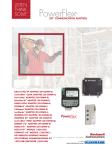
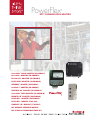
20-COMM-C ControlNet™ COAX ADAPTER
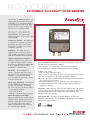
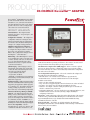
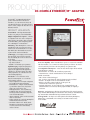
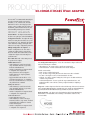
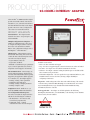
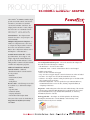
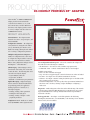
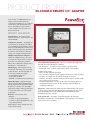
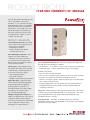
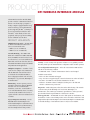
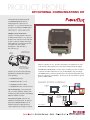
The PowerFlex® 20-COMM-C ControlNet coax
adapter provides an internal network connection
for PowerFlex 70, 700, 700H and 700S AC drives,
and other DPI-based host devices. The adapter
provides a means to control, configure and
collect data over a ControlNet network.
Communications
PRODUCT HIGHLIGHTS
Internal Mount – The adapter mounts
internal to the drive to save panel space, and
is field installable.
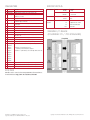
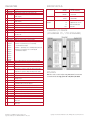
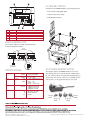
Configuration Switches – The adapter has
rotary switches for setting the node address.
Alternatively, the switches can be disabled,
allowing the node address to be set using a
configuration parameter.
Redundancy – The adapter provides a
redundant media connection for improved
media reliability. The adapter also supports
multicast and redundant owner/hot backup.
Multiple Configuration Tool Options – A
number of configuration tools can be used
to configure the adapter and the connected
drive. These tools include the PowerFlex HIM,
or drive configuration software such as
DriveExplorer™ or DriveExecutive™.
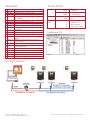
DPI Routing – Allows DriveExplorer to
connect to a PowerFlex drive using a 1203SSS serial converter and then route out over
ControlNet to access other Allen-Bradley
drives. This eliminates the need for a separate
network tap and interface.
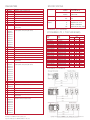
I/O Messaging (Scheduled) – I/O messaging
is used to transfer time-critical data, such as
data that controls the drive. The following
data can be sent and received by the adapter:
• Logic Command / Reference
• Logic Status / Feedback
• Datalinks - read and write up to 8 parameters
Explicit Messaging (Unscheduled) –
Explicit messaging involves non time-critical
information that is typically triggered by the
application (ladder program in a controller,
etc.). The adapter supports the reading /
writing of parameters, etc. in the drive and
any connected DPI peripheral(s).
User Configurable Fault Responses – Selects the action that the adapter and
drive will take for the following two conditions:
• Idle Fault Action – the scanner is idle (controller in program mode)
• Comm Fault Action – network communications have become disrupted
Available actions include:
• Fault – the drive is faulted and stopped
• Stop – the drive is stopped using the current deceleration rate and is not faulted
• Zero Data – the adapter zeros the I/O data transmitted to the drive
• Hold Last – the adapter continues sending the I/O data prior to the fault and the
drive continues in its present state
• Send Fault Configuration – the user specifies the Logic Command, Reference,
and Datalink data that is sent to the drive, allowing complete flexibility in
configuring a fault action
Diagnostics – Built-in diagnostics allow drive-side troubleshooting of the network
connection using a PowerFlex HIM, DriveExplorer or DriveExecutive. View actual
Logic Command/Reference, Logic Status/Feedback and Datalink data being
transmitted to/from the controller.
Flash Upgradeable – The adapter can be flash updated in the field using
DriveExplorer, DriveExecutive, or ControlFLASH, to take advantage of new firmware
features as they become available.