1
PRODUCT PROFILE
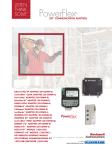
20-COMM-D DeviceNet™ ADAPTER
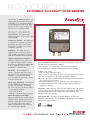
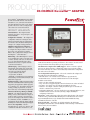
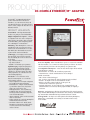
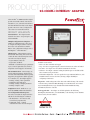
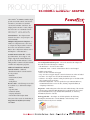
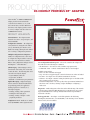
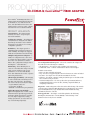
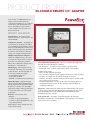
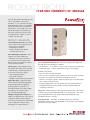
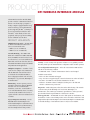
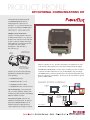
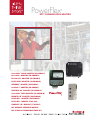
The PowerFlex® 20-COMM-D DeviceNet adapter
provides an internal network connection for
PowerFlex 70, 700, 700H and 700S AC drives,
and other DPI-based host devices. The adapter
provides a means to control, configure and
collect data over a DeviceNet network.
Communications
PRODUCT HIGHLIGHTS
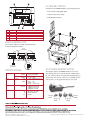
Internal Mount – The adapter mounts
internal to the drive to save panel space, and
is field installable.
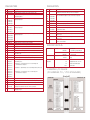
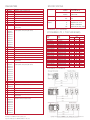
Configuration Switches – The adapter has
configuration switches for setting the node
address and network data rate. Alternatively,
the switches can be disabled, allowing these
settings to be configured using parameters.
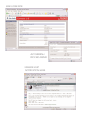
Multiple Configuration Tool Options – A
number of configuration tools can be used
to configure the adapter and the connected
drive. These tools include the PowerFlex
HIM, or drive-configuration software such as
DriveExplorer™ or DriveExecutive™.
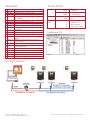
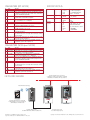
DPI Routing – Allows DriveExplorer to connect
to a PowerFlex drive using a 1203-SSS serial
converter and then route out over DeviceNet
to access other Allen-Bradley drives. This
eliminates the need for a separate network
connection and interface.
I/O Messaging – I/O messaging is used to
transfer time-critical data, such as data that
controls the drive. The following data can be
sent and received by the adapter:
• Logic Command / Reference
• Logic Status / Feedback
• Datalinks - read and write up to 8 parameters
Polled, Change-of-State (COS) and Cyclic I/O
methods are supported.
Explicit Messaging – Explicit messaging involves
non time-critical information that is typically
triggered by the application (ladder program
in a controller, etc.). The adapter supports the
reading / writing of parameters, etc. in the
drive and to any connected DPI peripheral(s).
UnConnected Message Manager (UCMM)
Support – The adapter supports DeviceNet
Group 3 services, which allows the adapter to
speak for itself (a scanner is not required to
'proxy' for the adapter). This allows a software
tool, PanelView, another 20-COMM-D, etc. to
communicate directly with the adapter, without
burdening the scanner and affecting throughput.
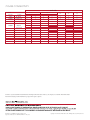
Peer-to-Peer Capability – Allows a
PowerFlex drive to operate as a "master" and
communicate with other PowerFlex 70, 700,
700H and 700S AC drives operating as "followers". The "master" can send control
and speed reference data along with up to two parameter values.
Automatic Device Replacement (ADR) Support – Allows a scanner to upload
and store the adapter and drive configuration settings. Upon replacing a faulty
drive with a new unit, the scanner can automatically download the configuration
data and set the node address.
User Configurable Fault Responses – Selects the action that the adapter and
drive will take for the following two conditions:
• Idle Fault Action – the scanner is idle (controller in program mode)
• Comm Fault Action – network communications have become disrupted
Available actions include:
• Fault – the drive is faulted and stopped
• Stop – the drive is stopped using the current deceleration rate and is not faulted
• Zero Data – the adapter zeros the I/O data transmitted to the drive
• Hold Last – the adapter continues sending the I/O data prior to the fault and
the drive continues in its present state
• Send Fault Configuration – the user specifies the Logic Command, Reference, and
Datalink data that is sent to the drive, allowing complete flexibility in
configuring a fault action
Diagnostics – Built-in diagnostics allow drive-side troubleshooting of the network
connection using a PowerFlex HIM, DriveExplorer or DriveExecutive. View actual
Logic Command/Reference, Logic Status/Feedback and Datalink data being
transmitted to/from the controller.
Flash Upgradeable – The adapter can be flash updated in the field using
DriveExplorer, DriveExecutive or ControlFLASH, to take advantage of new firmware
features as they become available.