1
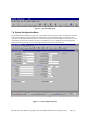
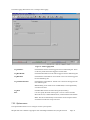
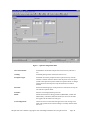
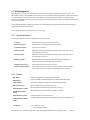
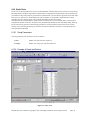
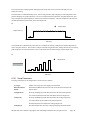
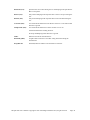
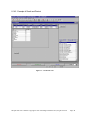
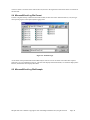
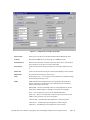
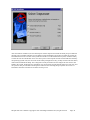
The Data Logging Menu allows user to configure data logging. Figure 6 – Data Logging Menu Log Statistics: If enabled test statistics will be logged to the user defined log file. These are the only results that will be logged in text file mode. Log Raw Results If enabled individual test results will be logged to the user defined log file. Log Raw Data: If enabled raw results data for non-Transfer Curve Tests will be logged to the user defined log file. Log Transfer Raw Data If enabled raw results data for Transfer Curve Tests will be logged to the user defined log file. Note: Enabling of raw results is not recommended, as it will significantly slow down the tests. Log Plots If enabled Plots will be saved into the log file (Excel Only). File: User can specify the name of the log file. User has a choice of either Microsoft Access, Comma Delimited Text, or Microsoft Excel file formats. Note: This file is automatically saved with the current setup and will be started the next time this setup is selected. 7.5.2 Options menu The Options Menu allows user to configure various system options. ISI QST-2001 User’s Manual Copyright 1996-1999 Integral Solutions Int’l, all rights reserved Page: 21