1
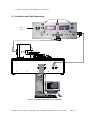
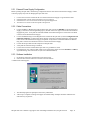
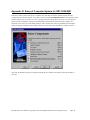
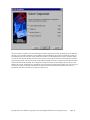
After the software installation, the user should power off the computer and install the NiDaq card provided with the QST into an available computer slot. The NiDaq card for the 2000 fits into an ISA slot while the card for the 2001/2001Plus fits into a PCI slot. If the system also intends to run the ISI ESD Stress System, install the NiDaq card for this into an available ISA slot as well. Now power on the computer and the cards should all be found by the Operating System. Next, the user must run the NiDaq Configuration Utility, usually located in the Start menu, under National Instruments DAQ. The Configuration Utility should locate and configure all cards the user has added to the system. If asked for any information, the user should accept the default settings for each card. Now the system is ready for installation of the Quasi97 software and connecting the QST system. See section 5.3 Installation and Cable Connections for details on this process. ISI QST-2001 User’s Manual Copyright 1996-1999 Integral Solutions Int’l, all rights reserved Page: 59