1
Configuration
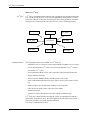
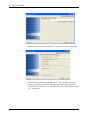
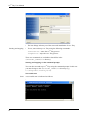
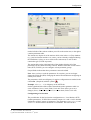
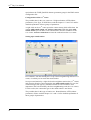
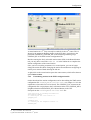
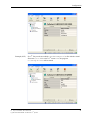
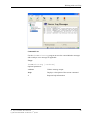
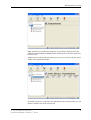
On the left side of the stations window you will see the station tree; to the right is
a station parameter table.
The station tree depicts all of the stations which exist in the rvs® Tiny database
(e.g. your local station and the rvs® center, you have already configured during
the installation, so they are now visible in the station tree) as well as their
connection type (TCP/IP at present).
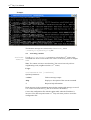
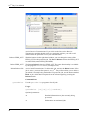
The station table on the right-hand side of the window displays all of the
parameters for the station currently selected. With the aid of the various station
tabs (OFTP, TCP/IP) you can configure various parameter groups.
Grayed fields indicate that these parameters cannot be edited.
Note: Once you have saved the parameters for a station, you can no longer
change the station ID (SID). Changing the station ID would mean configuring an
entirely new station.
The parameters which are obligatory for station configuration are marked in the
column Re.. (Required) with the symbol
.
Example: Odette Id is obligatory in the OFTP tab.
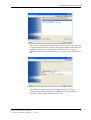
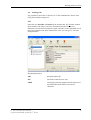
On the right-hand side of the window beneath the station parameter table is a
series of buttons: Save, Cancel, Undo, Undo All. These allow you to save
changes (Save), discard them (Cancel) or reverse them (Undo, Undo All).
Configurating a local station
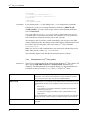
The possible tabs for the local station configuration are: Local Station, OFTP
(Odette parameters), TCP/IP. Please read the chapter 3.2.3 and 3.2.4 for detailed
explanation of those groups of parameters. The parameters Name, Phone and
Remarks from the tab Local Station are comments. The tab TCP/IP is
rvs® Tiny User Manual / Rev. 2004-08-23
© gedas deutschland GmbH / Fachbereich rvs® Systems
21