1
rvs® Tiny Central Administration
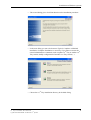
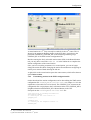
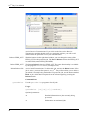
• Now you can administrate the configuration of the rvs® Tiny station (e.g.
TINY11). You can exchange a license key, modify the XML configuration
files or substitute the appropriate .jar files to make an update of rvs® Tiny.
Please read the chapters 5.3.1, 5.3.2 und 5.3.3 for more details about the
particular configuration procedures.
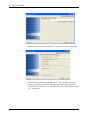
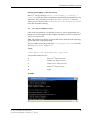
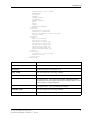
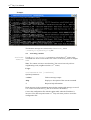
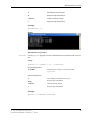
• Send the modified configuration to the RCI (TINY11). You have to send the
whole directory C:\rvsTiny\management\mgmt-
workspace\TINY11\UPDATE_STATION_040828_113315)
with the command:
commitUpdateStation.bat -s TINY11 -d
C:\rvsTiny\management\mgmtworkspace\TINY11\UPDATE_STATION_040828_113315
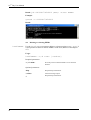
This command will store the whole modified directory and send it to the RCI
(TINY11) again as a file cfg.req.jar.
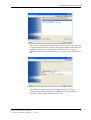
After successfully receiving a file cfg.req.jar at the RCI (TINY11),
rvs® Tiny will be stopped (it all happens with the process
commitUpdateStation, you do not have to do any particular steps);
the modified configuration will be updated; the update job checks, if all was
correct and sends back a response as a file cfg.rsp.jar. The result of
the update is again logged in the file activity.log.
Note: In case of non success the old configuration will be activated again.
5.3.1
How to exchange a license key file?
This chapter describes the typical case in administrating rvs® Tiny, how to
exchange an invalid license key. In this example the station TINY01 will
administrate the station TINY02.
Prerequisites: The station TINY01 must have the station TINY02 in the
station table as routed station via the rvs® center (please read the chapter 3.2.1
for the explanation how to set up stations) and the station TINY02 must also
have station the TINY01 as routed station via the rvs® center. The station
TINY01 must be a „Complete Installation“ and the station TINY02 only a
„Typical Installation“ (please see the chapter 2.3 for the explanation of „Typical“
and „Complete Installation“).
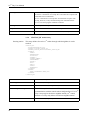
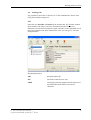
• To be able to replace a license key file of TINY02, TINY01 must at first
get the configuration of TINY02 with the command:
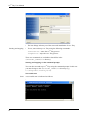
orderConfiguration -s TINY02
If this step was successful, you will receive a message „OrderConfiguration
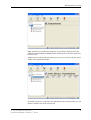
exited with return code 0“ in the console and the file cfg.rsp.jar will
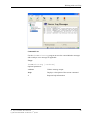
be received. (see in the Ended Transmissions, Admin-window of the
TINY01 GUI).
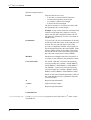
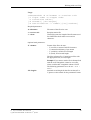
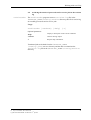
• The next step ist to get a copy of the TINY02 configuration, that arrived as
the file cfg.rsp.jar. This must be done with the following command:
prepareUpdateStation.bat -s TINY02
rvs® Tiny User Manual / Rev. 2004-08-23
© gedas deutschland GmbH / Fachbereich rvs® Systems
57