1
TABLE OF CONTENTS
INTRODUCTION
1
Introduction .......................................................................................................................................... 1
Document Content and Organization .................................................................................................. 1
Conventions......................................................................................................................................... 2
References .......................................................................................................................................... 2
CHAPTER 1. Introduction to the OfficeServ Operator
3
Overview ................................................................................................................................................................ 4
Introduction to the OfficeServ Operator............................................................................................... 4
System Requirements ......................................................................................................................... 5
Functions of the OfficeServ Operator ................................................................................................................. 5
CHAPTER 2. OfficeServ Operator Installation
7
Preparations Before Installation .......................................................................................................................... 7
Installation ............................................................................................................................................................. 7
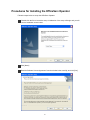
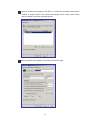
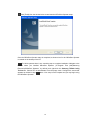
Procedures for Installing the OfficeServ Operator............................................................................................. 8
CHAPTER 3. Description of the OfficeServ Operator
13
Starting the OfficeServ Operator ....................................................................................................................... 13
Main Window ....................................................................................................................................................... 14
Menus .................................................................................................................................................................. 16
Information Window............................................................................................................................................ 17
Incoming Calls Window ...................................................................................................................................... 18
Active Calls Window ........................................................................................................................................... 18
Modifying the Caller Information ....................................................................................................... 19
Saving New Customer Information ................................................................................................... 20
Using the Recently Forwarded Number ............................................................................................ 20
Call Features ..................................................................................................................................... 21
Held Calls Window .............................................................................................................................................. 22
Call Button Window ............................................................................................................................................ 22
DID Window ......................................................................................................................................................... 23