1
Parameter
Description
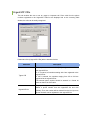
phone.
Reflect the configuration
changes of the switch in
real time except DT/DS
buttons and Station
Speed Dials
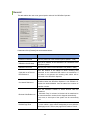
Sets whether to apply in real time the changes in system
information, such as the DID table, CLIP table or station group
setup.
Number of Set Parameters
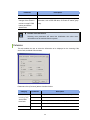
NOTE
Selecting more parameters will extend the initialization time since more
information must be retrieved from the system.
Columns
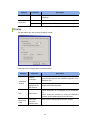
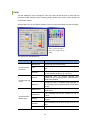
This tab enables the user to select the information to be displayed on the Incoming Calls,
Active Calls, and Held Calls windows.
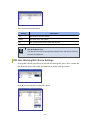
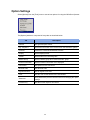
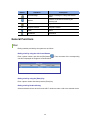
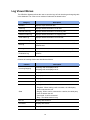
Parameters of the [Columns] tab are described below:
Category
Incoming Calls
Active Calls
Held Calls
Active Calls
Parameter
Description
CID
Telephone number and name of the other party
DID
DID number and name
Duration
Time elapsed since the call was displayed on the list
Detail
Additional information such as re-termination or transfer
State
Status of the call
45