1
SYSTEM MEnUS
OvERviEw
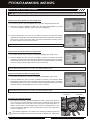
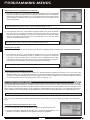
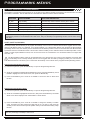
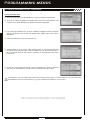
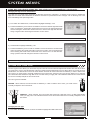
To access the various System Menus, turn the transmitter 'ON', then press the ENTER key (Push-Button Rotary Dial) to open the
Programming Menu list. Scroll DOWN to SYSTEM, then press the ENTER key a second time to open the System Menu. A list of
System Menus will be displayed and the first System Menu will be highlighted.
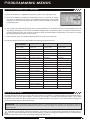
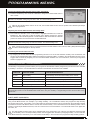
MENU
MENU NAME
MENU DESCRIPTION
PAGE #
01.MODEL
Model
Model Select, Model Naming, Model Copy and Model Clear
PG. 51
02.BIND
Binding
Bind the Transmitter and Receiver, Select Modulation Type and Servo Mode
PG. 54
03.KEY ASSIGN
Key Assignments
Assign Functions to the Switches Rotary Dial and Auxiliary Lever
PG. 56
04.TRIM TYPE
Servo Trim Type
Change the Servo Trim Type
PG. 61
05.AUX TYPE
Auxiliary Type
Choose the Auxiliary 1 and Auxiliary 2 Programming Functions
PG. 62
06.TH TYPE
Throttle Type
Change the Throttle Servo Travel Proportion
PG. 63
07.BUZZER
Audible Key Tone
Turn Audible Key Tones 'ON' or 'OFF' and Control Their Pitch and Volume
PG. 63
08.BATTERY
Voltage Alarm
Specify the Low Voltage and Limit Alarms for the Transmitter Battery
PG. 64
09.LCD
Contrast
Adjust the Contrast of the Multi-Function LCD Screen
PG. 65
10.TELEMETRY
Telemetry
Program Telemetry Screen and Telemetry Log Options
PG. 66
11.VR ADJUST
Variable Rate Adjustment
Calibrate Steering, Throttle, and Auxiliary Lever Controls
PG. 71
01.MODEL (MODEL SELEcT, naMing, cOPY anD cLEaR)
The Model menu allows you to select different models using the Model Select function, name your saved models, using the
Model Naming function, and copy Programming Data from one model to another, or clear Programming Data from one or more
models using the Model Copy and Model Clear functions. Programming Data for up to 18 different models can be stored in the
transmitter's memory. This allows you to use the transmitter with different models and quickly and easily select the Programming
Data for each of them. In addition, a Model Select Shortcut function is also featured for quick access to the Model Select (Direct
Model) function.
MODEL SELEcT (MODEL SELEcT)
The Model Select function allows you to load the Programming Data for the particular model you wish to drive. The Model Select
menu displays the currently selected model, along with a list of available models that can be selected. The Modulation Type for
each model is also displayed. The transmitter can store Programming Data for up to 18 different models.
When a model is selected and loaded, the Programming Data for that model will be loaded immediately.
Selecting a Model
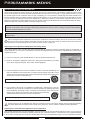
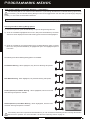
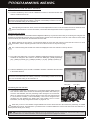
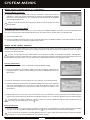
1) From within the SYSTEM menu, scroll UP or DOWN to highlight the MODEL menu.
2) Press the ENTER key to open the MODEL menu. MODEL SELECT will be highlighted.
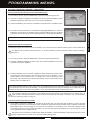
3) Press the ENTER key. The MODEL SELECT menu will be displayed and the currently
selected model in the Model Select List will be highlighted.
Page 51
SYSTEM MENUS
SYSTEM MENUS
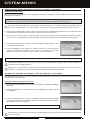
The following System Menus are available by scrolling UP or DOWN using the Push-Button Rotary Dial: