1
SYSTEM MEnUS
Changing the Alert Voltage Value, Continued....
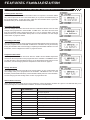
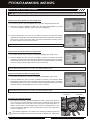
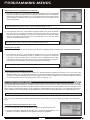
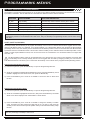
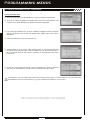
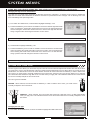
1) From within the VOLT menu, scroll UP or DOWN to highlight ALERT VOLT 3.8v.
2) Press the ENTER key, then scroll UP or DOWN to change the Alert Voltage value. The
Alert Voltage value is the voltage that the Voltage Alert alarm will sound at.
TELEMETRY ALERT VOLT setting range is 3.0v to 9.0v. The default setting is 3.8v.
The Alert Voltage value cannot be set higher than the Maximum Voltage value. In some cases, you may need to raise the
Maximum Voltage value prior to raising the Alert Voltage value.
RPM SETTing (RPM TELEMETRY DiSPLaY OPTiOnS)
The RPM Setting allows you to change the way RPM information is displayed on the Telemetry Screen. For example, you can
choose to display RPMs, MPH or KM/H. In addition, if MPH or KM/H is chosen, the RPM sensor can be calibrated to ensure
that the most accurate speed is displayed.
Changing the RPM Unit Value
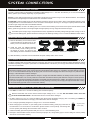
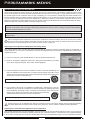
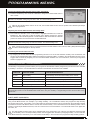
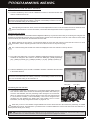
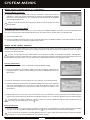
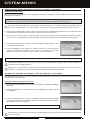
1) From within the TELEMETRY menu, scroll UP or DOWN to highlight RPM SETTING.
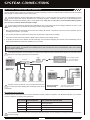
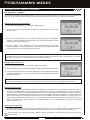
3) Press the ENTER key, then scroll UP or DOWN to change the RPM Unit to the desired
value. When RPM is chosen, the Revolutions Per Minute of whatever the RPM Sensor
is attached to will displayed. When MPH or KM/H is chosen, the speed of your model
will be displayed in either Miles Per Hour or Kilometers Per Hour, respectively.
TELEMETRY RPM UNIT setting range is RPM, MPH and KM/H. The default setting
is RPM.
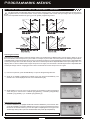
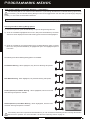
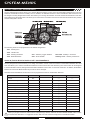
RPM Gauge
Changing the Maximum Speed Value
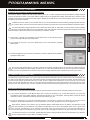
The Maximum Speed value determines the maximum RPM or Speed value that will be
shown on the Telemetry RPM Gauge. This setting does not effect the RPM Digital Display.
The RPM Gauge and RPM Digital Display names will change from RPM to MPH or
KM/H depending on the RPM Unit value chosen.
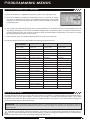
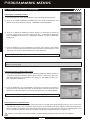
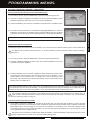
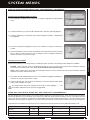
1) From within the RPM menu, scroll UP or DOWN to highlight MAX RPM 30000 (or MAX
SPEED 34mph or MAX SPEED 54km/h).
2) Press the ENTER key, then scroll UP or DOWN to change the Maximum RPM or
Maximum Speed value. The RPM Gauge on the Telemetry Screen will not display RPM
or Speed values above the Maximum value programmed.
TELEMETRY MAX RPM setting range is 500 to 127500. The default setting is 30000. TELEMETRY MAX SPEED setting
range is 1mph to 335mph (1km/h to 539km/h). The default setting is 34mph (54km/h). The Maximum Speed setting range will
vary based on the 10 Count Distance value programmed when you calibrate the RPM Sensor. For more information, see the
Calibrating the RPM Sensor section on page 70.
Page 69
SYSTEM MENUS
2) Press the ENTER key. The RPM menu will be displayed and UNIT RPM will be
highlighted.