1
User Manual
RapidSSH
1.1 Table of Contents
1.1
2
2.1
2.2
2.3
3
Table of Contents ................................................................................................................................ 2
Introduction to RapidSSH ................................................................................................. 4
What is the RapidSSH™ App? .............................................................................................................. 4
RapidSSH App Requirement ................................................................................................................ 4
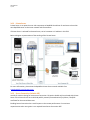
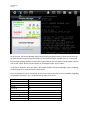
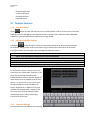
Terminal Overview .............................................................................................................................. 5
RapidSSH Main Settings ................................................................................................... 5
3.1 Terminal Settings ................................................................................................................................. 6
3.1.1 Columns (Default: 80) ................................................................................................................... 6
3.1.2 Rows (Default: 24) ........................................................................................................................ 6
3.1.3 Scrollback (Default: 100) ............................................................................................................... 6
3.1.4 Clear On Connect .......................................................................................................................... 7
3.1.5 LineWrap....................................................................................................................................... 7
3.1.6 Text Size ........................................................................................................................................ 7
3.1.7 Console Logging (Default: Off) ...................................................................................................... 7
3.1.8 Auto Upload Logs (Default: Off) ................................................................................................... 7
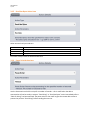
3.1.9 Advanced Terminal Settings ......................................................................................................... 8
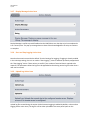
3.2 Script Manager .................................................................................................................................. 10
3.2.1 Create New Script ....................................................................................................................... 11
3.2.2 Wait for String Action Item ......................................................................................................... 12
3.2.3 Send String Action Item .............................................................................................................. 13
3.2.4 Terminate Script Action Item ...................................................................................................... 13
3.2.5 Send Hex Bytes Action Item ........................................................................................................ 14
3.2.6 Pause Script Action Item ............................................................................................................. 14
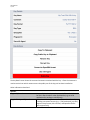
3.2.7 Display Message Action Item ...................................................................................................... 15
3.2.8 Start and Stop Logging Action Item ............................................................................................ 15
3.2.9 Upload Log Action Item .............................................................................................................. 15
3.3 Keyboard Settings.............................................................................................................................. 16
3.3.1 Backspace Key............................................................................................................................. 16
3.3.2 Enter Key ..................................................................................................................................... 16
3.3.3 Use Option as Ctrl ....................................................................................................................... 17
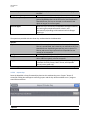
3.4 Dropbox Settings ............................................................................................................................... 17
3.5 SSH Settings ....................................................................................................................................... 18
3.5.1 Keyboard Auth (SSH) ................................................................................................................... 18
3.5.2 Protocol ....................................................................................................................................... 18
3.5.3 SSH Compression......................................................................................................................... 19
3.5.4 SSH Agent.................................................................................................................................... 19
3.5.5 Private / Public Keys.................................................................................................................... 19
3.6 Sharing Settings ................................................................................................................................. 24