1
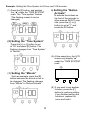
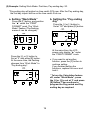
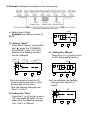
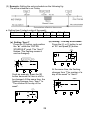
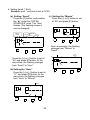
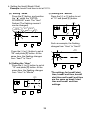
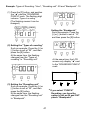
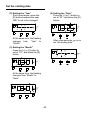
b. Setting Item2 (* Start):
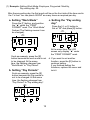
Example: print * start time is set at 08:01.
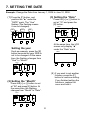
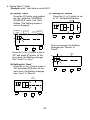
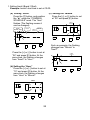
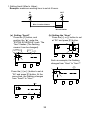
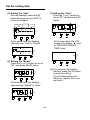
(a) Setting “Item2”
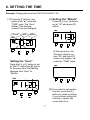
Press the [F] button, and position
the “▲” under the “COMMON
SCHEDULE” mark. The “Item”
flashes (The flashing means it
can be changed).
Item2:
* Start
Hour
COMMON
SCHEDULE
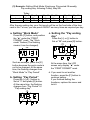
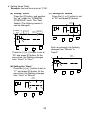
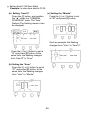
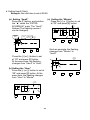
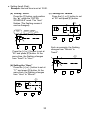
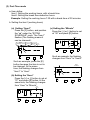
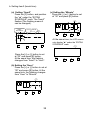
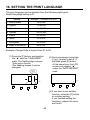
(c) Setting the “Minute”
Press the [+] or [-] button to set
at “01” and press [E] button.
COMMON
SCHEDULE
▲
Minute
▲
●
●
●
F
●
F
●
E
+
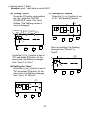
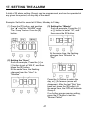
Press the [+] or [-] button to set at
“02” and press [E] button. At the
same time, the flashing changes
from “Item2” to “Hour”.
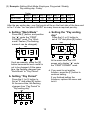
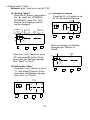
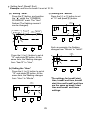
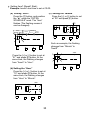
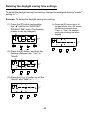
(b) Setting the “Hour”
Press the [+] or [-] button to set at
“08” and press [E] button. At the
same time, the flashing changes
from “Hour” to “Minute”.
COMMON
SCHEDULE
▲
●
●
●
F
+
E
+
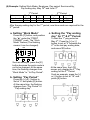
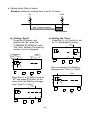
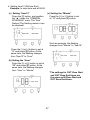
Such as example, the flashing
changes from “Minute” to
“Item3”.
●
●
●
●
E
20
COMMON
SCHEDULE
▲
●
●
●
F
+
●
E