1
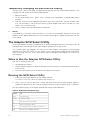
Running the DPC Console
For more information about setting up and running the DPC Console, see the ISM Installation User Guide.This document is in the ISM-DOCS-[language] directory on the ISM CD
accompanying the MAXDATA PLATINUM Server Board.
Using the System Setup Utility
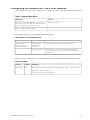
The System Setup Utility (SSU) is located on the System Resource CD-ROM that is shipped
with the server.
Run the System Setup Utility to:
•
Set boot device priority
•
Set passwords and security options
•
View system events
•
View FRU information
•
View sensor data records
•
Update system firmware and BIOS
•
Save and restore the system configuration
•
Set up the server to send alerts for platform events
•
Set up the server for remote management
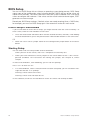
Using either the System Setup Utility or BIOS Setup, you can specify the boot device
sequence and set up system passwords and security options. Both utilities access the
same stored configuration data for these items, and the result of making a change to these
settings using either utility is identical.
The SSU consists of a collection of task-oriented modules plugged into a common framework called the Application Framework (AF). The Application Framework provides a launching
point for individual tasks and a location for setting customization information.
Creating SSU Diskettes
You can run the SSU from the Server Configuration Utilities menu of the Server Configuration
Wizard, from a set of DOS diskettes, or from the service partition of the hard disk.
If you choose to run the SSU from a set of DOS diskettes, you must create the SSU diskettes
from the Resource CD-ROM as follows:
1. Boot the System Resource CD-ROM to the Server Configuration Wizard.
2. Choose Create Diskettes > Create Diskettes by Device/Function > System Setup Utility.
3. Follow the instructions displayed.
Alternatively, if you have a workstation with the Microsoft® Windows® operating system,
you can insert the CD into that system and create the diskettes on that system.
Running the SSU
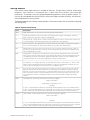
When the SSU starts in the default local execution mode, it accepts input from the keyboard
or mouse. The SSU presents a VGA-based GUI on the primary monitor.
If you run the SSU from read-only media you cannot save user preference settings (such as
screen colors).
The SSU supports ROM-DOS version 6.22. The SSU will not operate from a OS box running
under an operating system such as Windows®.
MAXDATA PLATINUM Server Board
31