1
DRAFT - 28 July 2014
7
RESET BUTTON
7.1
Reset Button
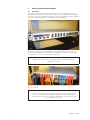
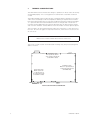
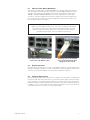
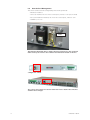
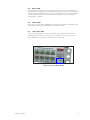
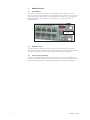
A reset button has been provided in the event that a full hardware reset of the
switch is required. The reset button is accessed through a small hole in the front of
the switch near the status LED. See the image below. Simply use a straightened
paper clip to push in the reset button. There are two modes of operation as
described below.
Reset Button
Hole
7.2
Hardware Reset
To simply perform a hardware reset just push in the reset button momentarily.
The switch will then immediately perform a hardware reset which takes around 30
seconds. The switch will not function or be accessible during this period.
7.3
Restore Factory Defaults
To perform a hardware reset and restore the switch to the factory defaults then
push in and hold the reset button for at least 5 seconds. The switch will then reset
and afterwards restore ALL configuration settings back to the factory defaults.
20
IINM9226 1 280714