1
DRAFT - 28 July 2014
5.3
Ethernet Fiber Wiring Guidelines
The maximum cable length for 10/100/1000BaseT is typically 100 meters (328 ft.).
The 92xx-ETZxG switches may also have up to four pluggable fiber ports using
mini-gbic SFP (small form pluggable) transceivers. These ports accept plug-in
100Mb or Gigabit (1000Mb) fiber transceivers that typically have an LC style
connector. They are available as multimode, singlemode, long-haul singlemode
(for connections up to 80+ km) or special-application transceivers. Refer to the
technical specifications for details.
IMPORTANT NOTE
When you make a fiber connection to one of the combination SFP / RJ45
ports then you cannot also use the associated copper RJ45 port at the
same time (and vice versa). Which ever connector links first will take
precedent and the other connector will become inactive.
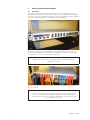
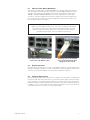
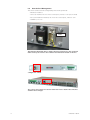
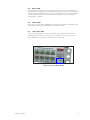
This image shows a typical SFP/LC
transceiver and dual-LC cable.
5.4
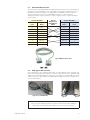
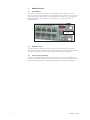
This image shows the SFP/LC
transceiver and dual-LC cable
plugged into the switch.
Duplex Operation
The RJ45 ports will auto-sense for Full or Half duplex operation, while the fiber ports
default to full duplex operation or can be configured for Full or Half duplex. Refer to the
software user manual for details on the software configuration options.
5.5
Verifying Connectivity
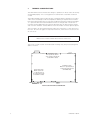
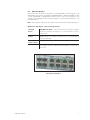
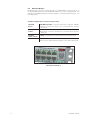
After all Ethernet and/or fiber connections are made, check the LED’s corresponding
to the ports that each of the devices are connected to. Ensure that for each port that is
in use, the LED is on or blinking. If a port LED is off, go back and check for connectivity
problems between that port and the network device connected to that particular port.
In addition, the color of the LED should indicate the speed for which your device is
connected at (see the next section on the status LEDs).
IINM9226 1 280714
13