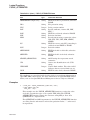
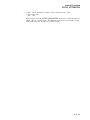
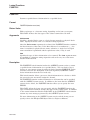
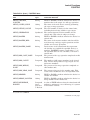
1
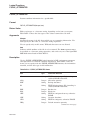
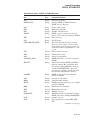
CREATE
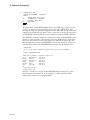
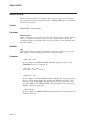
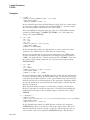
2.
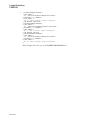
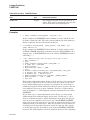
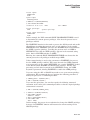
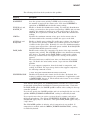
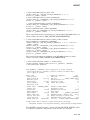
$ CREATE A.DAT, B.DAT
Input line one for A.DAT...
Input line two for A.DAT...
.
.
.
Ctrl/Z
Input line one for B.DAT...
Input line two for B.DAT...
.
.
.
Ctrl/Z
$
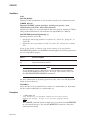
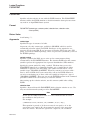
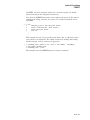
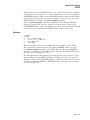
After you enter the CREATE command from the terminal, the system reads
input lines into the sequential file A.DAT until Ctrl/Z terminates the first
input. The next set of input data is placed in the second file, B.DAT. Again,
Ctrl/Z terminates the input.
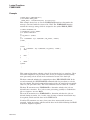
3.
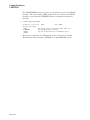
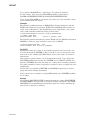
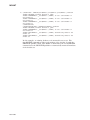
$ FILE = F$SEARCH("MEET.TXT")
$ IF FILE .EQS. ""
$ THEN CREATE MEET.TXT
John, Residents in the apartment complex will hold their annual
meeting this evening. We hope to see you there, Regards, Elwood
$ ELSE TYPE MEET.TXT
$ ENDIF
$ EXIT
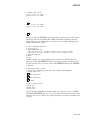
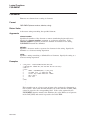
In this example, the command procedure searches the default disk and
directory for the file MEET.TXT. If the command procedure determines that
the file does not exist, it creates a file named MEET.TXT using the CREATE
command.
4.
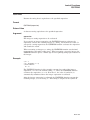
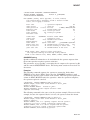
$ SET DEFAULT DKA500:[TEST]
$ SET PROCESS /CASE=CASE_LOOKUP=SENSITIVE /PARSE_STYLE=EXTENDED
$ CREATE COEfile.txt
Ctrl/Z
$ CREATE COEFILE.TXT
Ctrl/Z
$ CREATE CoEfIlE.txt
Ctrl/Z
$ DIRECTORY
Directory DKA500:[TEST]
CoEfIlE.txt;1
COEFILE.TXT;1
COEfile.txt;1
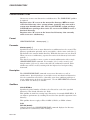
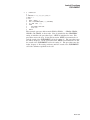
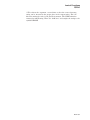
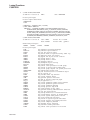
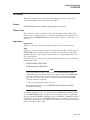
In this example, DKA500 is an ODS-5 disk. If your process is set to CASE_
LOOKUP=SENSITIVE and you create more than one file with the same name
differing only in case, DCL treats subsequent files as new files and lists them
as such.
DCLI–103