1
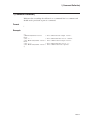
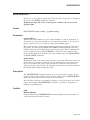
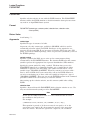
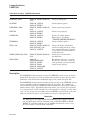
DEFINE
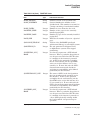
/SYSTEM
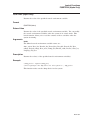
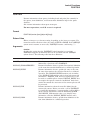
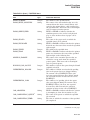
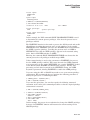
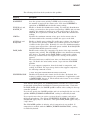
Requires write (W) access or SYSNAM (system logical name) privilege to
place a name in the system logical name table.
Places the logical name in the system logical name table. All system users
can access the logical name. The /SYSTEM qualifier is synonymous with the
/TABLE=LNM$SYSTEM qualifier.
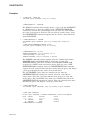
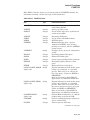
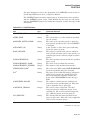
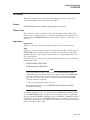
/TABLE=name
Requires write (W) access to the table to specify the name of a shareable
logical name table.
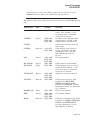
Specifies the name of the logical name table in which the logical name is to
be entered. You can use the /TABLE qualifier to specify a user-defined logical
name table (created with the CREATE/NAME_TABLE command); to specify the
process, job, group, system, or clusterwide logical name tables; or to specify the
process or system logical name directory tables.
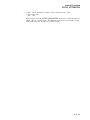
If you specify the table name using a logical name that has more than one
translation, the logical name is placed in the first table found. For example, if
you specify DEFINE/TABLE=LNM$FILE_DEV and LNM$FILE_DEV is equated
to LNM$PROCESS, LNM$JOB, LNM$GROUP, and LNM$SYSTEM, then the
logical name is placed in LNM$PROCESS.
The default is the /TABLE=LNM$PROCESS qualifier.
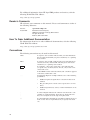
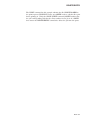
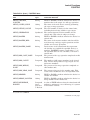
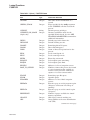
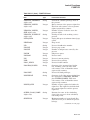
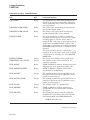
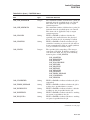
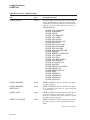
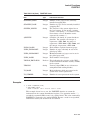
/TRANSLATION_ATTRIBUTES[=(keyword[,...])]
Equivalence-name qualifier.
Specifies one or more attributes that modify an equivalence string of the logical
name. Possible keywords are as follows:
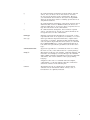
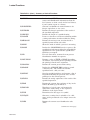
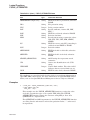
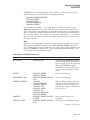
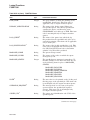
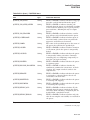
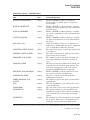
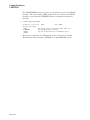
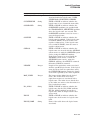
CONCEALED
TERMINAL
Indicates that the equivalence string is the name of a concealed
device. When a concealed device name is defined, the system
displays the logical name, rather than the equivalence string, in
messages that refer to the device.
Logical name translation should terminate with the current
equivalence string; indicates that the equivalence string should
not be translated iteratively.
If you specify only one keyword, you can omit the parentheses. Only the
attributes you specify are set.
Note that different equivalence strings of a logical name can have different
translation attributes.
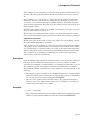
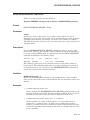
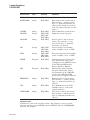
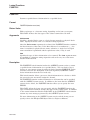
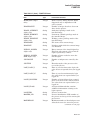
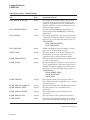
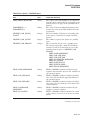
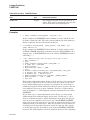
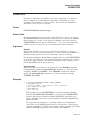
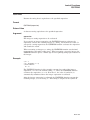
/USER_MODE
Creates a user-mode logical name in the specified table.
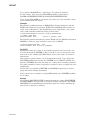
User-mode logical names created within the process logical name tables are used
for the execution of a single image; for example, you can create a user-mode
logical name to allow an image executing in a command procedure to redefine
SYS$INPUT. User-mode entries are deleted from the process logical name table
when any image executing in the process exits (that is, after a DCL command
or user program that executes an image completes execution). Also, user-mode
logical names are automatically deleted when invoking and exiting a command
procedure.
DCLI–135