1
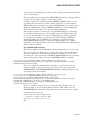
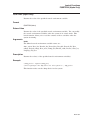
DEBUG
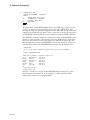
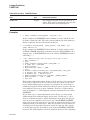
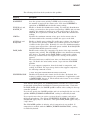
/SERVER [=( [BINDING_INFO=filespec] [,PROTOCOLS=(protocol[,...])] )]
Invokes the DEBUG server. The DEBUG server allows up to 30 simultaneous
connections from clients on the same or remote OpenVMS nodes, or from PC
nodes running Microsoft® Windows® 95 or Microsoft Windows NT®.
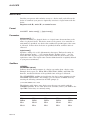
(Optional) If specified, the BINDING_INFO keyword specifies that the server
binding identification strings are to be written to filespec. If not specified, no file
is created.
(Optional) If specified, the PROTOCOLS keyword specifies which network
protocols should be enabled for connection to the DEBUG server. Only the
specified protocols are enabled. If not specified, all protocols are enabled. The
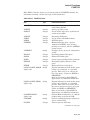
protocol argument can be one or more of the following keywords:
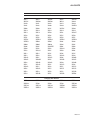
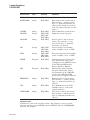
ALL
[NO]DECNET
[NO]TCP_IP
[NO]UDP
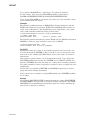
The first client to connect to the server is the primary client. A client that
connects to the server after the primary client establishes the connection is a
secondary client. The primary client controls the number of secondary clients
allowed to connect to the server.
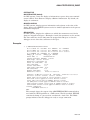
The server displays a series of RPC binding strings that identify the port numbers
through which the client can connect to the server. The port number appears in
square brackets ([ ]) at the end of the identification strings.
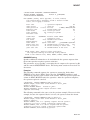
When connecting from the client, the simplest port identification string consists
of the node name of the server followed by the port number in square brackets.
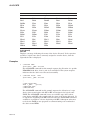
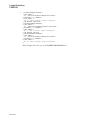
The following are all valid binding identification strings:
NODNAM[1234]
NCACN_IP_TCP:16.32.16.25[1112]
16.32.16.25[1112]
NCACN_DNET_NSP:63.1004[RPC20A020DD0001]
Note
You must hold the DBG$ENABLE_SERVER identifier in the rights
database to be able to run the debug server. Exercise care when using the
debug server. Once a debug server is running, anyone on the network has
the ability to connect to the debug server.
Before granting the DBG$ENABLE_SERVER identifier, the system manager
must create it by entering the command DEBUG/SERVER from an account
with write access to the rights database. The system manager needs to do this
only once. The system manager can then run the Authorize utility to grant the
DBG$ENABLE_SERVER identifier to the user’s account in the rights database.
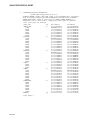
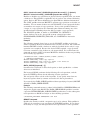
/TARGET_ARCHITECTURE[=option]
Used with /KEEP to specify the architecture on the system that is running the
OpenVMS software that you want to debug using the System Code Debugger.
The options are as follows:
DCLI–126