1
60
Chapter 4:The /proc Filesystem
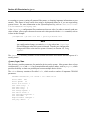
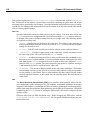
-r--r--r-1 root
-r--r--r-1 root
-r--r--r-1 root
[root@bleach /]#
root
root
root
0 May
0 May
0 May
3 11:42 execdomains
3 11:42 fb
3 11:42 filesystems
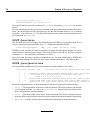
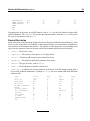
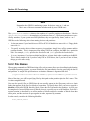
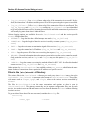
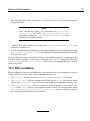
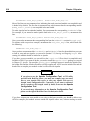
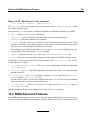
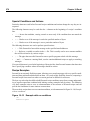
The /proc virtual files exhibit some interesting qualities. First, most of them are 0 bytes in size.
However, when the file is viewed, it likely contains quite a bit of information. In addition, most of
their time and date settings reflect the current time and date, meaning that they are constantly changing.
Various programs use the /proc filesystem to discover the parameters of a system so that they can
provide better performance and deliver more features.
In addition, a system administrator can use /proc as an easy method of accessing information about
the state of the kernel, the attributes of the machine, the states of individual processes, and more.
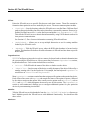
Most of the files in this directory, such as interrupts, meminfo, mounts, and partitions,
provide an up-to-the-moment glimpse of a system’s environment. To make things easier, files that
contain information covering a similar topic are grouped into virtual directories and sub-directories,
such as /proc/ide.
4.1.1 Viewing Virtual Files
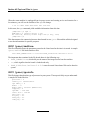
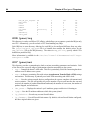
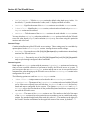
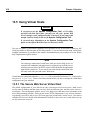
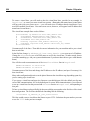
By using cat, more, or less commands in combination with the files within /proc, you can immediately access an enormous amount of information about the system. As an example, if you want
to see how the memory registers are currently assigned on your computer:
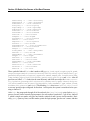
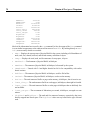
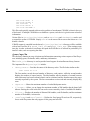
[root@bleach /]# cat /proc/iomem
00000000-0009fbff : System RAM
0009fc00-0009ffff : reserved
000a0000-000bffff : Video RAM area
000c0000-000c7fff : Video ROM
000f0000-000fffff : System ROM
00100000-03ffcfff : System RAM
00100000-002557df : Kernel code
002557e0-0026c80b : Kernel data
03ffd000-03ffefff : ACPI Tables
03fff000-03ffffff : ACPI Non-volatile Storage
dc000000-dfffffff : S3 Inc. ViRGE/DX or /GX
e3000000-e30000ff : Lite-On Communications Inc LNE100TX
e3000000-e30000ff : eth0
e4000000-e7ffffff : Intel Corporation 440BX/ZX - 82443BX/ZX Host bridge
ffff0000-ffffffff : reserved
[root@bleach /]#
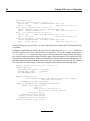
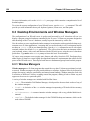
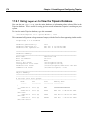
Or (and more usefully), if were connecting to an unknown machine and wanted to know its CPU type
and speed, you can use the following command: