1
166
Chapter 10:SSH Protocol
/usr/sbin/serviceconf 235
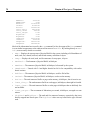
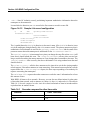
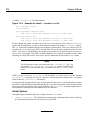
Within serviceconf, you can disable services from starting up by deselecting them. The [Spacebar] toggles a service between being active or inactive. At a minimum, you should deselect telnet,
rsh, ftp, and rlogin. When finished, select the OK button to save your serviceconf changes.
See the serviceconf man page for additional assistance using this utility.
Changes made to with serviceconf will not take affect until either the system is restarted or
changes runlevels. If you disabled services used with xinetd, you must restart xinetd. By default,
rlogin, rsh, and telnet are controlled by xinetd. To restart xinetd, type:
/sbin/service xinetd restart
For services not used with xinetd, you must stop them manually unless you are restart your system
after using serviceconf. To stop a service, you will probably use a command such as:
/sbin/service <service-name> stop
After restarting xinetd and stopping any other services you have configured not to start up automatically, disabled connection methods will no longer be accepted by your system. If you disable all
remote connection methods other than the sshd service daemon, users will have to use an SSH client
application to connect to the server.