1
Section 4.2:Top-Level Files in /proc
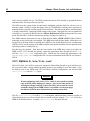
4.2.12 /proc/isapnp
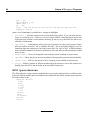
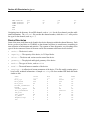
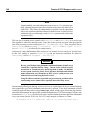
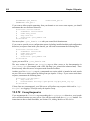
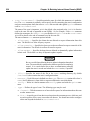
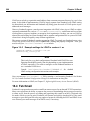
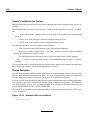
This file lists Plug and Play (PnP) cards in ISA slots on the system. This is most often seen with
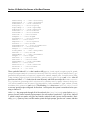
sound cards but may include any number of devices. A /proc/isapnp file with Soundblaster entry
in it looks similar to this:
Card 1 ’CTL0070:Creative ViBRA16C PnP’ PnP version 1.0 Product version 1.0
Logical device 0 ’CTL0001:Audio’
Device is not active
Active port 0x220,0x330,0x388
Active IRQ 5 [0x2]
Active DMA 1,5
Resources 0
Priority preferred
Port 0x220-0x220, align 0x0, size 0x10, 16-bit address decoding
Port 0x330-0x330, align 0x0, size 0x2, 16-bit address decoding
Port 0x388-0x3f8, align 0x0, size 0x4, 16-bit address decoding
IRQ 5 High-Edge
DMA 1 8-bit byte-count compatible
DMA 5 16-bit word-count compatible
Alternate resources 0:1
Priority acceptable
Port 0x220-0x280, align 0x1f, size 0x10, 16-bit address decoding
Port 0x300-0x330, align 0x2f, size 0x2, 16-bit address decoding
Port 0x388-0x3f8, align 0x0, size 0x4, 16-bit address decoding
IRQ 5,7,2/9,10 High-Edge
DMA 1,3 8-bit byte-count compatible
DMA 5,7 16-bit word-count compatible
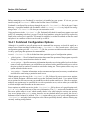
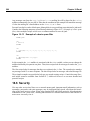
This file can be quite long, depending on the number of devices displayed here and their requirements
or requests for resources.
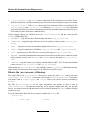
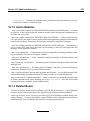
Each card lists its name, PnP version number, and product version number. If the device is active and
configured, this file will also reveal the port and IRQ numbers for the device. In addition, to ensure
better compatibility, the card will specify preferred and acceptable values for a number of
different parameters. The goal here is to allow the PnP cards to work around one another and avoid
IRQ and port conflicts.
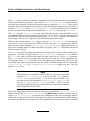
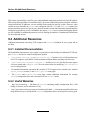
4.2.13 /proc/kcore
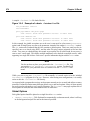
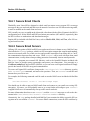
This file represents the physical memory of the system and is stored in the core file format. Unlike
most /proc files, kcore does display a size. This value is given in bytes and is equal to the size of
physical memory (RAM) used plus 4KB.
69