1
How to Access
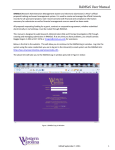
As noted in the introduction, there are multiple ways to access the login page for the
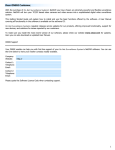
Member Extranet. Once on the Login page there is a description of what the extranet is and
contact information to request training. Beneath that is the actual login box to enter your
email and password.
First Login
When setup for the extranet you receive an email with a temporary password. Upon first
login you are able to set a personalized password for future use. If you forget your
password, use the Forgot Password link to reset or contact a member of the MCCVB staff for
assistance.
Once you are successfully logged into the system you will see a series of links for each
section of the Member Extranet. Simply click the link for the section you wish to access, to
update listing information select the option for Member Record.
System Requirements and Troubleshooting
The MCCVB Extranet system will only function properly on the two most recent versions of
the top web browsers. To avoid lapses in functionality be sure to keep your browser up to
date. You can check what version you have and see if there are updates by going to the
menu on your browser and selecting the About option.
If you do experience system issues and upgrading your browser will not work please try
clearing your history and cached pages. You may also need to have your IT department
adjust other security settings or update java settings. If you need assistance please contact
a member of the MCCVB team.