1
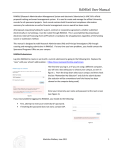
the Benefits Summary (managed by MCCVB). Please review the instructions for each
section in this manual to learn how to update your content.
Contacts
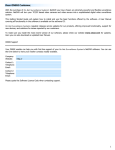
The Contacts section is where the Primary user can add their team members to the system.
They have access to Add new, Edit and Deactivate existing contacts. Deleting contacts and
setting Security Access for users must be handled by the MCCVB. To add new contacts click
the blue Add New Contact button on the right side.
When the page loads, type in the First and Last names then hit the Tab key the Full Name
field will auto populate. Please enter the remaining desired contact information for the
user; all fields in red font are required. Please also make sure the Send box is checked so the
user can receive emails from the system.
When completing the Phone/Fax fields, you only need to add the numbers, once you click
the Tab key or in a new field they will automatically format with ( ) and -. If the number has
an extension please use the Ext field instead of adding in the main number field. Once
complete click the Save button.